Loading Material Connecting Material Coil Box To Printer
Page 108
© Copyright 2021 Stratasys. All rights reserved.
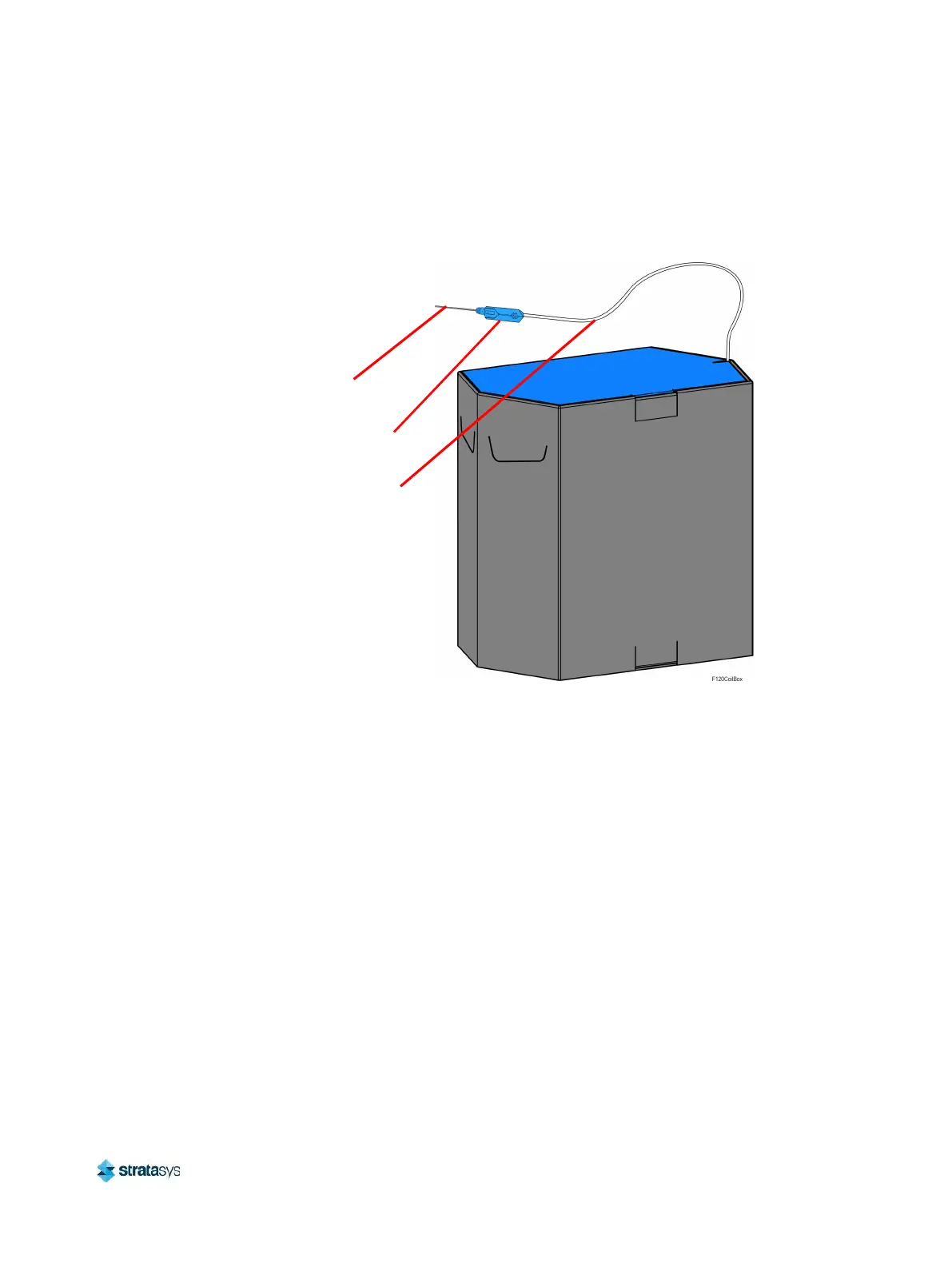
material tube. Cut the 1.2 meters of filament using the 5” cutter included in the Welcome Kit.
This length of material is removed for moisture control. Refer to Figure 5 for material coil box
details.
Figure 5: Material Coil Box Details
The material coil box is ready to be connected to the printer. Follow the steps in “Connecting
Material Coil Box To Printer” (page 108) to connect the material coil box and load material to
the head.
Connecting Material Coil Box To Printer
Once you’ve properly prepared a material coil box, you can begin the process of loading
material. Pre-loading filament to the drive wheels places the filament into position to be loaded
to the liquefier tip within the head.
To connect and load material from a material coil box:
Filament
Memory Chip
Filament Tube





 To Next Page