Customer Replaceable Units Carriage Board
Page 188
© Copyright 2021 Stratasys. All rights reserved.
Carriage Board
Required Tools
• 3 mm hex wrench
• Phillips screwdriver
Removing the Carriage Board
1. Power OFF the printer. See “Powering Off” (page 182).
2. Open the top front access door. See “Opening Top Access Doors Front/Rear” (page 184).
3. Move the head carriage to the front of the gantry.
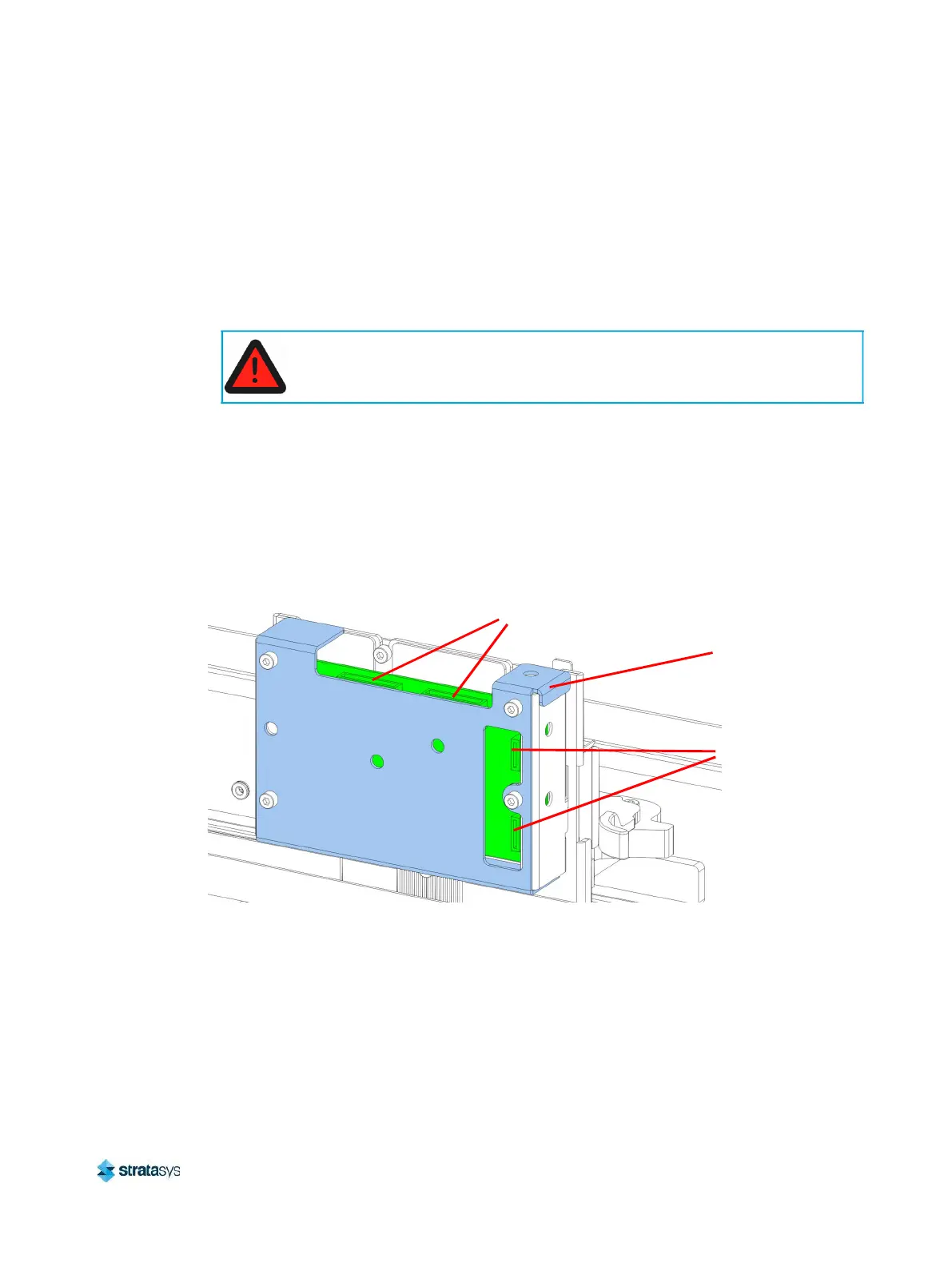
4. Disconnect the model and support head ribbon cables from the top of the carriage board.
5. From the front of the gantry, disconnect the carriage board cables (2) from the carriage
board (J4, J7).
Figure 26: Head Board Connector Locations
6. Remove the reusable cable ties (2) securing the cables to the carriage board assembly.
Always perform lockout-tagout of the AC power cord in accordance with
customer site procedures.
Carriage Board
Cable Connectors
Carriage Board
Cover
Print Head Ribbon
Cable Connectors














 To Next Page