Exporting System Configuration (.CFG) File GrabCAD Print Method
Page 175
© Copyright 2021 Stratasys. All rights reserved.
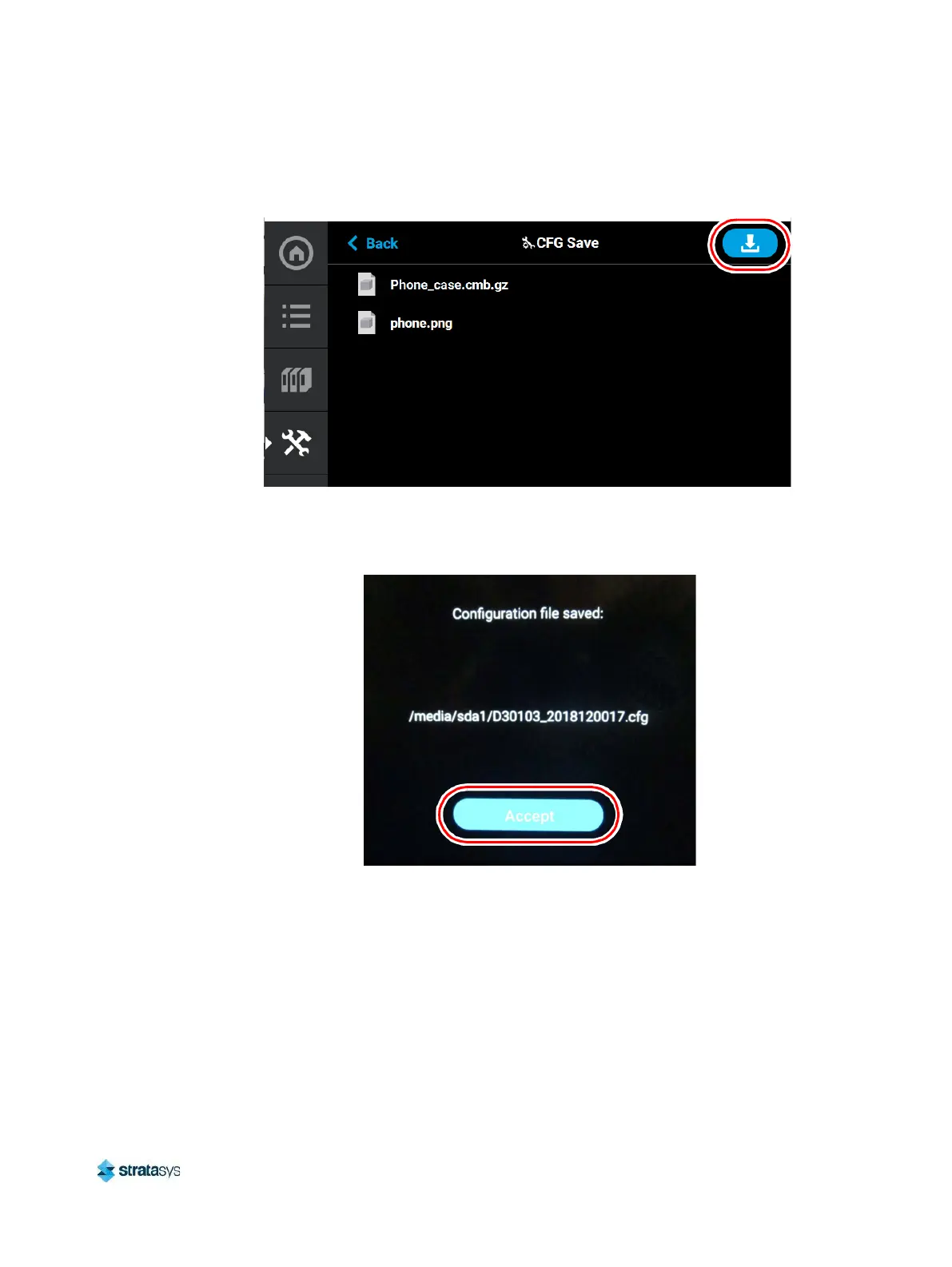
6. Navigate to a save file location on the USB drive and select the Download button.
Figure 16: Save File Location
7. The configuration file will download to the USB flash drive. Select Accept when the file
download is complete.
Figure 17: Configuration File Saved
GrabCAD Print Method
For detailed instructions on exporting a system configuration file navigate to:
http://help.grabcad.com/article/196-printer-firmware-management and follow the procedure for
‘Exporting the printer configuration’.




 To Next Page