Modeling Materials Material Coil Box Memory Chip
Page 38
© Copyright 2021 Stratasys. All rights reserved.
Material Coil Box Memory Chip
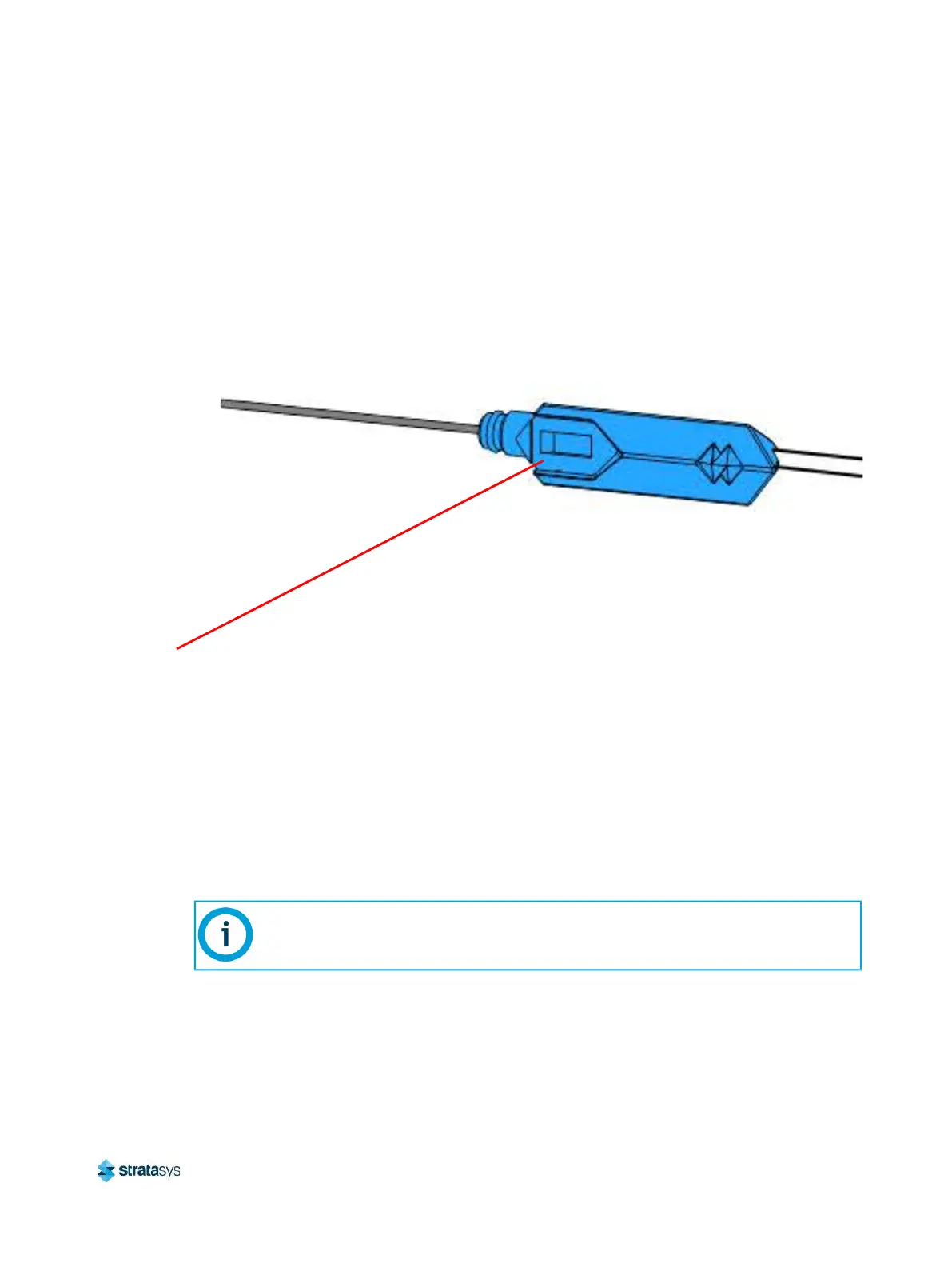
Each material coil box has a memory chip; this memory chip recognizes the box’s material type
and tracks the box’s volume. The F770 printer utilizes a different memory chip than other
Stratasys materials and as a result, only F770 printer compatible material coil boxes can be
used to build parts on the printer.
Figure 13: Material Coil Box Memory Chip Location
When a material coil box is connected, its memory chip is read and the box’s information is
reported to the printer. The material coil box’s material type and volume are displayed within
the Materials page of the User Interface (see “Working with the Materials Page” (page 61) for
more information). If a non-compatible material coil box is connected, an error will be displayed
on the User Interface.
Each build file contains an estimate of the amount of model and support material required to
complete the build. When initiating a build, this estimate is compared to the amount of material
available on each material coil box. If there is not enough material available to complete the
build, you will be warned and given the option to change material coil boxes before starting the
build.
Memory Chip
A specific prompt will only be displayed if a material coil box volume related issue is
detected. See “Warnings and Errors” (page 233) for details.














 To Next Page