Customer Replaceable Units Oven Door Interlock Switch
Page 228
© Copyright 2021 Stratasys. All rights reserved.
Oven Door Interlock Switch
Required Tools
• 3 mm hex wrench
Removing the Oven Door Latch
1. Power off the printer. See “Powering Off” (page 182).
2. Open the oven door.
3. Disconnect the interlock switch cable. Ensure the cable does not fall into the switch recess.
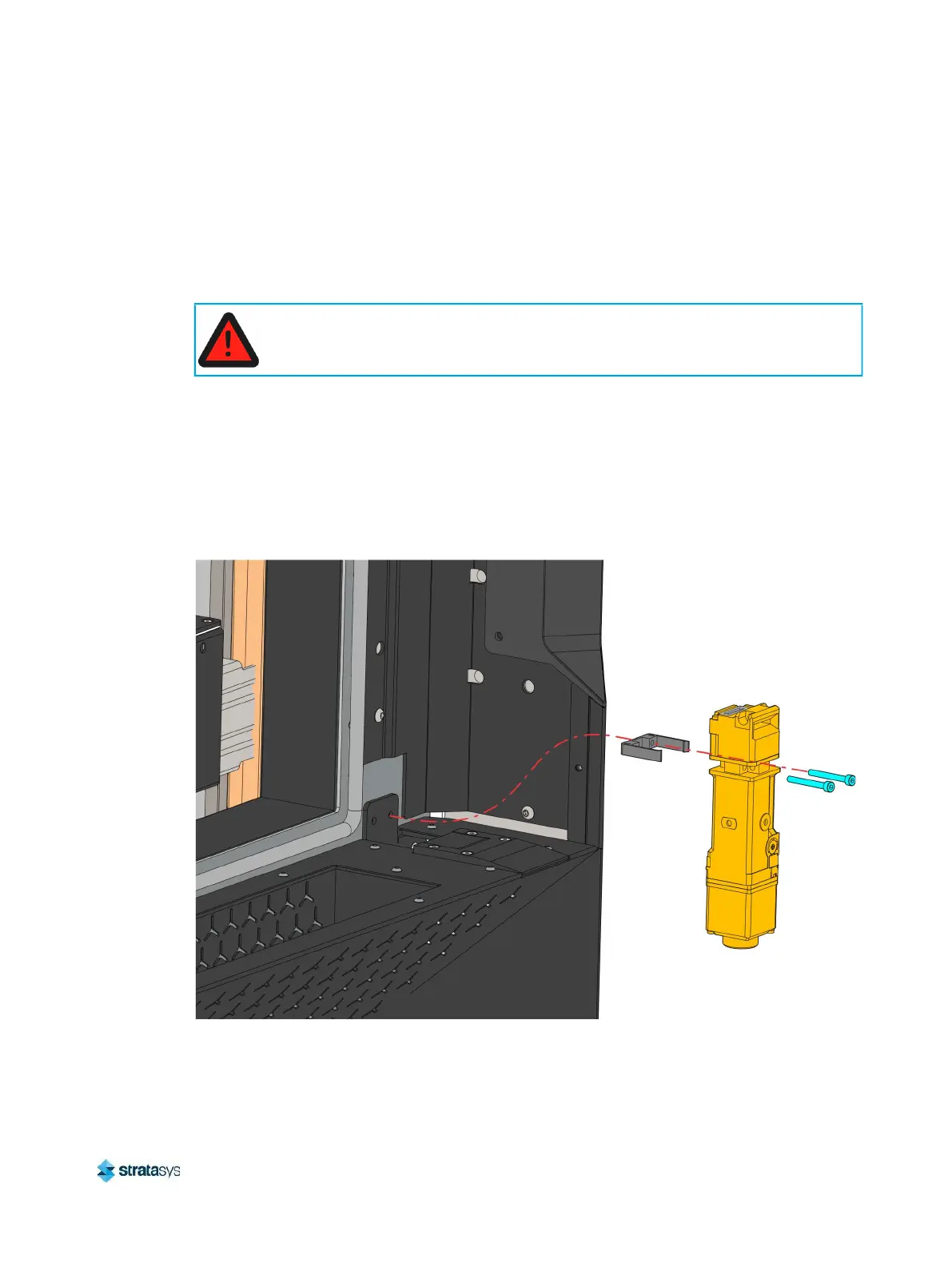
4. Use a 3 mm hex wrench to remove the interlock switch mounting screws (2). See
Figure 60.
5. Remove the interlock switch and the mounting bracket.
Figure 60: Oven door interlock switch mounting screw locations
Always perform lockout-tagout of the AC power cord in accordance with customer
site procedures.
Pivot arm (2)
Inside
door
panel














 To Next Page