Basic Setup Identifying Your Printer
Page 15
© Copyright 2021 Stratasys. All rights reserved.
Identifying Your Printer
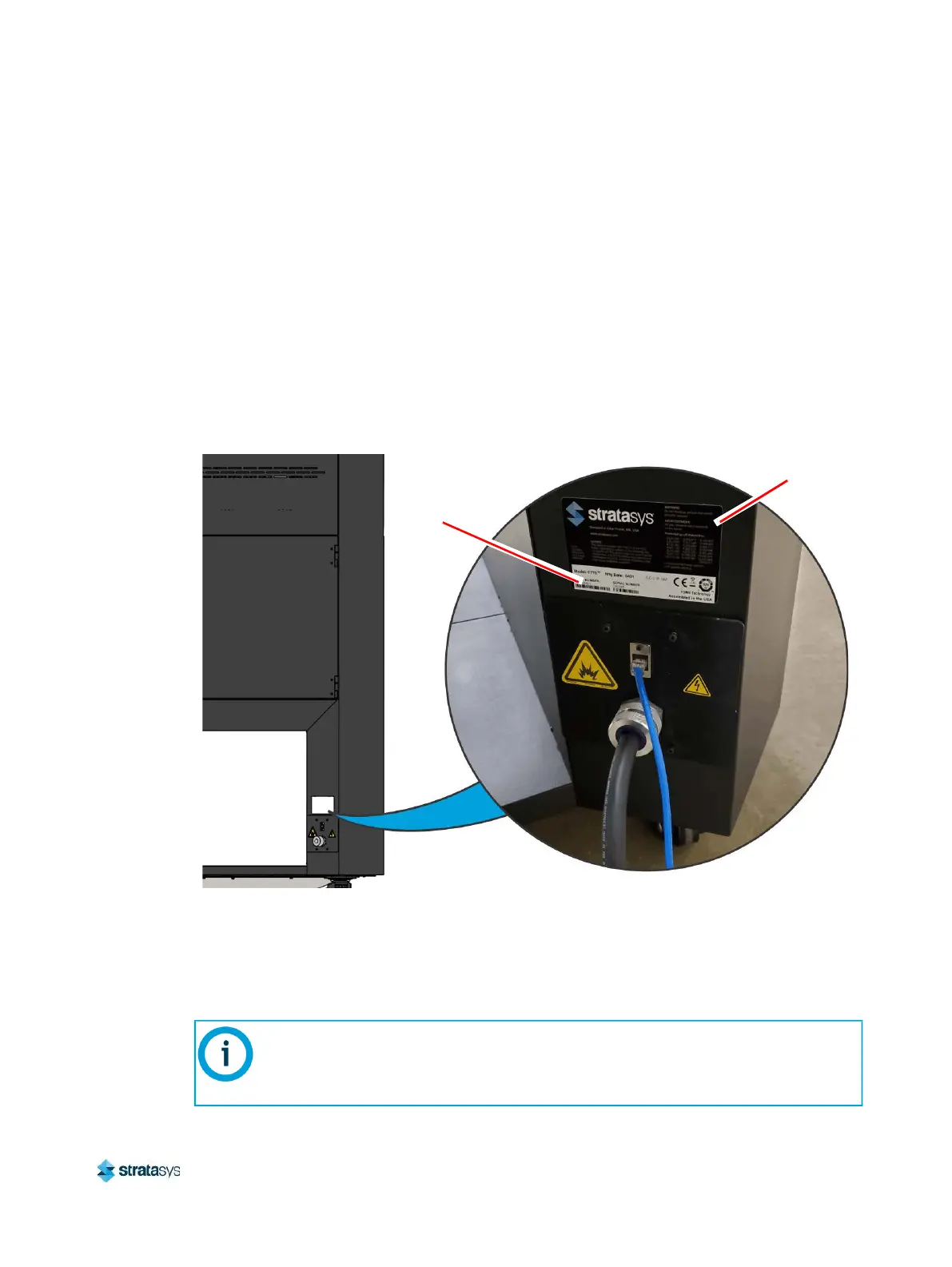
Use the following tags to identify your printer:
• Serial Number Tag - Refer to this number when requesting service. You can also locate the
printer’s serial number via the Maintenance page of the User Interface (see “System
Odometers” (page 95) for more information).
• Model Tag - The printer’s model number, part number and power requirements are given
on this tag. This tag also lists all patent numbers associated with the printer, some FCC
compliance information, voltage warnings, and the Stratasys web address.
Both tags are located on the back side of the printer near the bottom, and are typically placed
near the printer’s power connection. Use the information on these tags when identifying your
printer with Customer Support.
Figure 4: ID Tag Locations
Making the Network Connection
Processed job files can be transferred from Insight to the F770 printer through your facility’s
Ethernet network. An RJ45 network connector is located on the right, rear corner of the printer
(as viewed from the rear). See Figure 5 for the network connection location.
Model Tag
Serial
Number
Tag
A 15 foot (4‘.6m) network patch cable is supplied with the printer and located in the
welcome kit. Facilities having network connection points further from the printer than
can be reached by the supplied cable are responsible for the procurement of an
appropriate cable.














 To Next Page