Working with the Materials Page Head Status Icons
Page 63
© Copyright 2021 Stratasys. All rights reserved.
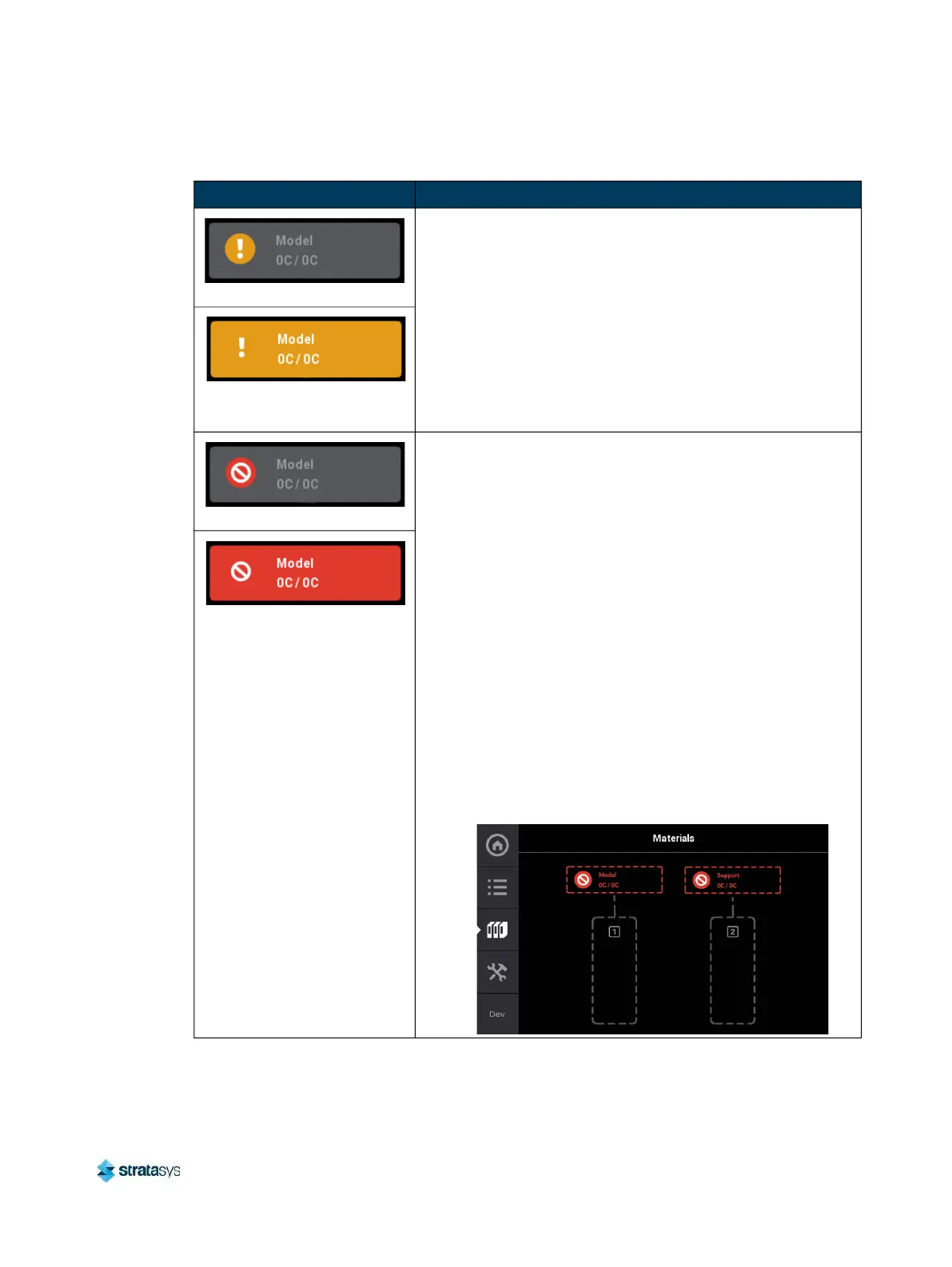
Warning (head unloaded)
• Yellow coloring and an associated notification badge
indicates a head related warning (see “Head Warnings”
(page 243)).
• Additional information regarding the warning and possible
correction information is displayed by opening the
associated head’s Head Details page (see “Viewing Head
Details” (page 64)).
• When the head’s odometer reaches 1350 build hours a
warning will be displayed reminding you to order a
replacement head as the head is approaching is odometer
limit.
Warning (head loaded)
Error (head unloaded)
• Red coloring and an associated notification badge indicates
a head related error (see “Head Errors” (page 243)).
• Additional information regarding the error and possible
correction information is displayed by opening the
associated head’s Head Details page (see “Viewing Head
Details” (page 64)).
• When the head’s odometer reaches 1500 build hours an
error will be displayed. The printer is still able to build with
this head, but you will be reminded before starting each build
that the head’s odometer limit has been reached and part
quality may be negatively affected. User action is required to
replace head. See “Head Replacement” (page 121) for
instructions.
• If the associated head is incompatible with the location
where it is installed (i.e. if the model head is installed in the
support head location), an error will be displayed. After
clicking on the error icon, a message will display with
instructions to replace whichever head (model or support)
was incorrectly installed.
Error (head loaded)
Table 6: Head Status Icons - Icon States (Continued)
Icon State Description














 To Next Page