X35 Monitor System Settings
4.21
16. High Auxiliary RPM Speed - not used
17. Low Auxiliary RPM Speed - not used
18. Pack Master Off - indicates that the Pack
Master control is OFF and the master switch is
ON.
19. Drill Raised - indicates that the drill is UP
and the master switch is ON.
20. Hydraulic Pressure Low - indicates the down
force pressure is LOW.
21. Flow Sensor Failure - liquid flow sensor not
reading pulses.
22. Pressure High - indicates that the liquid/NH3
pressure is higher than the high pressure
setpoint. This alarm is for liquid systems,
if there is an electric pressure sensor in the
product line. (not currently supported)
23. Pressure Low - indicates that the liquid
pressure is lower than low pressure setpoint.
This alarm is for liquid systems, if there is
an electric pressure sensor in the product line.
(not currently supported)
24. High Pump Speed - indicates that the liquid/
NH3 pump speed is higher than the maximum
pump RPM setpoint. (not currently supported)
25. Low Pump Speed - indicates that the liquid/
NH3 pump speed is lower than the minimum
pump RPM setpoint. (not currently supported)
26. No Liquid Flow - shows that the in-line
liquid/NH3 flow meter is not registering a
signal when the tank and master switches are
both ON.
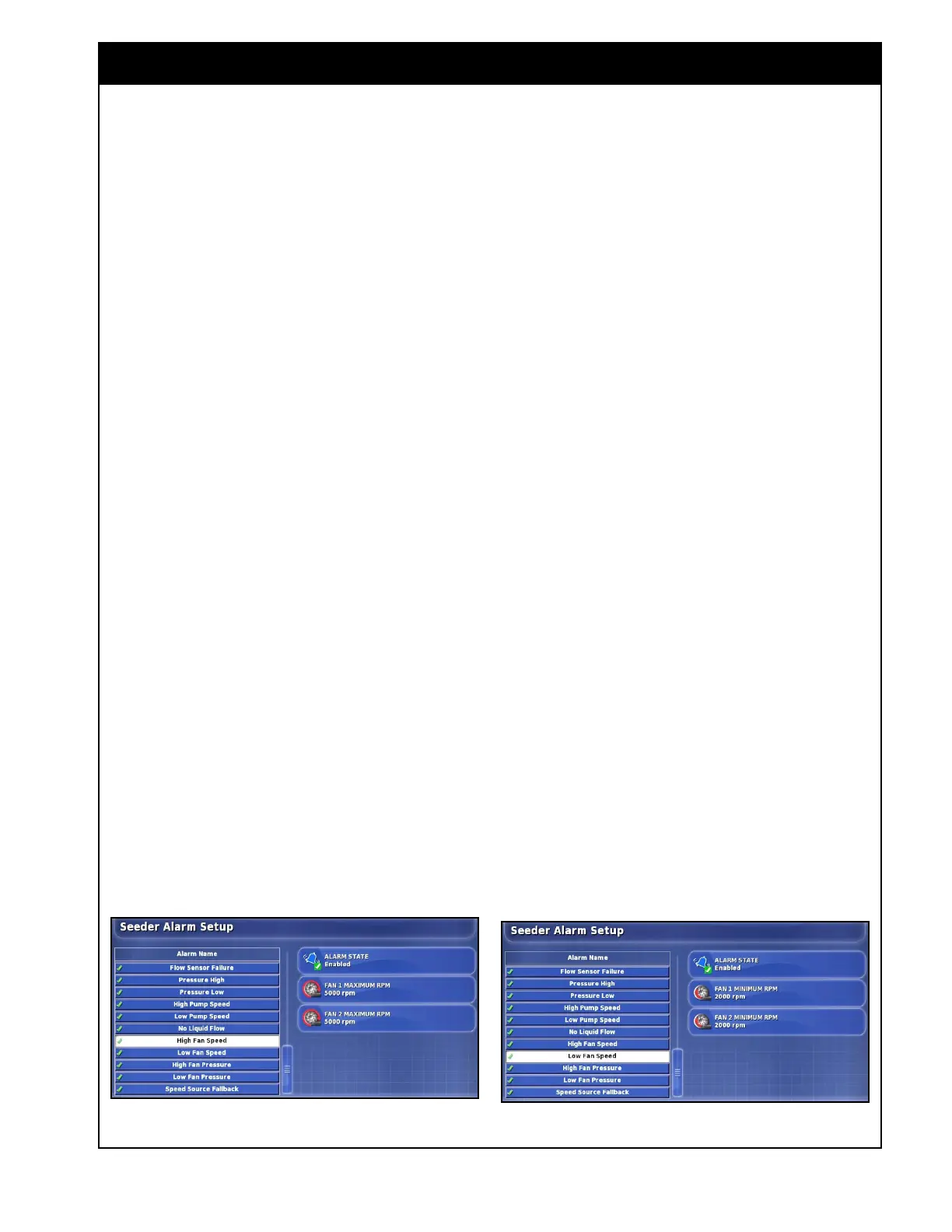
27. High Fan Speed - indicates that the fan RPM
is more than the HIGH RPM setpoint.
a. select the Fan 1 Maximum RPM button to
enter the Fan1 high RPM setpoint.
b. select the Fan 2 Maximum RPM button to
enter the Fan2 high RPM setpoint.
Note
Refer to the Air Seeder Operator's Manual for
recommended fan speed settings. This value
depends on application rate, tillage unit width,
and ground speed. Remember that the fan speed
will increase when product enters the air stream.
Also remember not to exceed 5000 RPM with a
standard fan or 6000 RPM with an optional high-
speed fan.
28. Low Fan Speed - indicates that the fan RPM
is less than the low RPM setpoint.
This prevents the possibility of running
the meters with a very low fan speed and
subsequent plugging of the distribution pipes.
a. select the Fan 1 Minimum RPM button to
enter the Fan1 minimum RPM setpoint.
b. select the Fan 2 Minimum RPM button to
enter the Fan 2 minimum RPM setpoint.
29. High Fan Pressure - Not supported.
30. Low Fan Pressure - Not supported.
Figure 4.24 - High Fan Speed Alarm Figure 4.25 - Low Fan Speed Alarm



 To Next Page