104 Safety guard
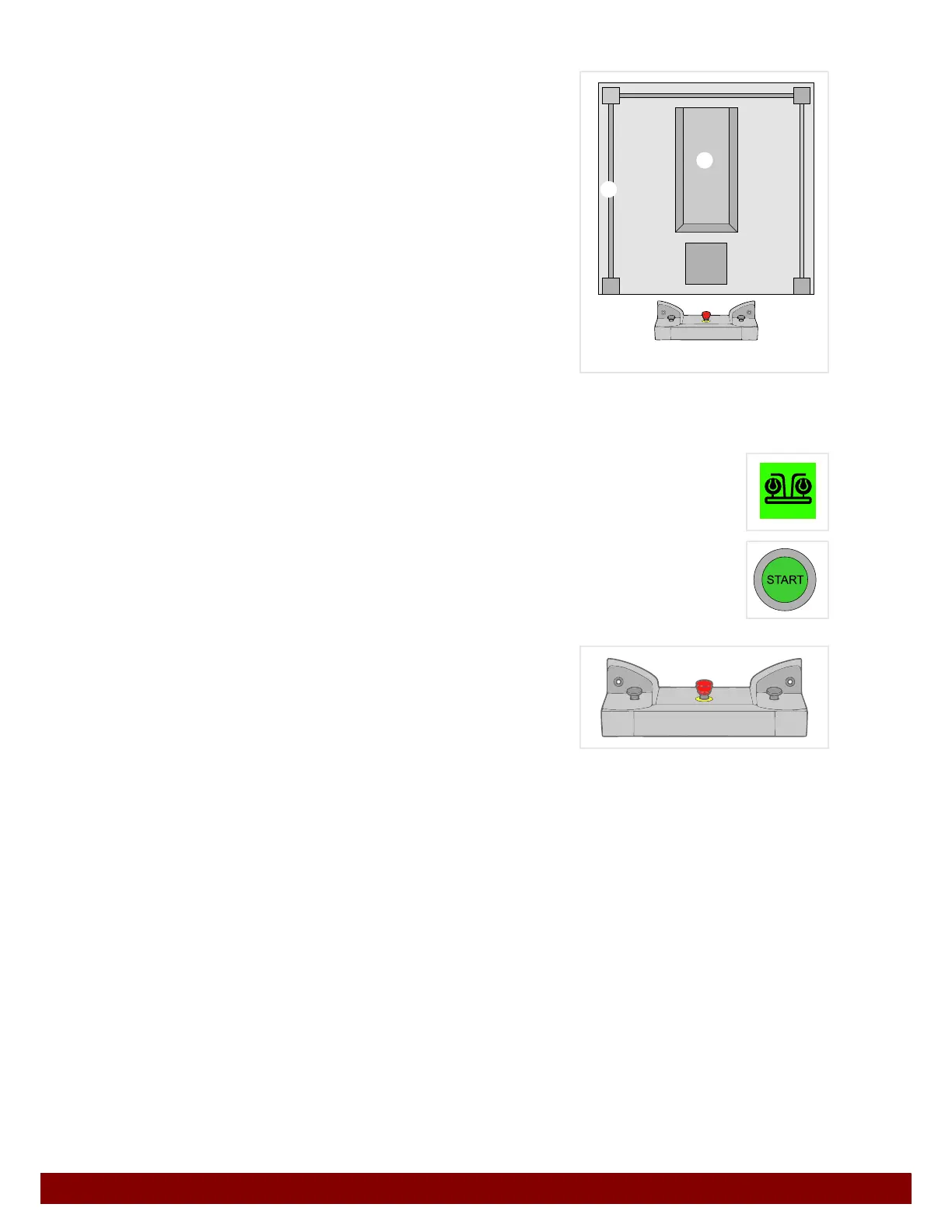
21.2 Safety guard – two-hand operation
B
Machine
C Safety guard
D Two-hand operation
If two-hand operation is in place as a safety guard, the functions are triggered using two-
hand operation.
The green two-hand operation symbol appears on the touchscreen of the
operating panel when the machine is ready to start.
The START illuminated button lights up when the machine is ready to start.
However, no functions can be carried out by pressing the illuminated
START button.
The selected function is carried out by pressing
two-hand operation.
21.3 Description of functions
The most commonly used safety guard is the light curtain.
For that reason the descriptions in this instruction manual refer to this safety guard.
• By keeping the illuminated START button pressed, certain functions are continually
repeated.
If the two-hand operation safety guard is in place, the functions are not carried out by
pressing the illuminated START button, but rather by pressing two-hand operation.
• Both two-hand operation buttons must be pressed simultaneously to trigger a function.
• If one of the buttons is released while the machine is carrying out an automatic move-
ment procedure, an EMERGENCY STOP will be triggered.
• Keeping two-hand operation pressed means that a function will not be repeated. After
completion of the function the machine will stop. The function will only be repeated
after two-hand operation has been pressed again.
B
C
D



 To Next Page