Operating Elements 105
22 Operating Elements
22.1 Control Panel
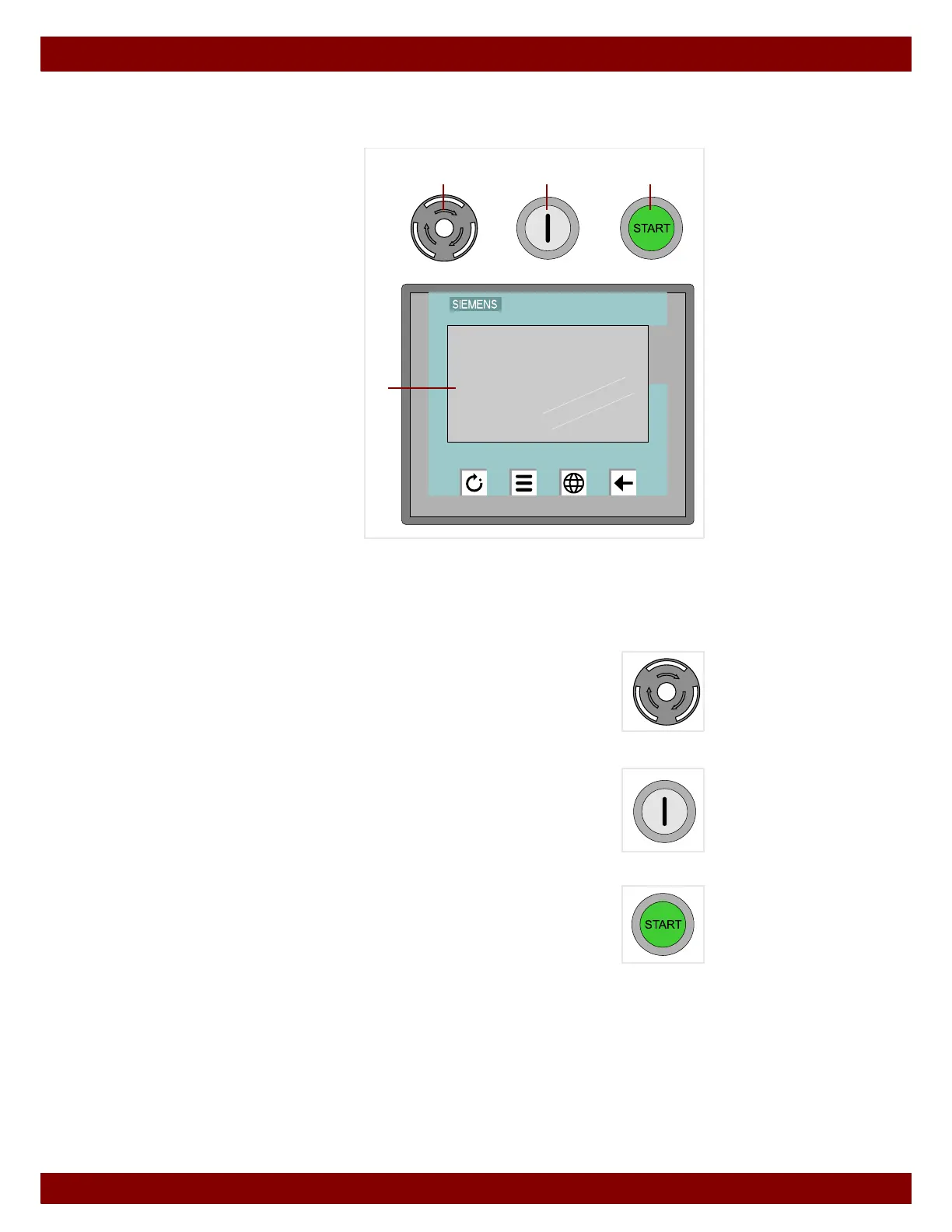
On the front of the machine, three buttons and the operating terminal are built into the
machine housing.
B STOP button
C ON illuminated button
D START illuminated button
E Operating terminal
The operating terminal features a
touch screen and several function
keys.
22.2 Button
22.2.1 STOP button
Pressing the STOP button turns off the control unit.
22.2.2 ON illuminated button
Pressing the ON illuminated button turns on the control unit.
22.2.3 START illuminated button
The START illuminated button will light up when a starting procedure is pos-
sible.
Pressing the START illuminated button carries out the function pre-selected
on the operating terminal.
SIMATIC HMI
TOUCH
F2F1 F3 F4
E
BCD



 To Next Page