Settings 137
26.8.4 Save dataset
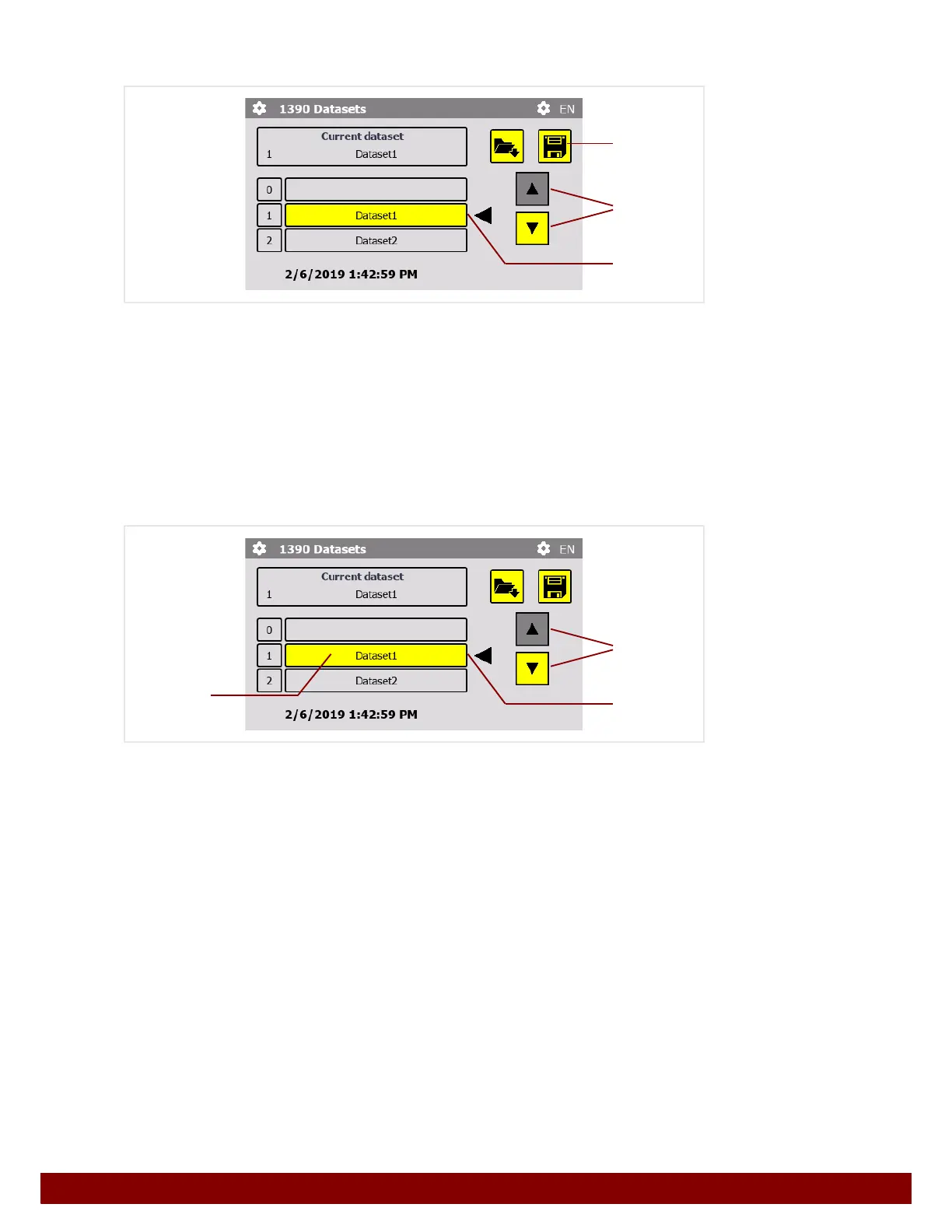
The list of datasets can be scrolled through using the push buttons scroll up / down D.
20 disk spaces (1 to 20) can be chosen from.
The selected disk space is displayed in the row
E marked with an arrow Ż .
Pressing the Save F push button saves the dataset in the selected disk space.
26.8.5 Rename dataset
The list of datasets can be scrolled through using the push buttons scroll up / down D.
20 disk spaces (1 to 20) can be chosen from.
The selected disk space is displayed in the row
E marked with an arrow Ż .
Pressing the push button with the Dataset name F opens the input dialog. The name
can be changed.
See also Chapter 22.6.6 "Change settings" on page 110.
D
E
F
D
E
F



 To Next Page