170 Automation Interface
31.6.3 3 Position Fixture
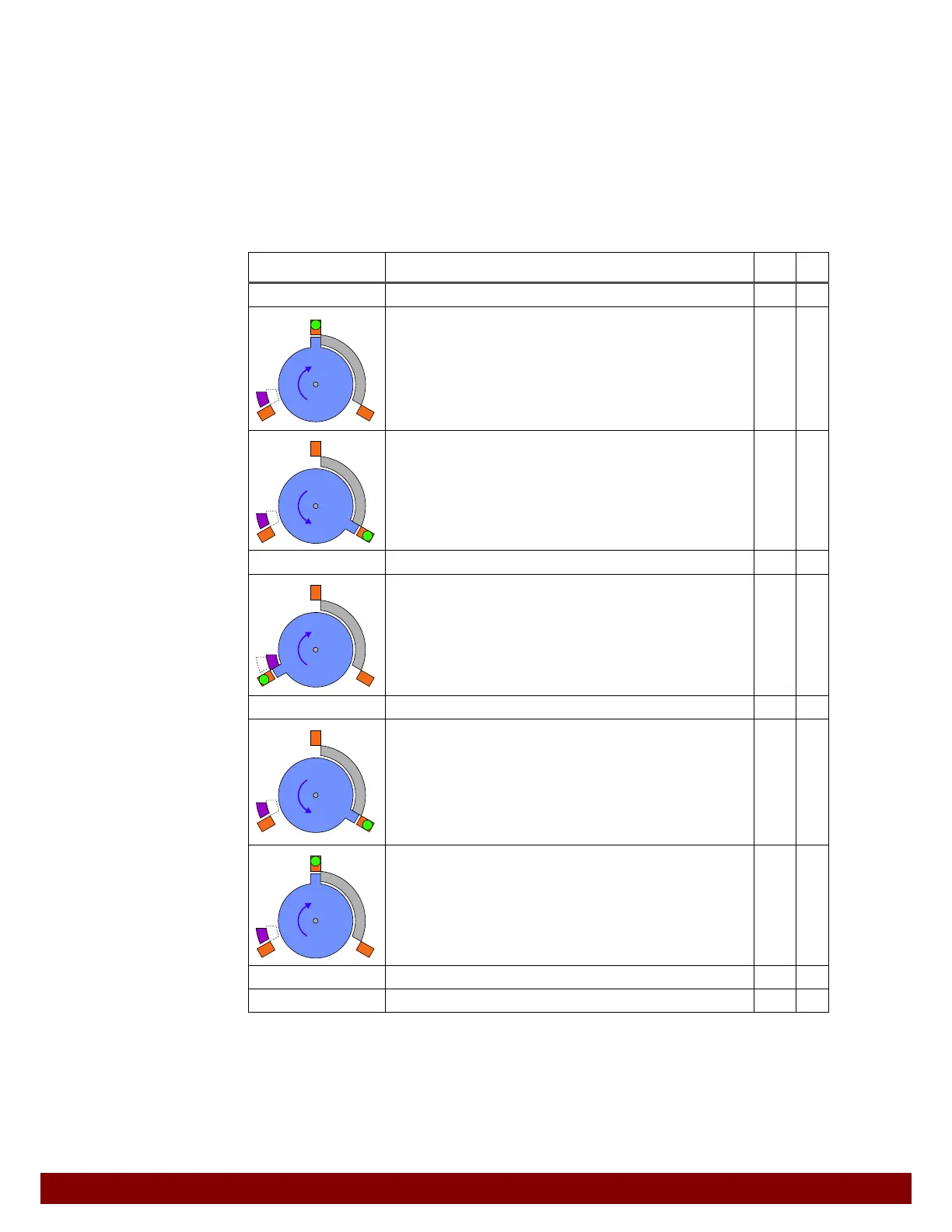
The switching behavior of the inputs and outputs is adapted for a workpiece fixture with
three positions.
Inputs used: Pin 1 (IN) Prog. IN 1, Pin 2 (IN) Prog. IN 2
Outputs used: Pin 5 (OUT) Prog. OUT 1, Pin 6 (OUT) Prog. OUT 2
Pin 8 (OUT) Prog. OUT 3
The inputs and outputs with a HIGH signal are each indicated in the table.
After the START button has been pressed, the following auxiliary function will be carried
out in AUTOMATIC operation mode.
Positions Step OUT IN
START
Move rotary drive to home position.
Activate rotary drive in a clockwise direction.
Position switch signals that position has been reached.
1
1
Move rotary drive to position 2.
Activate rotary drive in a counterclockwise direction.
Position switch signals that position has been reached.
2
2
Press on position 2
Move rotary drive to position 3.
Actively move the limit stop into position.
Activate rotary drive in a clockwise direction.
Position switch signals that position has been reached.
3
1
3
Press on position 3
Move rotary drive to position 2.
Activate rotary drive in a counterclockwise direction.
Position switch signals that position has been reached.
Switch off activation for limit stop (OUT 3).
The limit stop will passively move into position.
2
2
Move rotary drive to position 1.
Activate rotary drive in a clockwise direction.
Position switch signals that position has been reached.
1
1
Press on position 1
END



 To Next Page