Switching on the machine 115
23.4 Operation mode
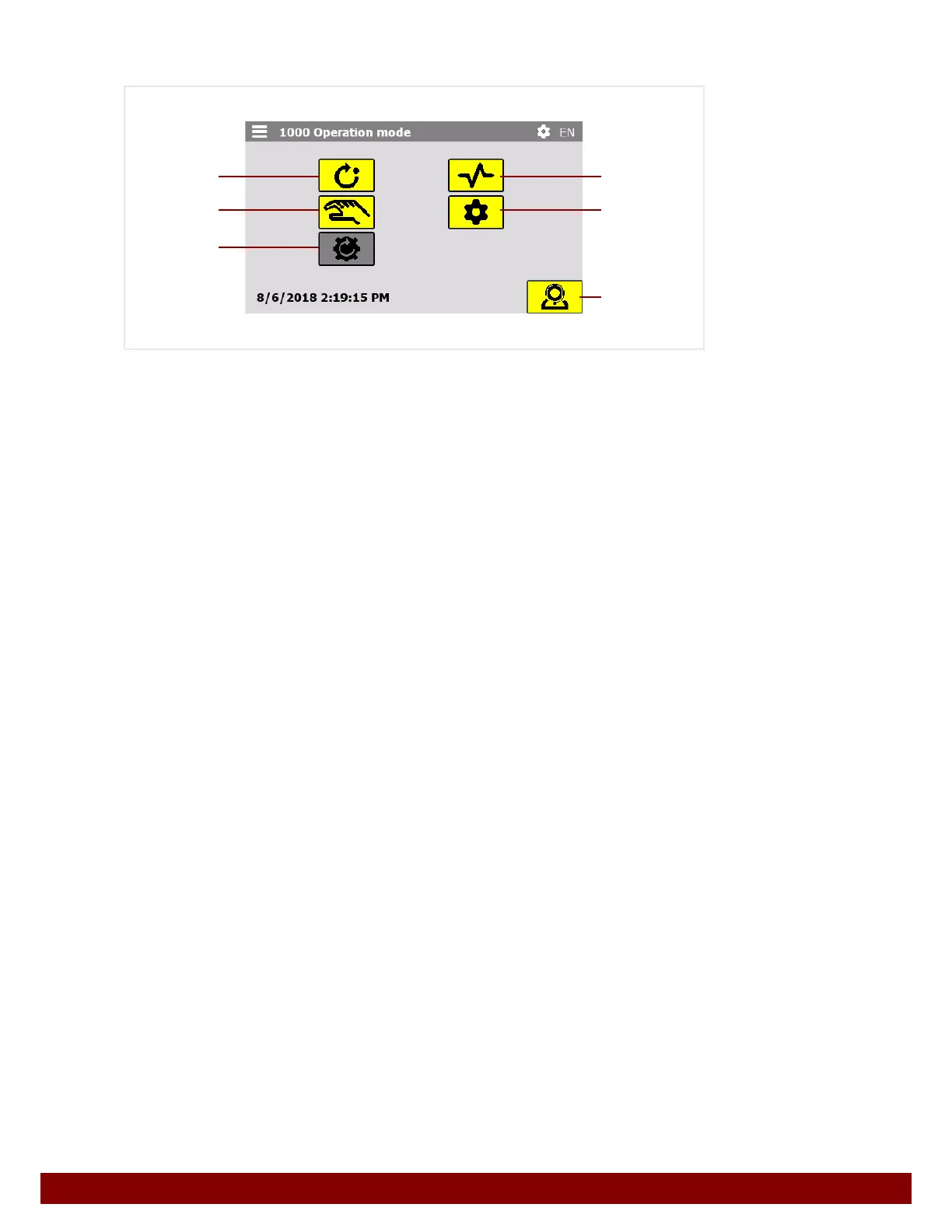
After homing has been completed, the operation mode menu is displayed.
B push button to call up the AUTOMATIC operation mode. See Chapter 24 "Automatic"
on page 117.
C push button to call up the MANUAL MODE operation mode. See Chapter 25 "Manual
Mode" on page 121.
D push button to call up the HOMING operation mode. See Chapter 23.3 "Home posi-
tion" on page 114. If the machine is already in the home position, the push button will
be displayed in grey.
E Push button to call up the DIAGNOSIS operation mode. See Chapter 28 "Diagnostics"
on page 151.
F Push button to call up the SETTINGS operation mode. See Chapter 26 "Settings" on
page 127.
G Push button to call up the SERVICE operation mode. See Chapter 29 "Service" on
page 155.
D
B
C
G
E
F



 To Next Page