112 Operating Elements
22.8 Menu Configuration
Access to functions and settings can be individually configured. This allows access by
unauthorized persons to be prevented.
In the Admin Settings menu, all of the machine’s settings and all menu configuration
options can be accessed. All machine functions and access rights are managed from
there. For this reason the menu is protected with a password.
22.8.1 Module activation / deactivation
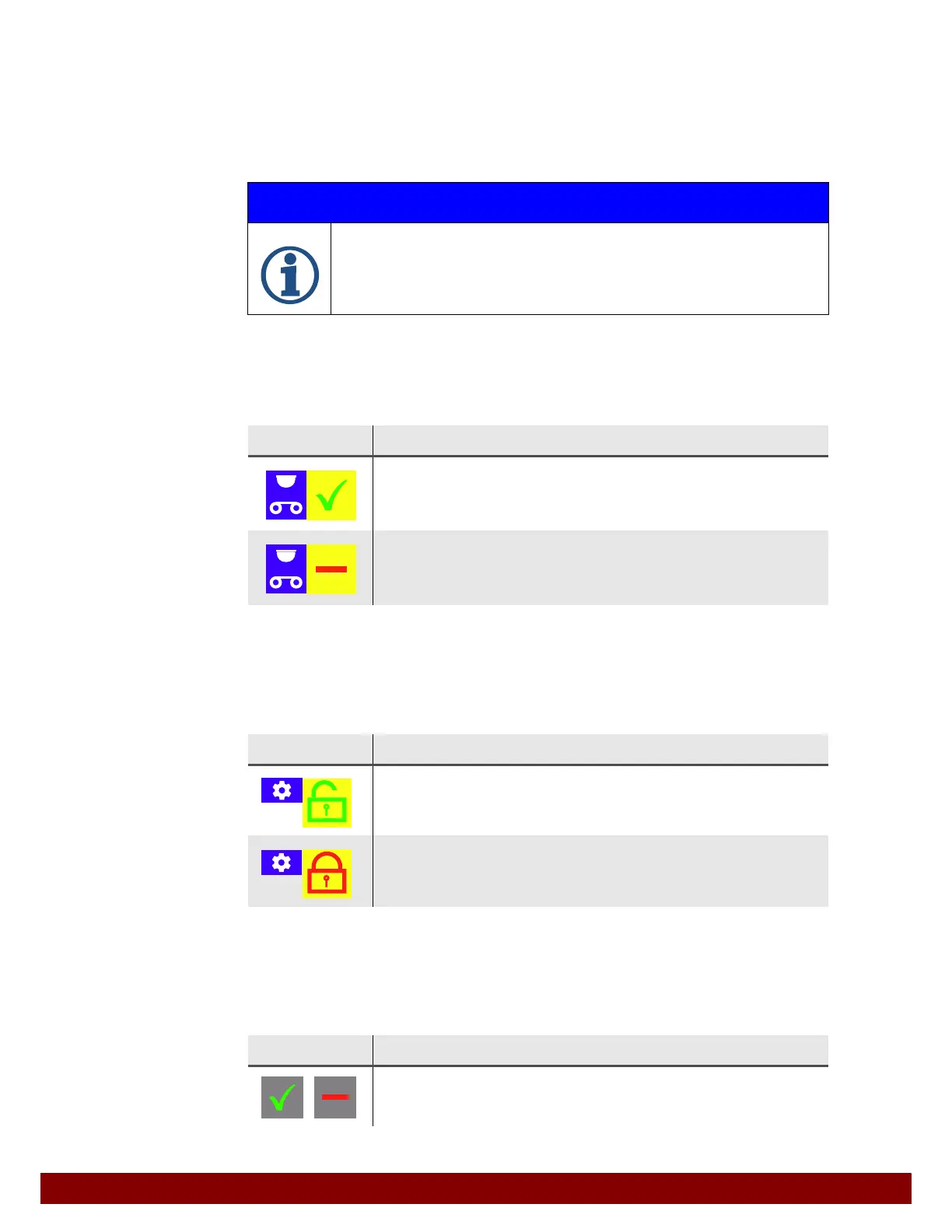
Some optional modules of the machine can be activated or deactivated. The symbol
shows the currently selected feature.
22.8.2 Write protection
This feature can be set by pressing the yellow “write protection” push button. The symbol
shows the currently selected feature.
22.8.3 Locked push buttons
Locked push buttons are colored grey in the menu. The functions or chosen settings are
displayed but cannot be activated or changed.
IMPORTANT INFORMATION
Passwords are referred to exclusively in Chapter 32 "Password" on page 175. This
page can be removed from the instruction manual in order to limit the dissemina-
tion of passwords.
Symbol Meaning
ACTIVATED
The module (in this case pad cleaning) is available and is activated.
DEACTIVATED
The module (in this case pad cleaning) is not available and is deactivated.
Symbol Meaning
WRITE PROTECTION OFF
The settings for this function can be changed in the SETTINGS menu.
WRITE PROTECTION ON
The settings for this function cannot be changed in the SETTINGS menu.
Symbol Meaning
Locked push buttons
The settings are displayed. It is not possible to press the grey push buttons.



 To Next Page