146 Admin Settings
27.8 Datasets
Functions see Chapter 26.8 "Datasets" on page 135.
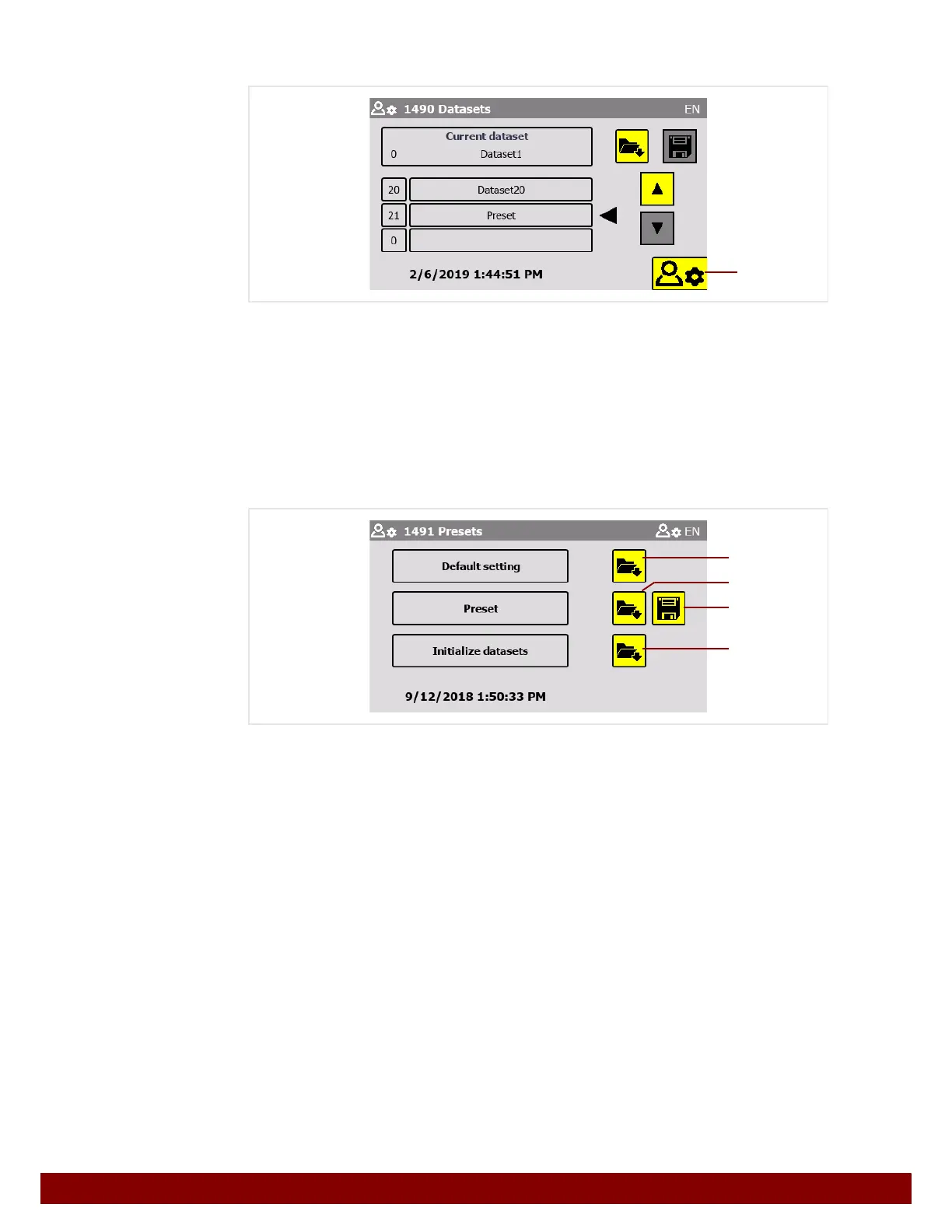
The Presets menu can be viewed by pressing push button
B.
27.8.1 Presets
The Presets menu is protected with a password prompt and can only be accessed by
employees of the manufacturer.
See Chapter 32 "Password" on page 175.
Pressing the push button Load
B loads the Default Settings. These deal with the
minute configuration of the machines’ operations. They do not include application-specific
settings.
Pressing the push button Load
C loads the Preset. This refers to the dataset which was
saved in the factory when the machine was delivered.
Pressing the push button Save
D saves the current settings as a Preset. This overwrites
the dataset which was originally saved in the factory.
Pressing the push button Load
E copies the Preset to all datasets (from 1 to 20).
Default Settings = Dataset 0: Default
Preset = Dataset 21: Preset
B
B
D
C
E



 To Next Page