100 Express Liner Ink Cup
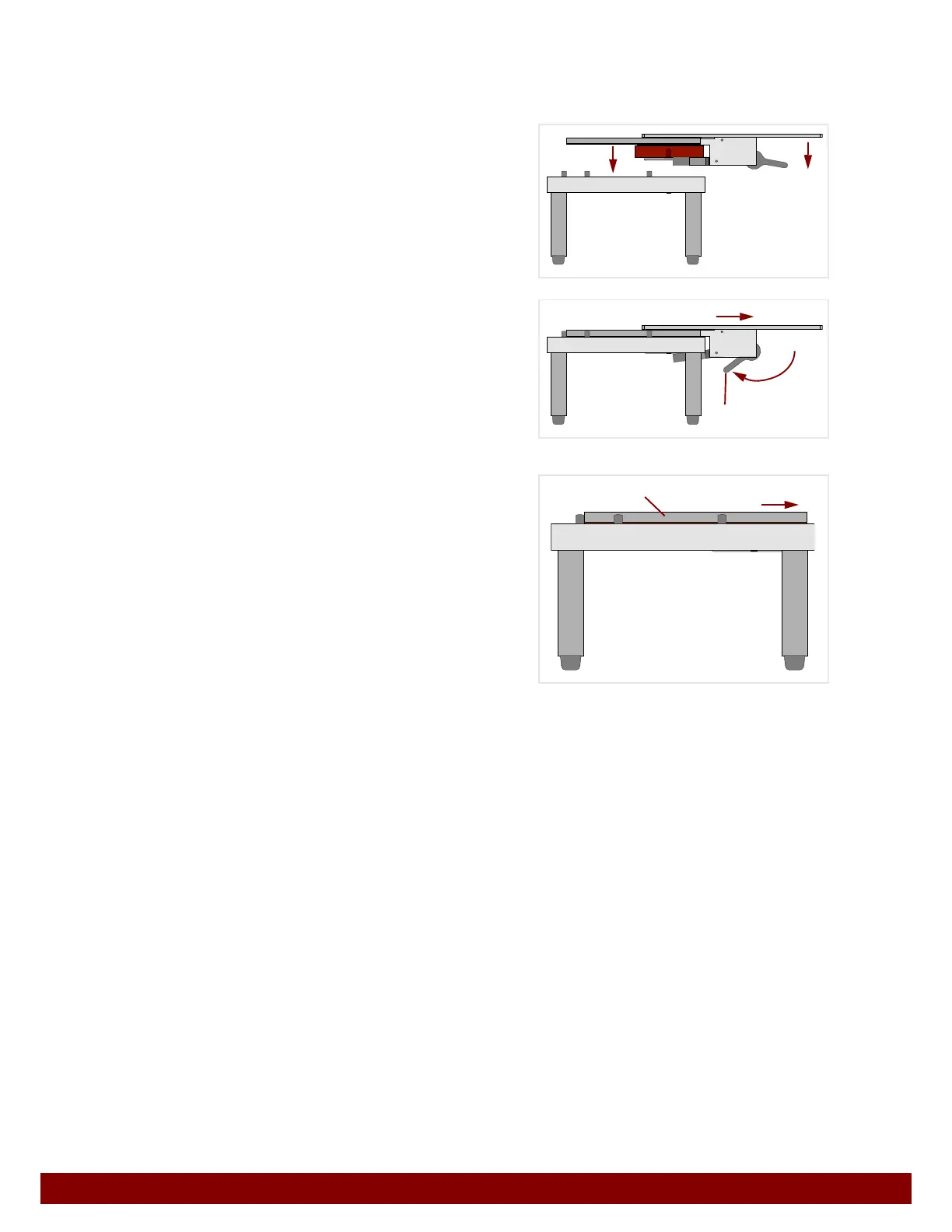
19.8 Separating the ink cup and cliché
The ink cup and cliché are removed from the machine together using the setup tool. See
Chapter “Cliché assembly”.
Insert the setup tool together with the ink
cup and the cliché into the setup table from
above.
Push the clamping lever
B forwards.
Remove the setup tool sideways from the
ink cup and cliché.
Push the cliché
C to the side and away
from the ink cup in the setup table.
The ink container can now be removed from the ink cup frame.
19.9 Cleaning the ink cup
With careful work practices, the ink will only get on the ink container and the doctor ring.
To remove the doctor ring see Chapter 19.5.3 "Removing the doctor ring" on page 95.
Clean doctor ring with solvent.
The ink container is a single-use product and must be disposed of in accordance with the
safety data sheets of the ink used, as well as local regulations on environmental and
health protection.
B
C



 To Next Page