Automatic 117
24 Automatic
This operation mode is selected from the “Operation mode” menu or using the
F1 AUTOMATIC function key.
In the AUTOMATIC operation mode, print cycles can be carried out with the chosen set-
tings.
24.1 Displays
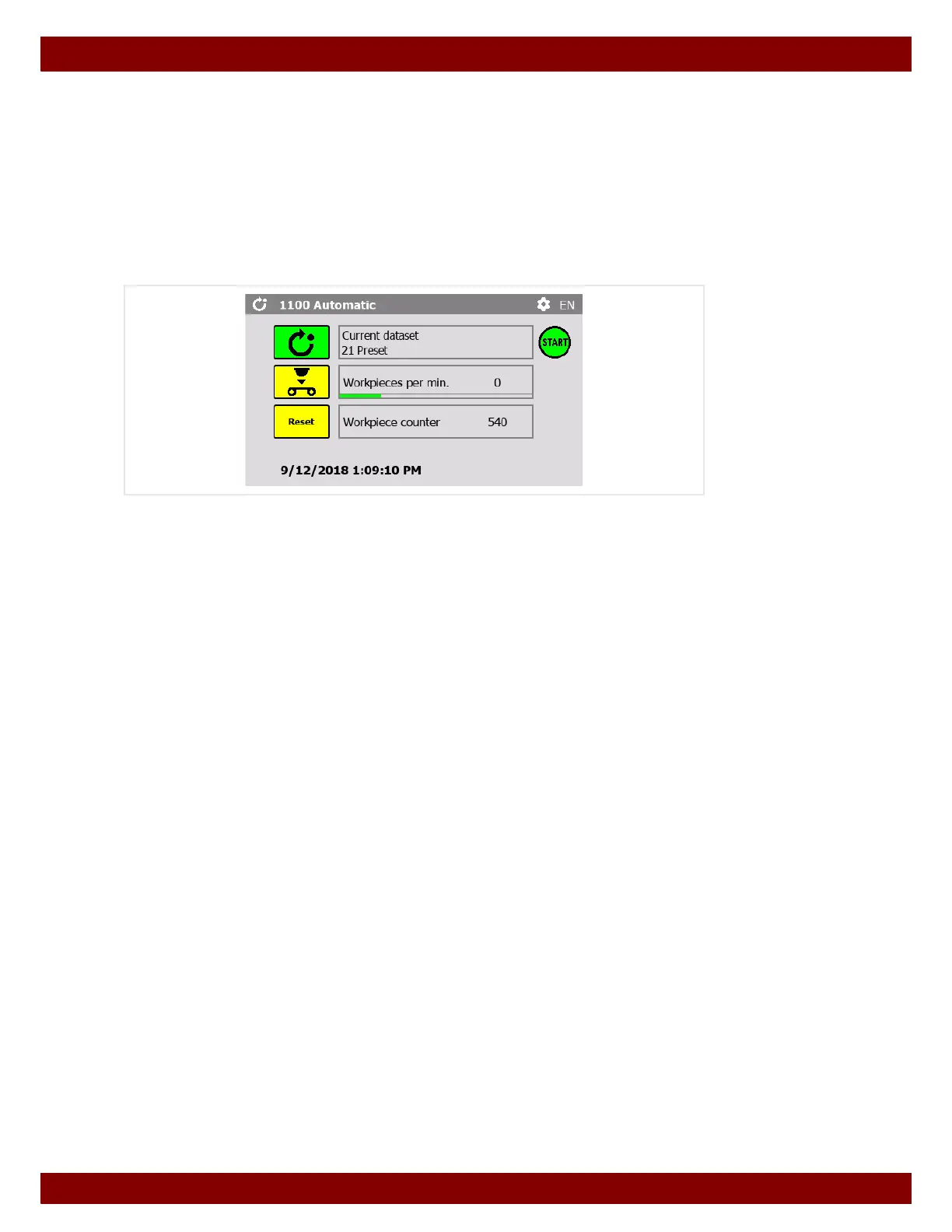
Current dataset
The name of the most recently loaded dataset is displayed.
See Chapter 26.8.2 "Load dataset" on page 136.
Workpiece per min.
Display of the number of workpieces printed per minute.
The display is updated once per minute and shows the number of workpieces printed in
the last minute.
The green progress bar below the counter shows how much of the minute has elapsed.
Workpiece counter
Display of the overall number of printed workpieces.
The counting mode can be set.
See Chapter 26.4 "Workpiece" on page 128.
24.1.1 Resetting the workpiece counter
By pressing the Reset push button the workpiece counter is reset to zero.



 To Next Page