108 Operating Elements
22.6 Symbols
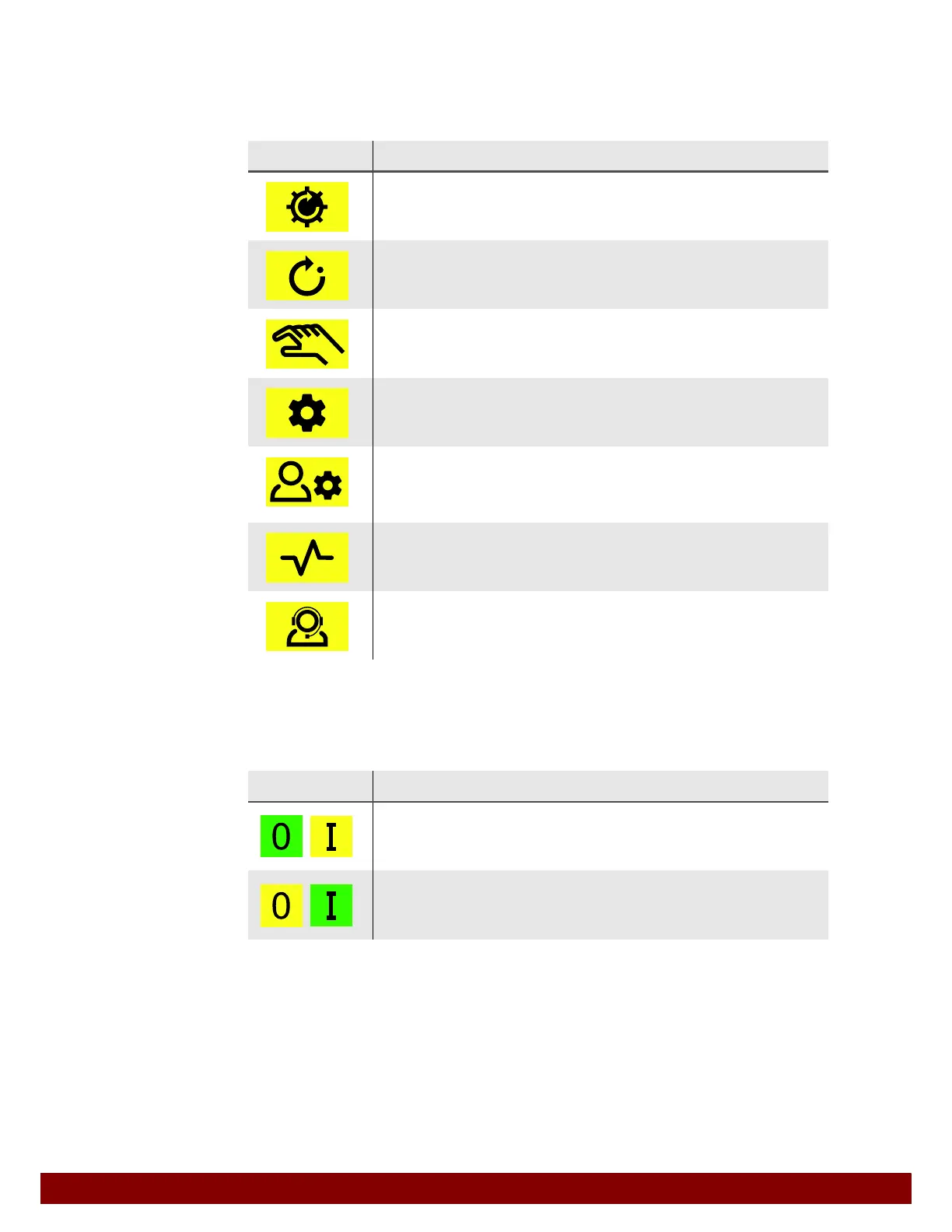
22.6.1 Operation modes
22.6.2 Switch on and off
The function is switched on and off immediately when push buttons are pressed.
Symbol Meaning
Homing
Carry out homing after switching on the machine or after an EMERGENCY
STOP.
Automatic
Carry out entire print processes based on current settings.
Manual Mode
Move the machine axes and carry out individual functions in order to confi-
gure and test machine functions.
Settings
Set properties and values of machine functions.
(Access with password only.)
Admin Settings
Set properties and values of machine functions. Configure the user inter-
face. Activate and set additional options. (Access with administrator rights
only.)
Diagnostics
Display current operating parameters and signal statuses for error diag-
nostics.
Service
Display manufacturer’s service contacts.
Administration of password functions.
Symbol Meaning
OFF
The function is switched off. When the yellow push button I is pressed, the
function is switched on.
ON
The function is switched on. When the yellow push button 0 is pressed, the
function is switched off.



 To Next Page