Automatic 119
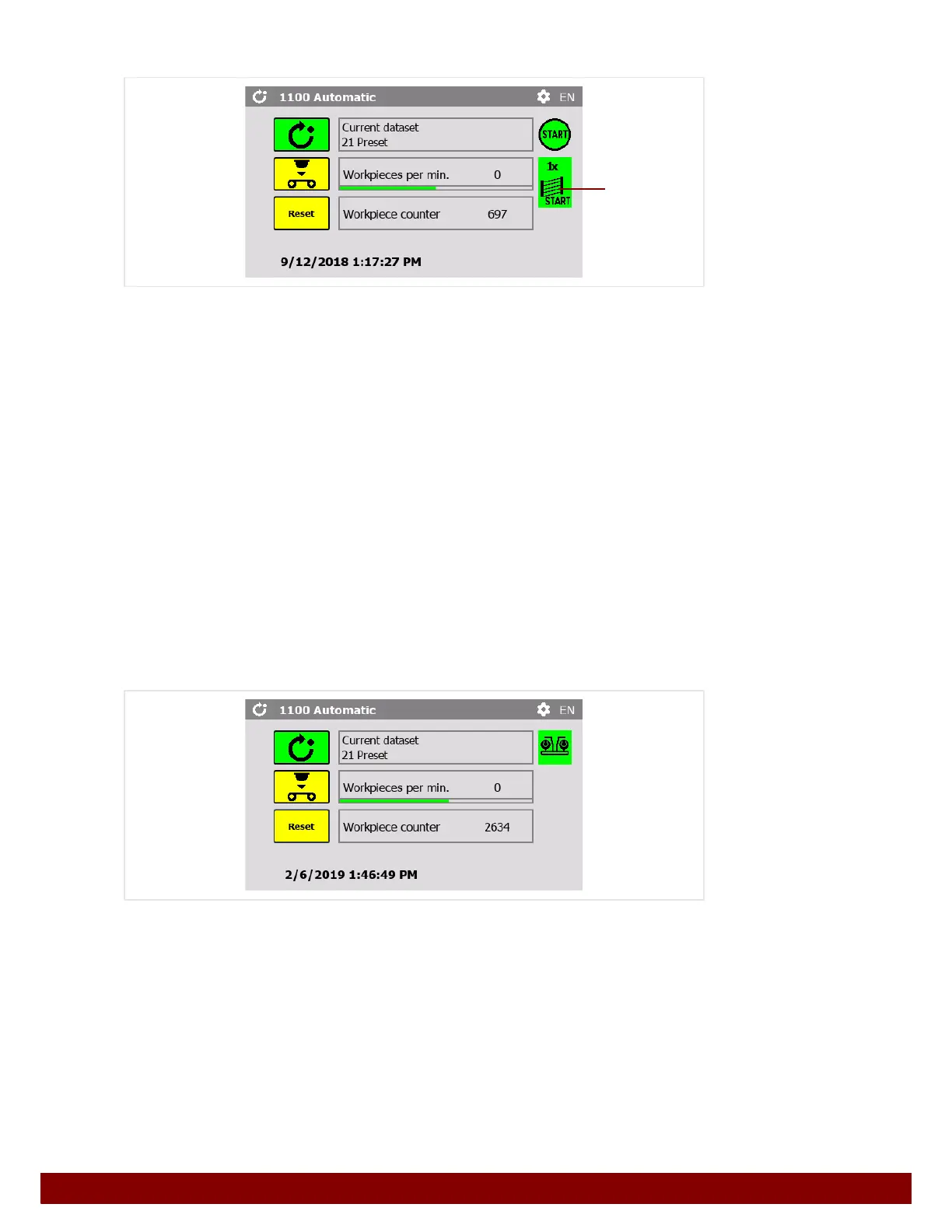
START via light curtain
The machine can be set in such a way that the start pulse for a print cycle is activated by
interrupting a light curtain and then ending contact with it again.
See Chapter 26.6 "Light curtain" on page 130.
• The first print cycle must always be activated using the START button.
• If the START via light curtain function is active, the symbol B will be displayed after
the first print cycle. The symbol shows the number of interruptions that will activate a
start pulse (1x or 2x).
• Further print cycles can now be activated by interrupting and then ending contact with
the light curtain.
• If the light curtain is not interrupted for 30 seconds, the START via light curtain func-
tion will be deactivated. The symbol
B will be hidden.
• If another print cycle is activated with the START illuminated button, the START via
light curtain function will be activated again.
24.2.2 With two-hand operation safety guard
Press the Automatic push button.
The push button for the selected function is displayed in green.
The green two-hand operation symbol appears when the machine is ready to start.
Pressing two-hand operation carries out a printing cycle.
Depending on the setting, a pad cleaning will automatically be carried out between print
cycles.
B



 To Next Page