106 Operating Elements
22.3 Operating Terminal
B
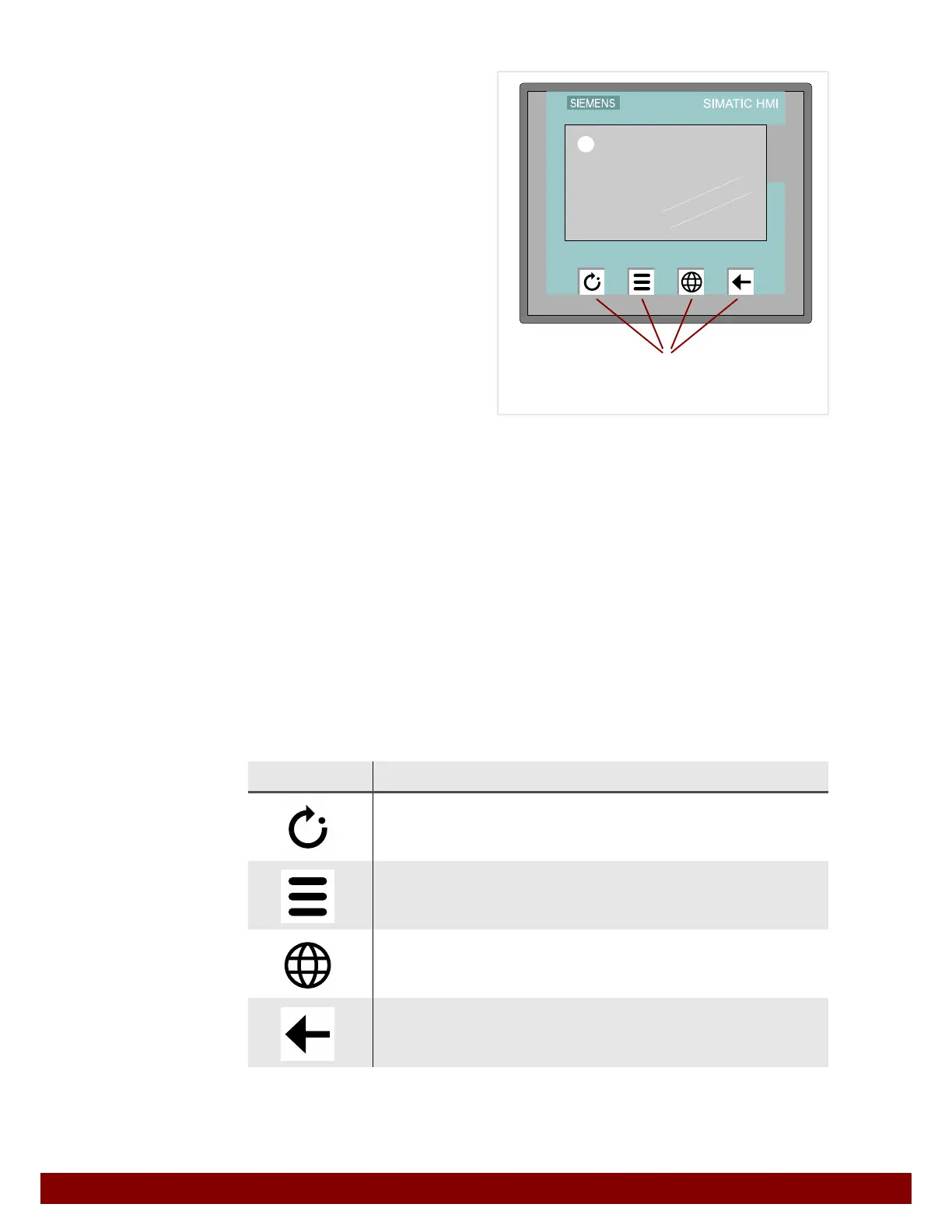
= Touch screen
C = Function keys F1 to F4
22.3.1 Touch screen
The touch screen shows the user interface of the different operation modes. The push but-
tons can be used to select functions, set operating parameters and view diagnostic func-
tions.
22.3.2 Function keys F1 to F4
The function of the function keys is the same in every menu.
Exception
In the system start menu the F1, F2 and F4 keys do not have a function until homing has
been successfully completed.
See Chapter 23.3 "Home position" on page 114.
Symbol Meaning
F1 AUTOMATIC
View the automatic operation mode.
F2 MENU
View the “Operation mode” menu.
F3 LANGUAGE
Change the language of the user interface.
Each push of the button will change the displayed language.
F4 BACK
View the previously displayed menu window.
B
C


 To Next Page