128 Settings
26.3 Printer
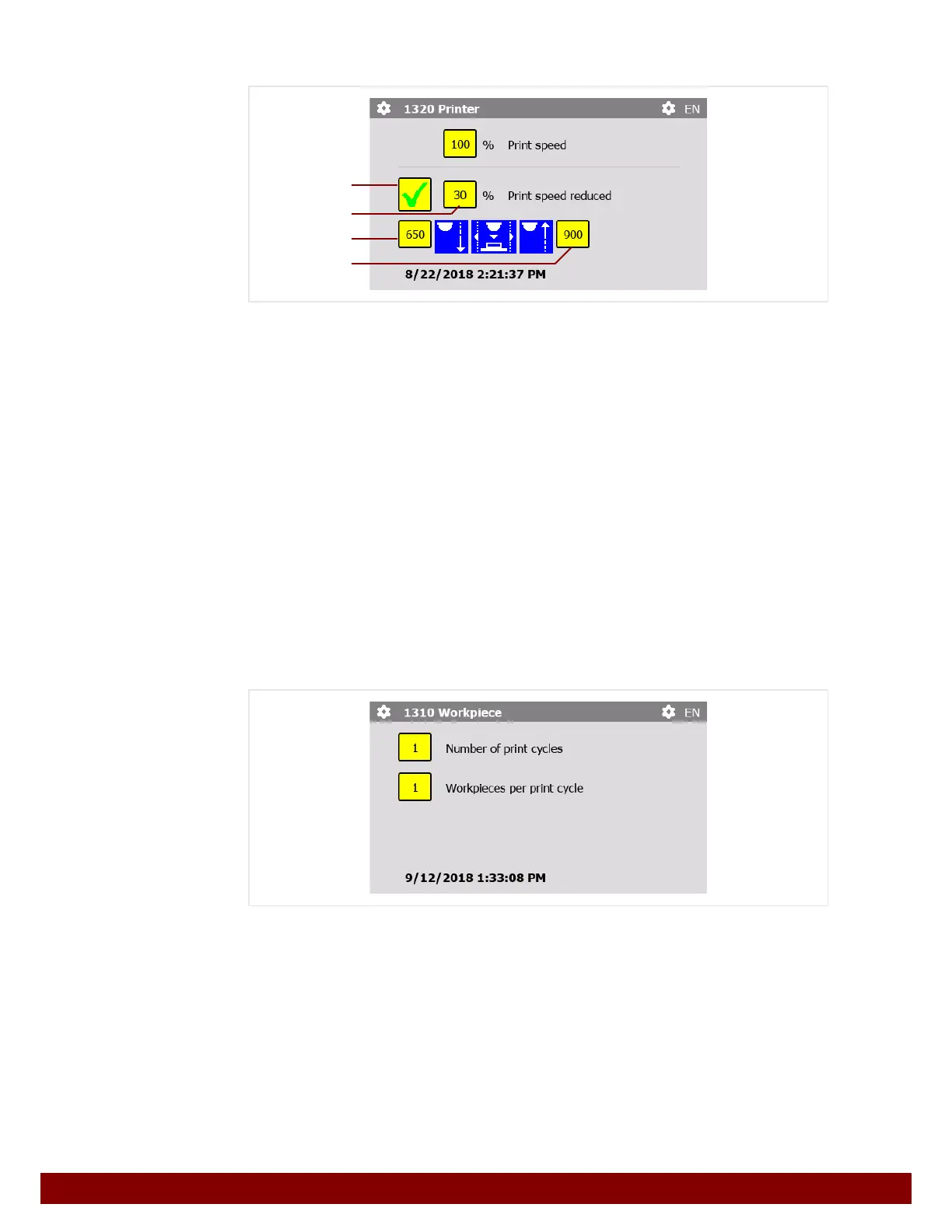
Print speed
The speed of the machine during the print cycle in automatic mode.
Print speed reduced
The machine can operate at a reduced speed for part of the print cycle. For example, this
allows the ink to be released more slowly for the pad on the workpiece.
By pressing the push button
B, the reduced speed can be activated or deactivated.
The reduced speed setting
C will only be taken into consideration when the function is
active.
The numeric values can be used to set the positions, from
D to E, between which redu-
ced speed should be employed.
The printer positions can be located in manual mode.
See Chapter 25.3.1 "Jog mode" on page 122.
26.4 Workpiece
Number of print cycles
The number of print cycles for a workpiece can be set.
As a result, the print image is applied several times.
Workpieces per print cycle
The machine can process several workpieces per print cycle. The number of workpieces
per print cycle can be set for the workpiece counter. After every print cycle the workpiece
counter is increased by the set number.
B
C
D
E



 To Next Page