156 Service
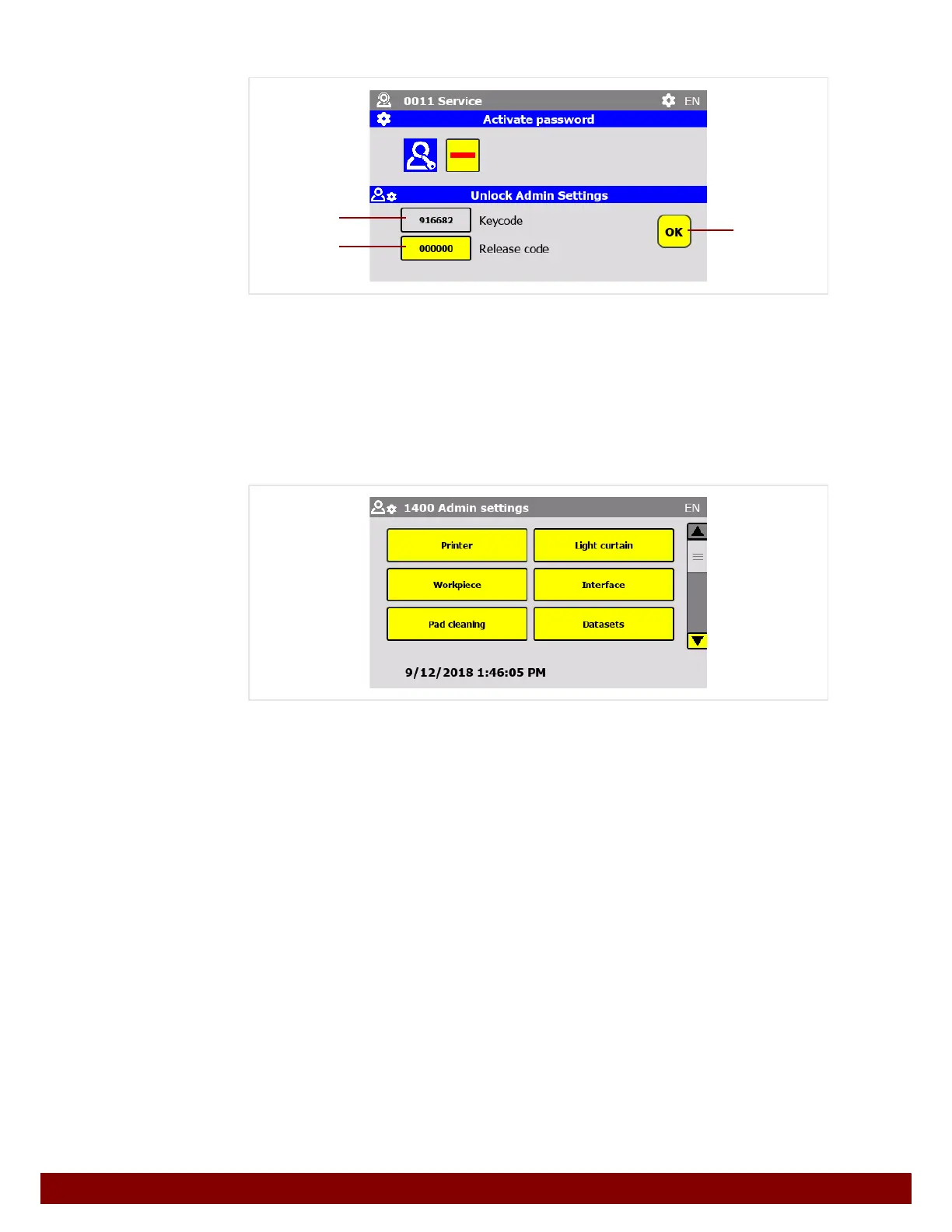
Unlock Admin Settings
The Admin access area can be unlocked once only.
• Contact the service department to generate a release code.
• Cite the keycode from field B.
• The service department will then generate a release code which should be entered in
field
C.
• Confirm the input by pressing the push button OK D.
• Access to the Admin Settings menu will be granted one time only.
INFO
• If the Admin Settings menu is exited, it can only be accessed again by entering a new
Release code.
• Every time the Unlock Admin Settings menu window is called up, a new keycode will
be generated. It is not possible to write down the keycode and enter the release code
generated by the service department when calling up the menu window at a later time.
The keycode and release code change every time.
• Every keycode and corresponding release code can only be used once.
B
C
D



 To Next Page