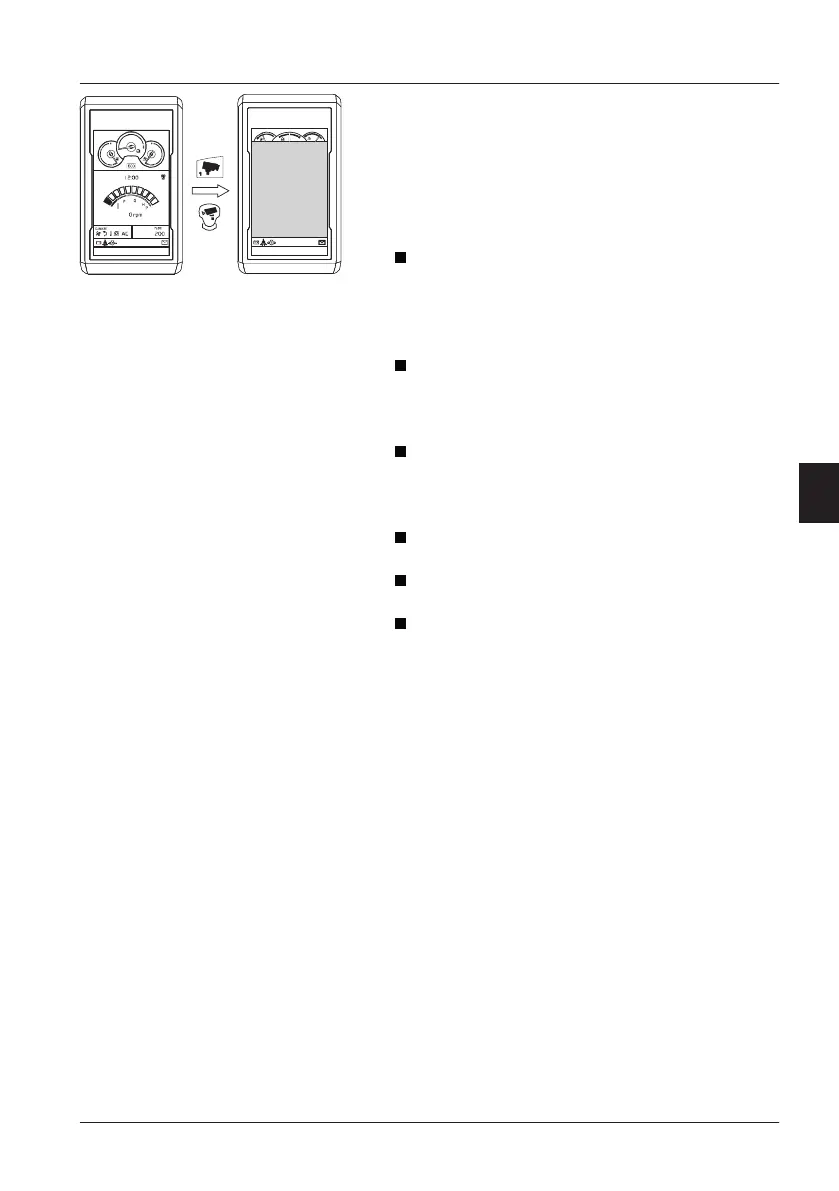
If the camera button (B) or joystick shortkey (5) is
pressed briefly: single view is shown according to
the view sequence below. Press the button (B) or
(5) until the desired view is shown.
Split-view
(1)
→
Top view 1 (long range view) →
Top view 2 (short range view) → Side mirror
view → Rear view → Right side view → Off
Top view 1 (long range view): synthetically
created allround view generated from the
installed cameras. This view could be used for
checking objects/people at relatively long
distance around the machine.
Top view 2 (short range view): synthetically
created allround view generated from the
installed cameras. This view could be used for
checking objects/people near the machine
Side mirror view: Left and right mirror view are
also displayed on
Top view 1. This view could
be used for checking objects/people to the side
of the machine (especially stitching areas).
Rear view: this view is only transmitted by the
rear view camera.
Right side view: this view is only transmitted by
the right side view camera.
Off: turn OFF the VSV-system. Main screen is
displayed on IC.
NOTE!
Always turn on the camera view(s) when operating
the machine. For more information, see page
44
and
134
.
A Main screen of IC
B Camera button on keypad
-
Short press: VSV-screen
-
Long press: VSV-configuration
C Volvo Smart View screen
1. this view can be displayed when presetting is done
Other controls
Operator comfort
137



 To Next Page