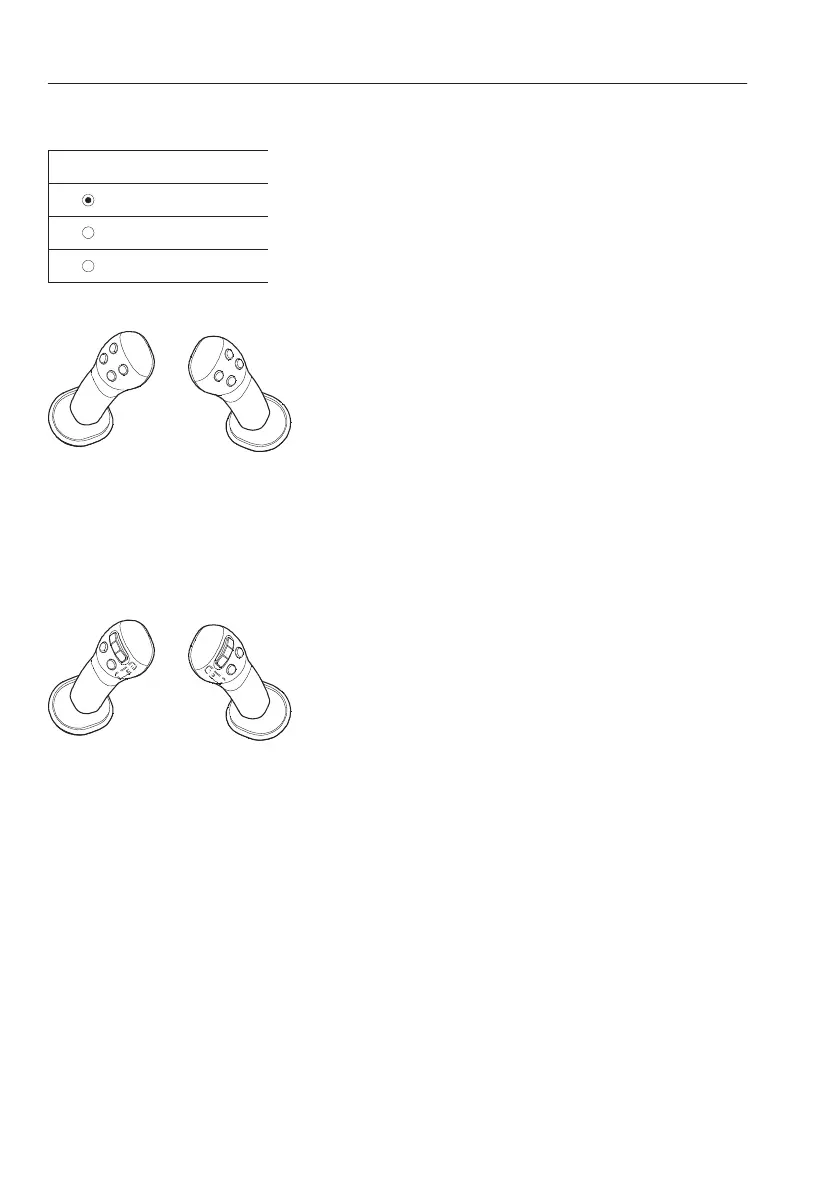
Control types for X1 and X3 operation
If a machine has a "proportional control option" for
X1 or X3, the user can set one of these 3 types.
Otherwise the user is only allowed to set one of 2
types that are "Push" or "Toggle". Refer to page
95
for more details on optional levers.
- Push
- Toggle
- Proportional
Control using on/off switch on the control lever
1 Toggle type in the IC (Instrument Cluster)
Actuator for X1 or X3 is activated by pressing the
on/off switch on the control lever and it will stay
active even when the switch is released. The
actuator will be deactivated when the same
switch is pressed again or the other switch for
opposite direction is pressed.
2 Push type in the IC (Instrument Cluster)
Actuator for X1 or X3 is activated while the
on/off switch is pressed (On position). The
function will be deactivated when the on/off
switch is released.
Control using proportional switch on the control
lever
1 Toggle and Push-button type in the IC
(Instrument Cluster)
These controls with proportional switch are
similar as the ones with on/off switch but it has
a special point to activate the actuator because
the proportional switch also has a proportional
value.
In toggle type, the actuator will be activated by
moving the proportional switch to one direction
and it will be deactivated when the switch is
moved to same direction again or to opposite
direction.
2 Proportional type in the IC (Instrument Cluster)
Actuator for X1 or X3 is activated proportional to
the movement of the proportional switch.
V1137912
Push
Toggle
Proportional
New X1 work tool
Control lever with on/off switch
Control lever with proportional switch
78
Instrument panels
Display unit



 To Next Page