Operation and setting/adjustment
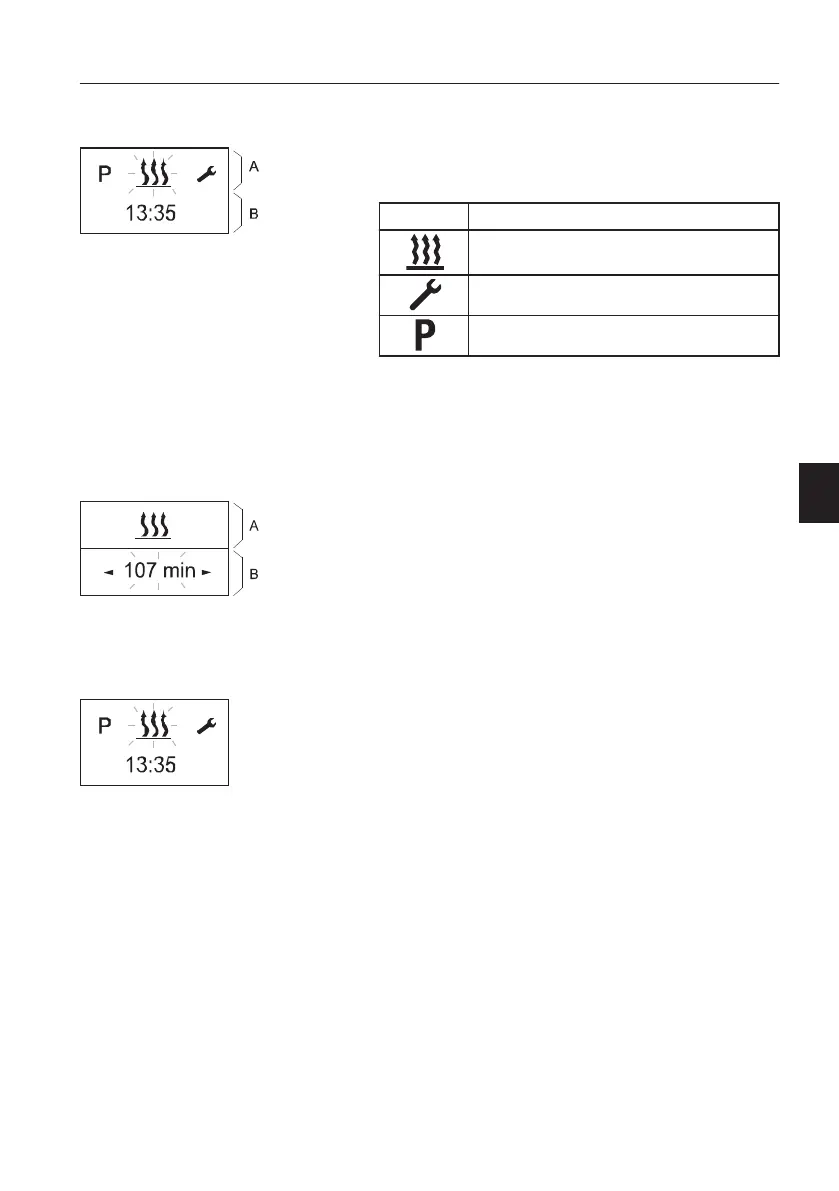
Main menu
Menu bar
The following menu items can be selected.
Symbol Function
Heating ON / OFF
Settings
Program / Preselection
Status area
If no menu item is activated, the current time is
displayed in the status area.
If a menu item is activated (heating, settings or
program / preselection), different information is
displayed in the status area.
Submenu
In the submenu, the symbol of the selected menu
item appears in the middle of the display. The
corresponding set value is displayed flashing in the
entry area and can be set using the Backward
button (3) or Forward button (4) and confirmed with
the Confirm button (1).
Start display after switching ON
if no menu item is activated, the start display
appears with a flashing heater symbol in the Menu
bar, with the current time in the status area.
Other possible actions are:
- Heating immediately with LONGPRESS button
(1).
- Heating on with SHORTPRESS button (1), in
addition confirm and set the operating time.
- Select a new menu item.
Main menu
A Menu bar
B Status area
Submenu
A Menu bar : activated function
B Input area
Other controls
Operator comfort
141



 To Next Page