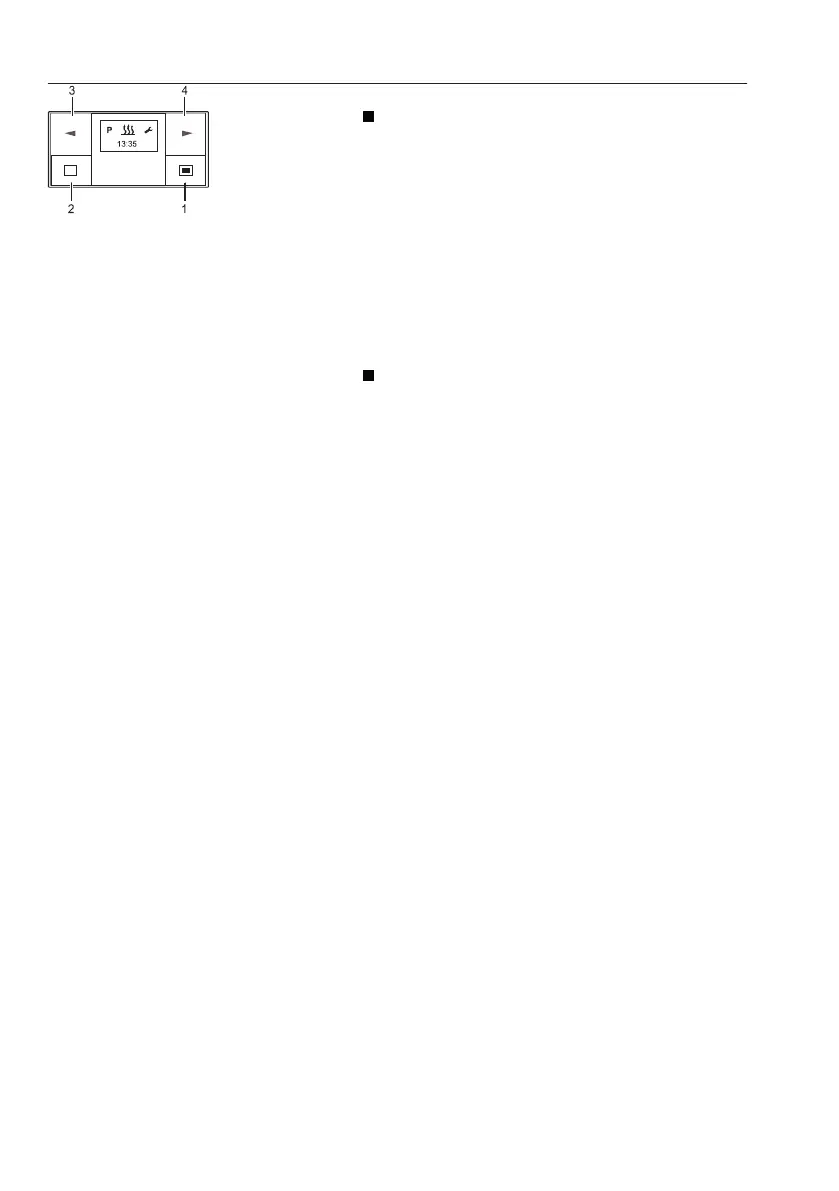
2 Power off / cancel / exit setting button
SHORTPRESS button
- The displayed, activated function is ended,
other activated functions are retained.
- With each SHORTPRESS the display
changes to a next-higher level up to Timer
OFF.
- The start display appears and no function is
active: → Timer OFF.
- Timer is in submenu → the setting is exited,
already set values are not saved.
- If the display shows OFF → Timer On, the start
display appears.
LONGPRESS button : The button must be
pressed for longer than 2 seconds.
- All functions are ended.
- If the display shows OFF → Timer On, the start
display appears.
3 Backward button
- Timer is in the Main menu and the start display
appears → in the Menu bar the next, left-hand
symbol appears in the middle and flashing.
- Timer is in the submenu →the displayed value
is changed (smaller), or the next selection is
displayed.
- If the display shows OFF → Timer On, the start
display appears.
4
Forward button
- Timer is in the Main menu and the start display
appears → in the Menu bar the next, right-hand
symbol appears in the middle and flashing.
- Timer is in the submenu → the displayed value
is changed (larger), or the next selection is
displayed.
- If the display shows OFF → Timer On, the start
display appears.
1 Power on / confirm button
2 Power off / cancel / exit setting
button
3 Backward button
4 Forward button
140
Other controls
Operator comfort



 To Next Page