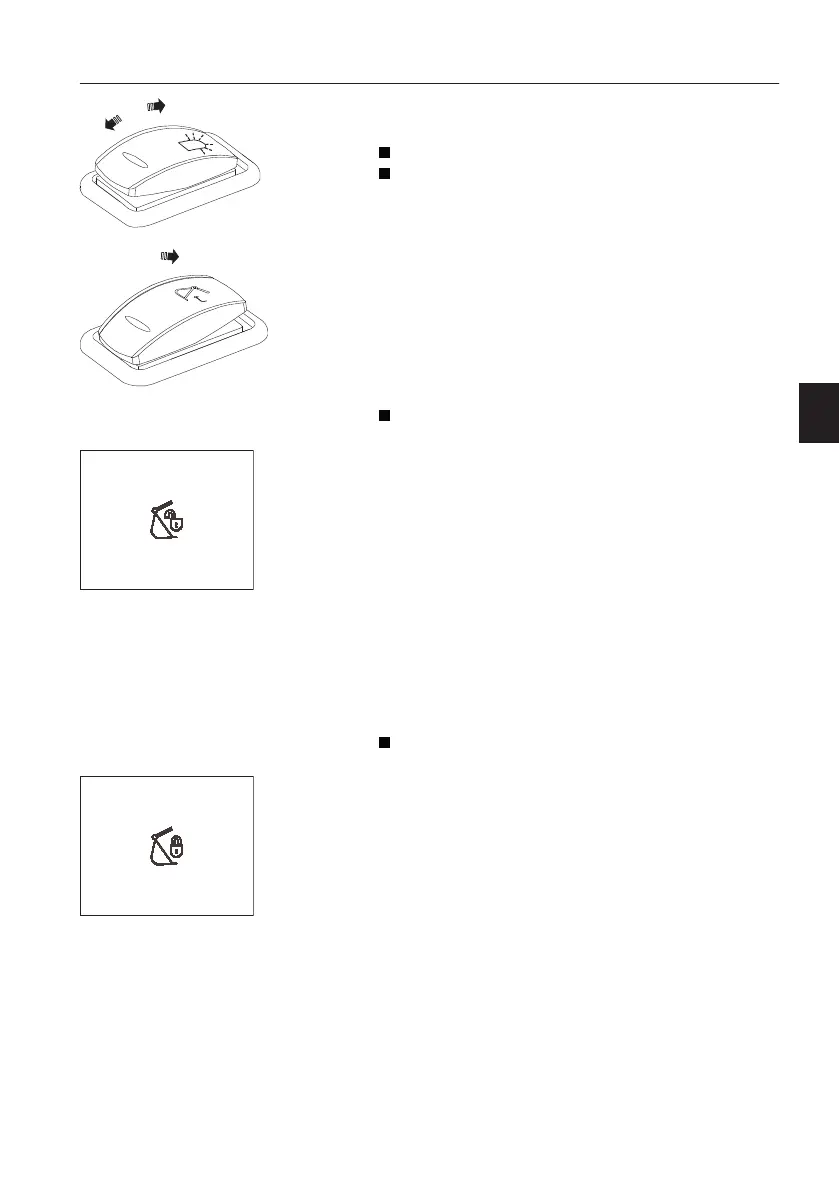
2 Rotating beacon switch (optional
equipment)
Position 0: Rotating beacon is OFF
Position 1: Rotating beacon is ON
This switch is used to activate the rotating beacon
when the swing system is activated.
3 Attachment quick coupler switch, left
(optional equipment)
This switch has 2 different functions of the
attachment quick coupler according to the
operating condition.
Press down 1: Attachment quick coupler, opening
control
The switch is returned automatically. Press the
switch for more than 0.7 seconds to open the
attachment quick coupler.
When the attachment quick coupler is open, the
buzzer sounds and the warning message and
indicator are displayed on the IC (Instrument
Cluster).
NOTE!
The attachment quick coupler switch for initiating on
the right instrument panel must be pressed first to
activate this switch. See page
79
for the
operation.
Press down 1: Attachment quick coupler,
confirming control
When the check message for confirming appears
on the IC (Instrument Cluster), press the switch for
more than 0.7 seconds to confirm that the
attachment quick coupler is locked. Then the
buzzer sound will be turned off and the check
message and indicator will disappear.
V1147254
WARNING
Quick coupler unlocked
Warning! Quick coupler unlocked
V1147255
CONFIRM QUICK COUPLER
IS LOCK
Confirm quick coupler is locked
Instrument panels
Instrument panel, left
37



 To Next Page