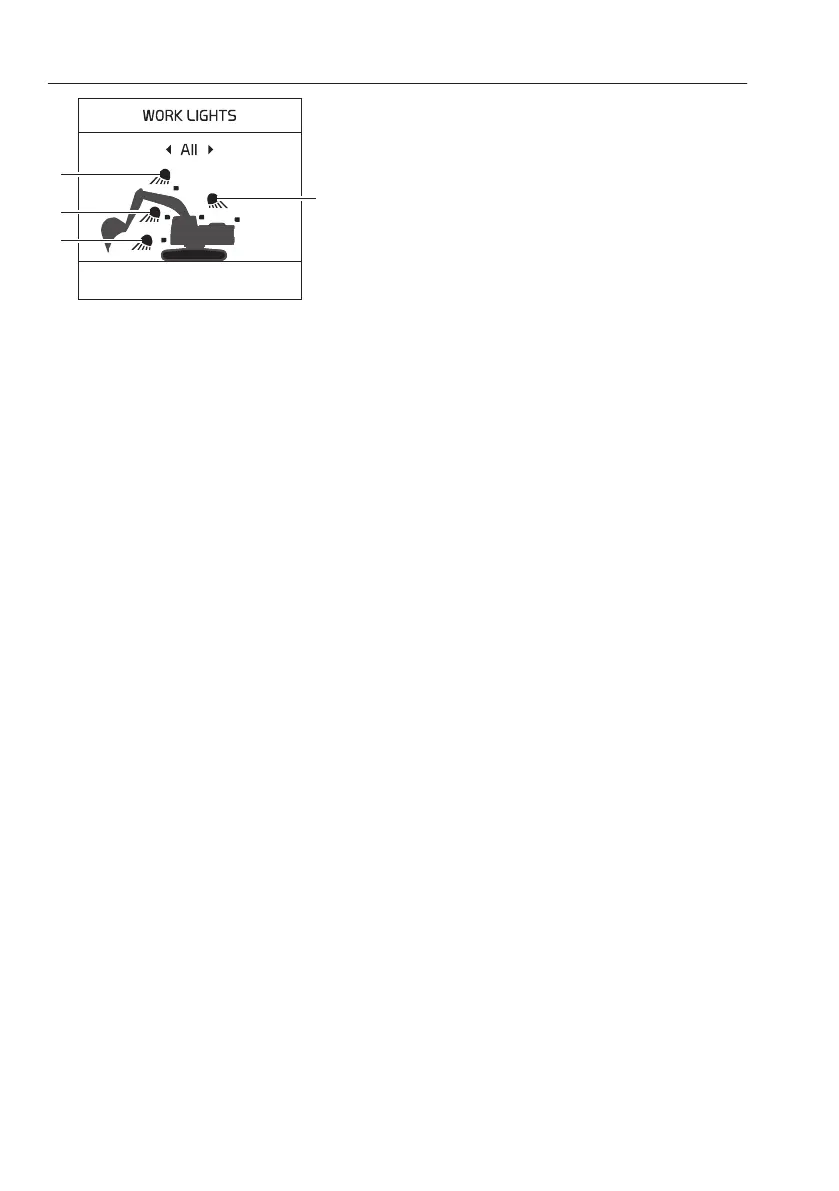
3) Work lights control button
This button is used to control the work lights on the
boom, cab, deck, and counterweight.
- Press the button short to turn on or off the work
lights. All settings remain if the system is turned
off.
- Press and hold in the button to set the work lights.
Use the arrow buttons to select the required work
light, and then press the SELECT button on the
IC control keypad to turn on or off the work light.
When selecting “All”, all work lights are turned on
or off.
4) HVAC auto-mode select button
This button is used to control the HVAC system.
See page
118
.
5) Arrow up button
This button is used to scroll between items and
adjust each segment on the screen.
6) Defroster select button
This button is used to activate the defroster. See
page
118
.
7) Arrow left button
This button is used to move the cursor to the left.
Also press the button in order to decrease values.
8) Arrow down button
This button is used to scroll between items and
adjust each segment on the screen.
9) Arrow right button
This button is used to move the cursor to the right.
Also press the button in order to increase values.
10) ESC button
This button is used to go back to the previous
screen or to cancel without saving.
The ESC button is also used to turn off the warning
light and sound.
11) Select button
This button is used to confirm the item or setup that
the user selects.
A Boom work light
B Cab front light
C Deck work light
D Cab rear and counterweight lights
82
Instrument panels
Instrument panel, right



 To Next Page