Operating the Autosampler 120
4
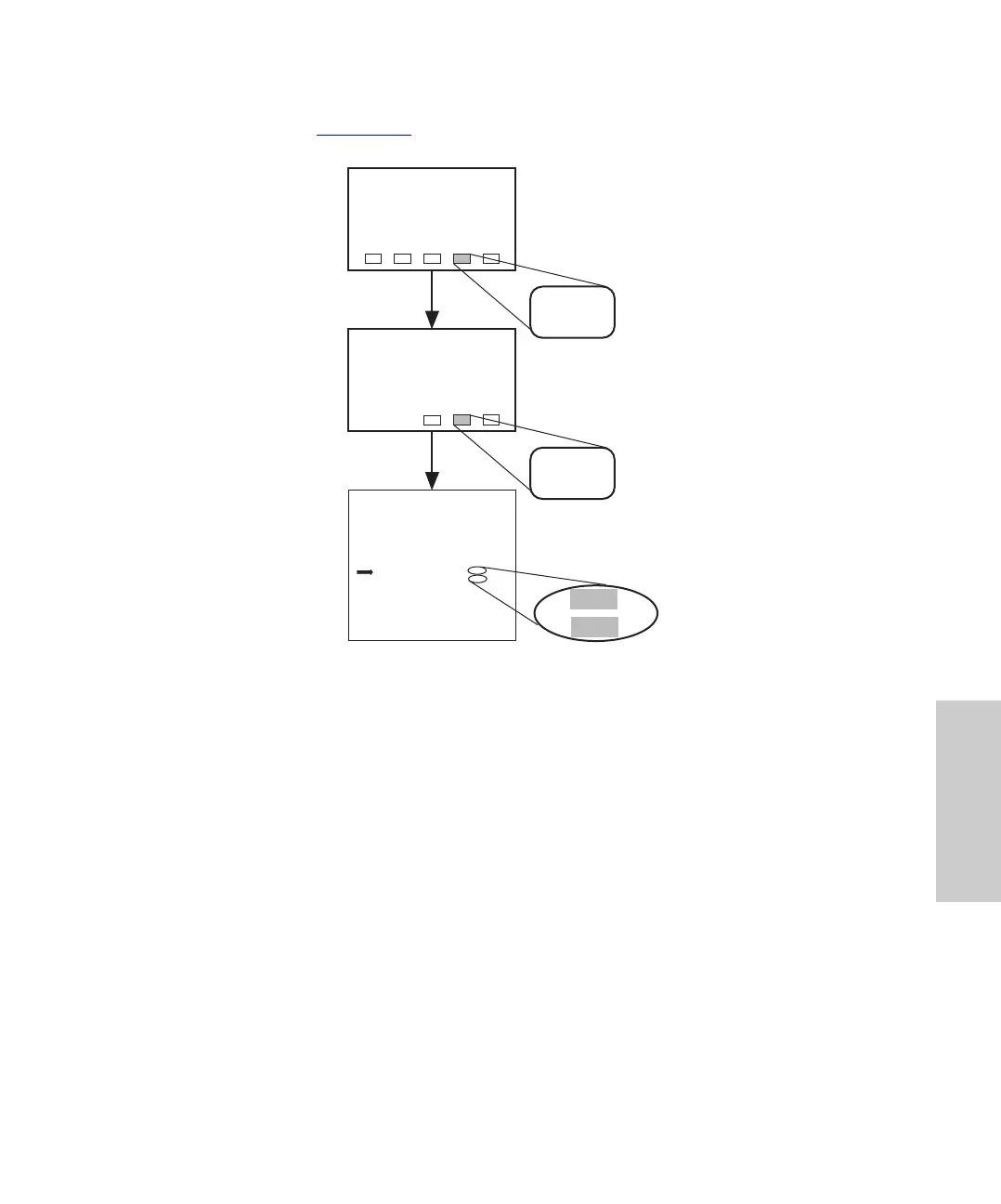
2. Set the sample chamber temperature on Configuration Page 2 by pressing the keys
indicated in Figure 4-25
.
Figure 4-25 Setting Sample Chamber Temperature
3. Close the sample compartment door.
Note: The heater/cooler shuts off if the sample compartment door is left open more
than 5 minutes
4. Wait for the sample compartment to reach the set point. The heater/cooler may
require up to 90 minutes to reach 4° C from an ambient temperature of 27° C.
4.8.2 Microbore/Semiprep Injections
The Waters 717plus Autosampler may be physically reconfigured to facilitate microbore
injections (< 5 µL) and semiprep injections (> 150 µL).
Menu: Main
Configuration
Page 1
Config
Page
NextCfg
Page
IDLE
Edit: Configuration Page 2 of 4
Hold Contact Sense?
Hold Input
Inject Start Pulse (sec) :
End of Rub Pulse (sec) :
Temp Setpoint (
i
C) :
Temp Control?
PrevCfg
Page
+
On
0.5
0.5
8
On
–
Off
30
No
20
Off
NextCfg
Page
Main
Page
8
On















 To Next Page