Replacing the Syringe 131
5
Lowering the Bracket
To lower the mounting bracket:
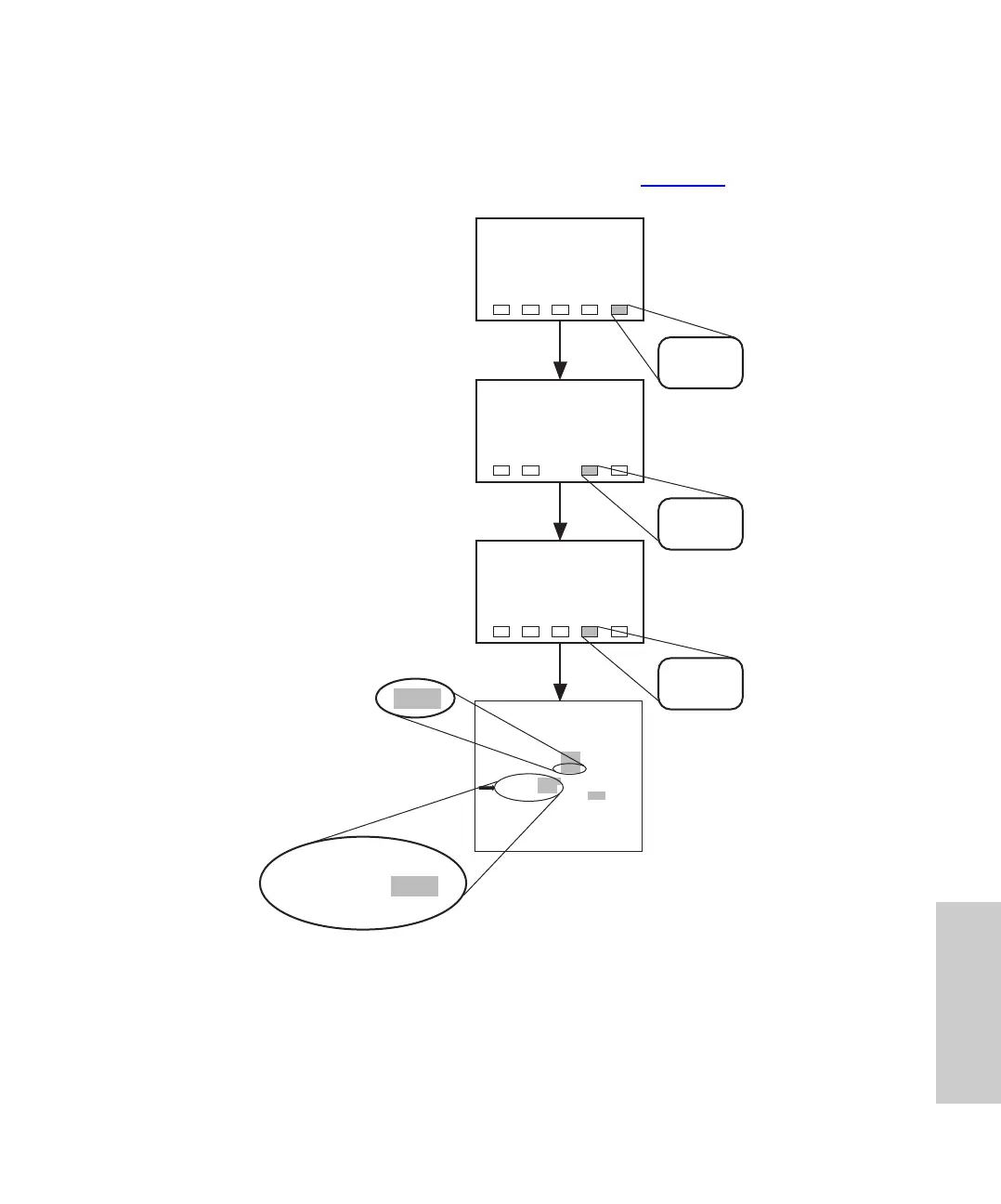
1. Lower the bracket by pressing the keys indicated in Figure 5-3
.
.
Figure 5-3 Positioning the Syringe for Removal
2. At the 717plus keypad, use arrow keys to move to the Valve 3 field. Highlight the
Open entry, and press Enter.
3. Use the arrow keys to move to the syringe field. Highlight the Fill entry, and press
Enter.
TP01976
Menu Page
Menu: Diagnostic
Menu: User
Maintenance
Diag
Page
UserMaint
Page
DIAG
Diagnostic: Valve and Motor Operations
Valve 1 ?
Valve 2 ?
Valve 3 ?
Valve 4 ?
Needle ?
Syringe ?
Wash Pump ?
User Maint
Page
Stream
Fill
Open
Open
Open
Open
Seal
Empty
On
Closed
Closed
Closed
Closed
Vial
Home
Off
To execute Normal State press ENTER
Pressure 348
Needle ?
Syringe ?
Wash Pump ?
Stream
Fill
ValveMot
Page
Open















 To Next Page