Operating the Autosampler 126
4
Purge in Idle
During unattended (overnight) runs using buffered mobile phases, enable the purge in idle
mode to prevent buffer buildup in the autosampler.
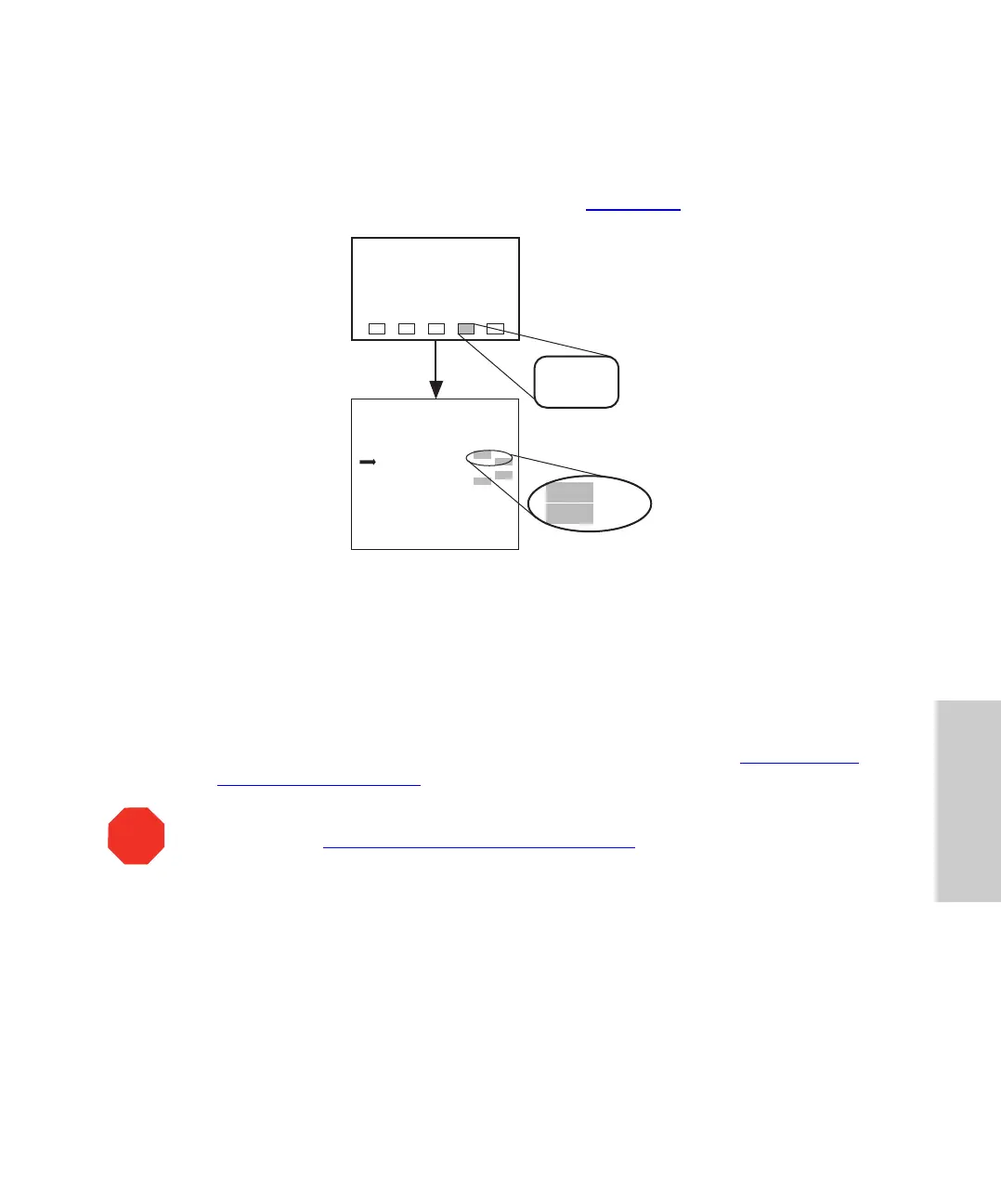
To enable purge in idle, press the keys indicated in Figure 4-30
.
Figure 4-30 Enabling Purge in Idle
Removing Buffered Mobile Phase
Before changing from a buffered mobile phase to another mobile phase:
1. Replace the buffered mobile phase with a solution of 100 percent water, and flush
the sampling system for 10 minutes at 1 mL/min.
2. Run three purges to ensure that the syringe is well purged (see Section 3.4.1,
Purging the Autosampler).
STOP
Attention: To prevent bacterial growth do not leave 100 percent water in the
autosampler (see Section 3.8,
Power Down and Storage).
IDLE
Edit: Configuration Page 1 of 4
Use Door Sensor?
Purge In Idle?
Vials Between Purges :
Halt Bad Comp Check?
Report Delay (min) :
LED Contrast Adjust?
PrevCfg
Page
Yes
Yes
0
Yes
3.0
No
No
30
No
20
NextCfg
Page
Main
Page
Menu: Main
Config
Page
Yes
Yes
No
No
25















 To Next Page