Chapter 2 WCDMA Call Mode
System parameters
78 WCDMA Options Version 6.20
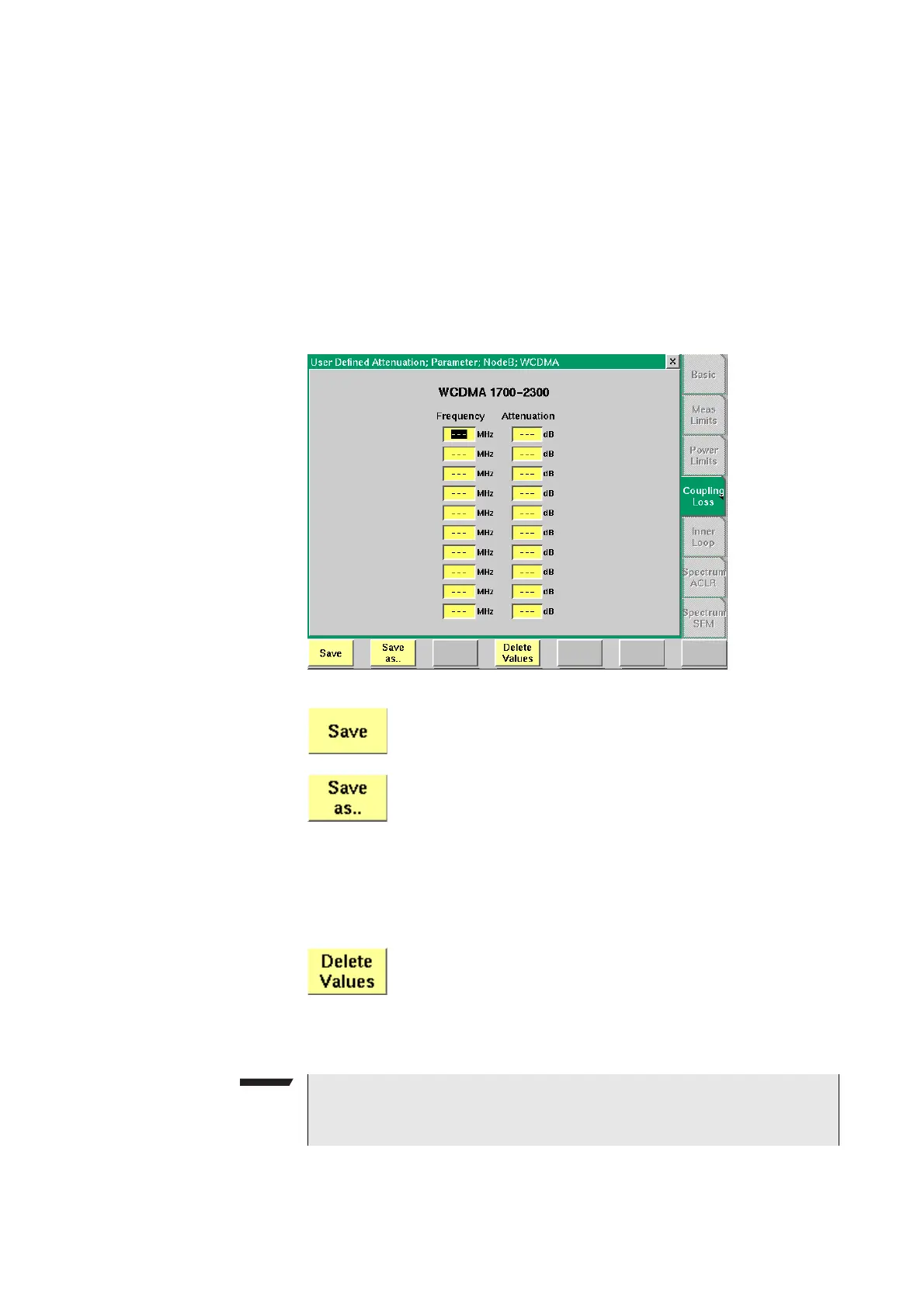
Entering coupling loss values
from the Manual Input menu
This procedure allows you to enter coupling loss values and frequencies in a
menu rather than invoking a text editor:
– On the Coupling Loss menu, select a coupling loss file that you want to
change. Alternatively, select one on which you want to base your own file.
– Push the
Manual Entry softkey within the Coupling Loss menu.
As a result, the Manual Input menu appears. This menu allows you to enter
or change pairs of frequencies (in MHz) and coupling loss values (in dB) for
downlink and uplink.
– Change values by overwriting them.
After pushing the E
SCAPE key, the Coupling Loss screen returns. You can now
select the saved file from the list of coupling loss files.
When pushing the
Save softkey, the entered values will be
stored in the previously selected file.
You can also give the file a different name by pushing this
softkey. The 4400 then prompts you for the file name. The file
name extension is added automatically. The file name also
gets an additional “.” at the beginning so that the manually
created files appear at the beginning of the file name list on
the Coupling Loss screen. This list is ordered alphabetically.
Note: All coupling loss files are stored in the /rapid/cpl
directory.
You can delete a row of entered values by placing the cursor
in one of the three fields of that row and then pushing this
softkey.
NOTE
If you manually enter values and save them without selecting a file name, a
previously existing file named
.manual.cpl will be overwritten.



 To Next Page