Chapter 6 RAPID!
Using RAPID!
WCDMA Options Version 6.20
147
Softkeys of the Run menu The Run menu offers two softkeys:
RUN — The RAPID! file, currently selected on the RAPID Basic File selection
field, will be loaded and the program execution started.
Start File — Takes the cursor to the RAPID Basic File selection field and thus
allows you to select the required file from the list. Next time you push the |RUN|
softkey, this newly selected file will be executed.
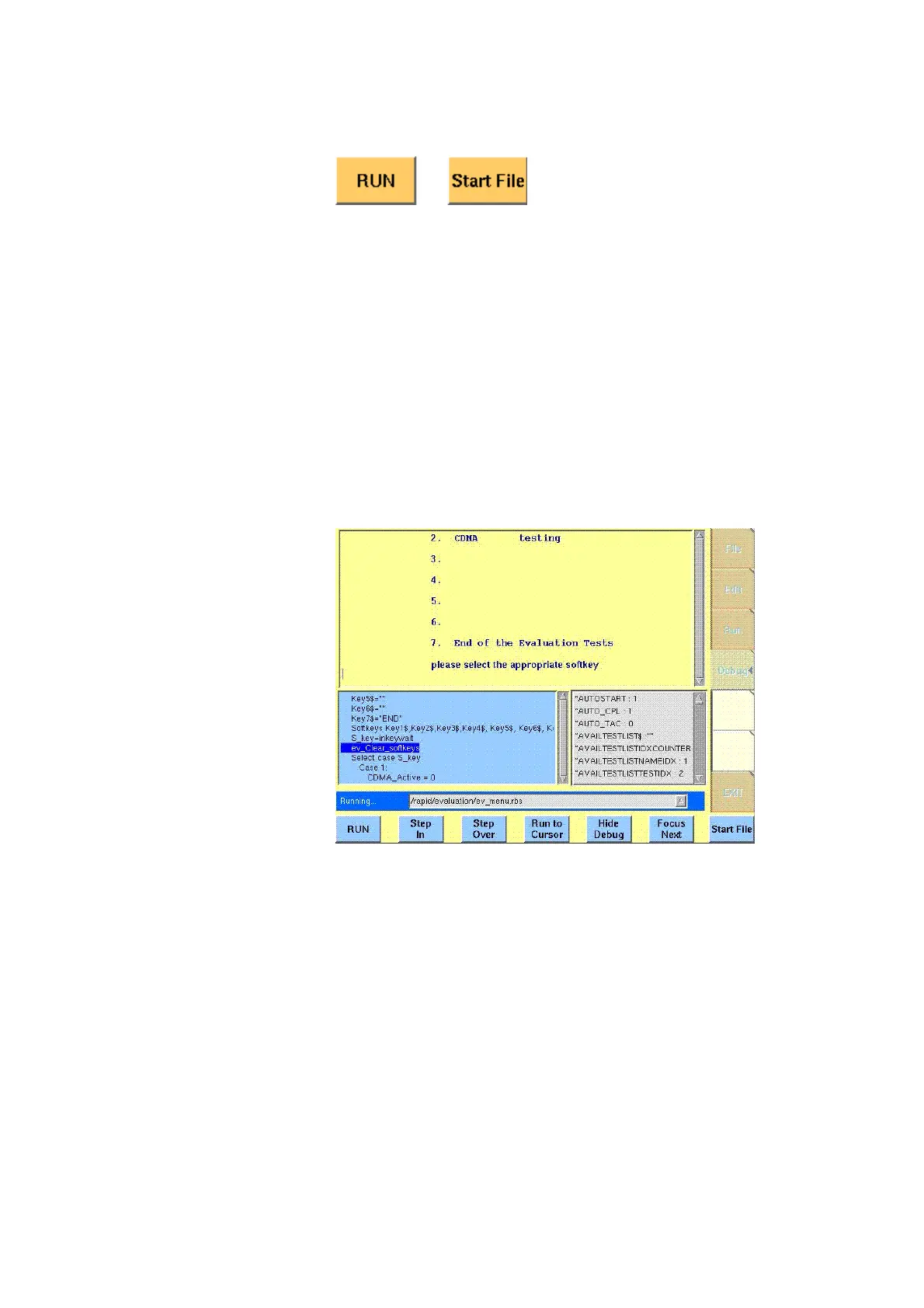
Debug menu The Debug menu provides you with a number of powerful tools in order to
support your program development. The Debug menu consists of four areas that
provide you with full information on different aspects of the program run.
In order to work with this menu in an efficient way, we strongly recommend the
use of an external keyboard and a mouse.
In this Debug menu only, the softkeys of the 4400 appear in blue. Thus, they can
be easily distinguished from program-generated softkeys, as those appear in
standard orange.
The areas are:
– RAPID! basic file area. Here you select the file you want to run.
– Output area where the output of the running RAPID! program is displayed.
– Source area. Here, the 4400 shows the program code being currently
executed.
–The Variable area displays all program variables as well as their current
value.
The softkeys provide access to important functions of the Debug menu, like
starting a RAPID! program.
The softkeys of the Debug menu appear on blue background. Thus, they can be



 To Next Page