Chapter 6 RAPID!
Using RAPID!
WCDMA Options Version 6.20
137
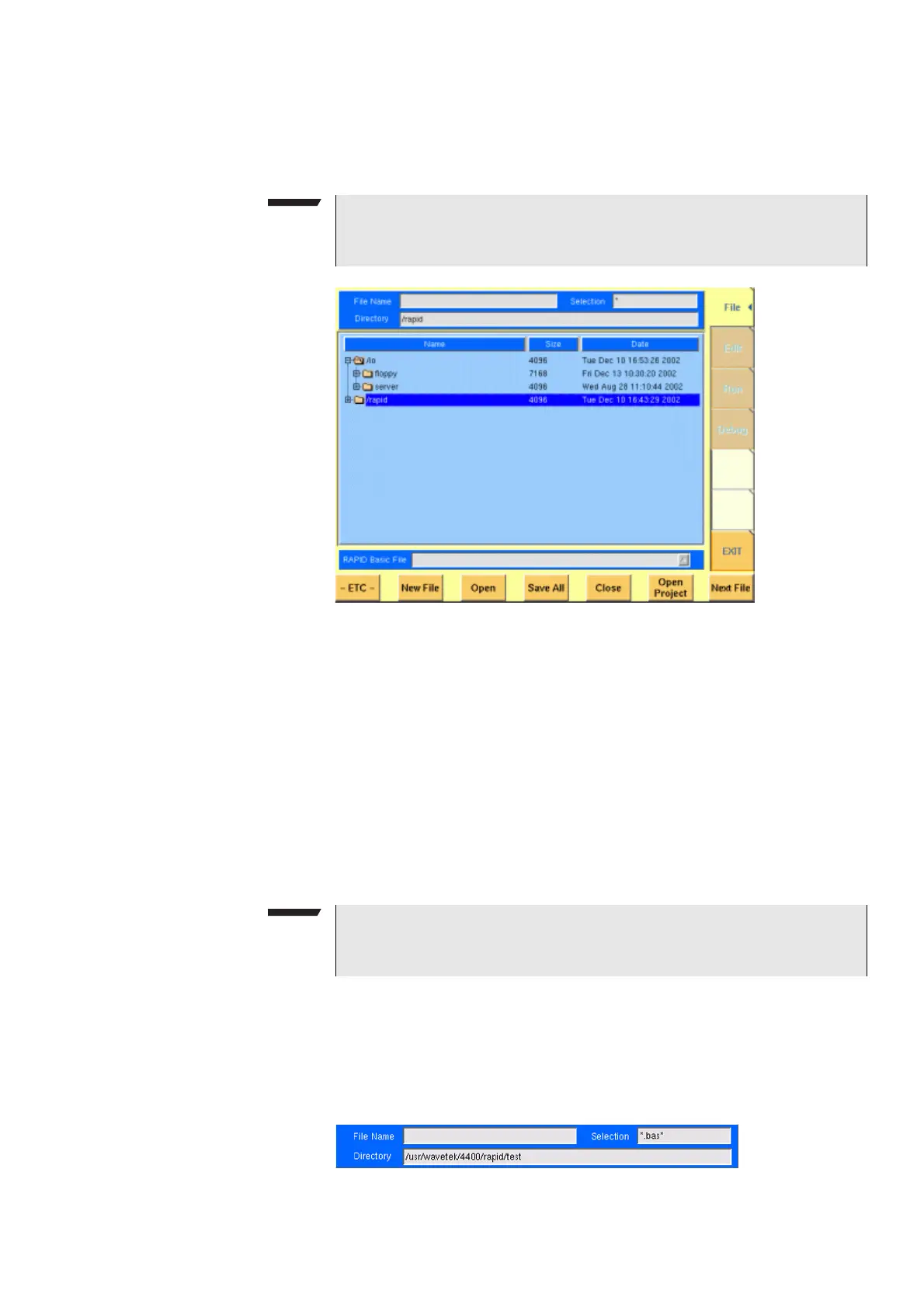
File menu In a similar way as e.g. Windows Explorer, the File menu gives access to the direc-
tory structure of the internal hard disk drive and allows to search for and select
files.
To keep work with the File menu as simple as possible, it is subdivided into three
main sections:
– File name – directory – selection area, where you may select directories, file
names and filters for the display of file names in the browser area.
– Browser area – this is where the 4400 shows its directory structure and
allows you to browse through all directories and files.
– RAPID! basic file area – this is a selection field where you may select one of
the previously opened RAPID! Basic Files.
The softkeys are used to call specific file functions (as e.g. creating a new file,
opening a file or deleting a file) while the marker tabs give access to the various
menus of the RAPID! environment.
File name – directory –
selection area
In this area, you may manually select a directory, a file name and/or the filter for
the files displayed in the browser area.
To gain access to these three entry fields, simply click on the related entry field
with the mouse or push the |New File| softkey in the file menu.
NOTE
Some 'typical Windows' functions, e.g. double-clicking on a file name to open
it, are not included.
NOTE
As long as no file has been opened or newly created, all marker tabs (except
[File]) are grayed out and cannot be selected.



 To Next Page