Chapter 6 RAPID!
Using RAPID!
WCDMA Options Version 6.20
145
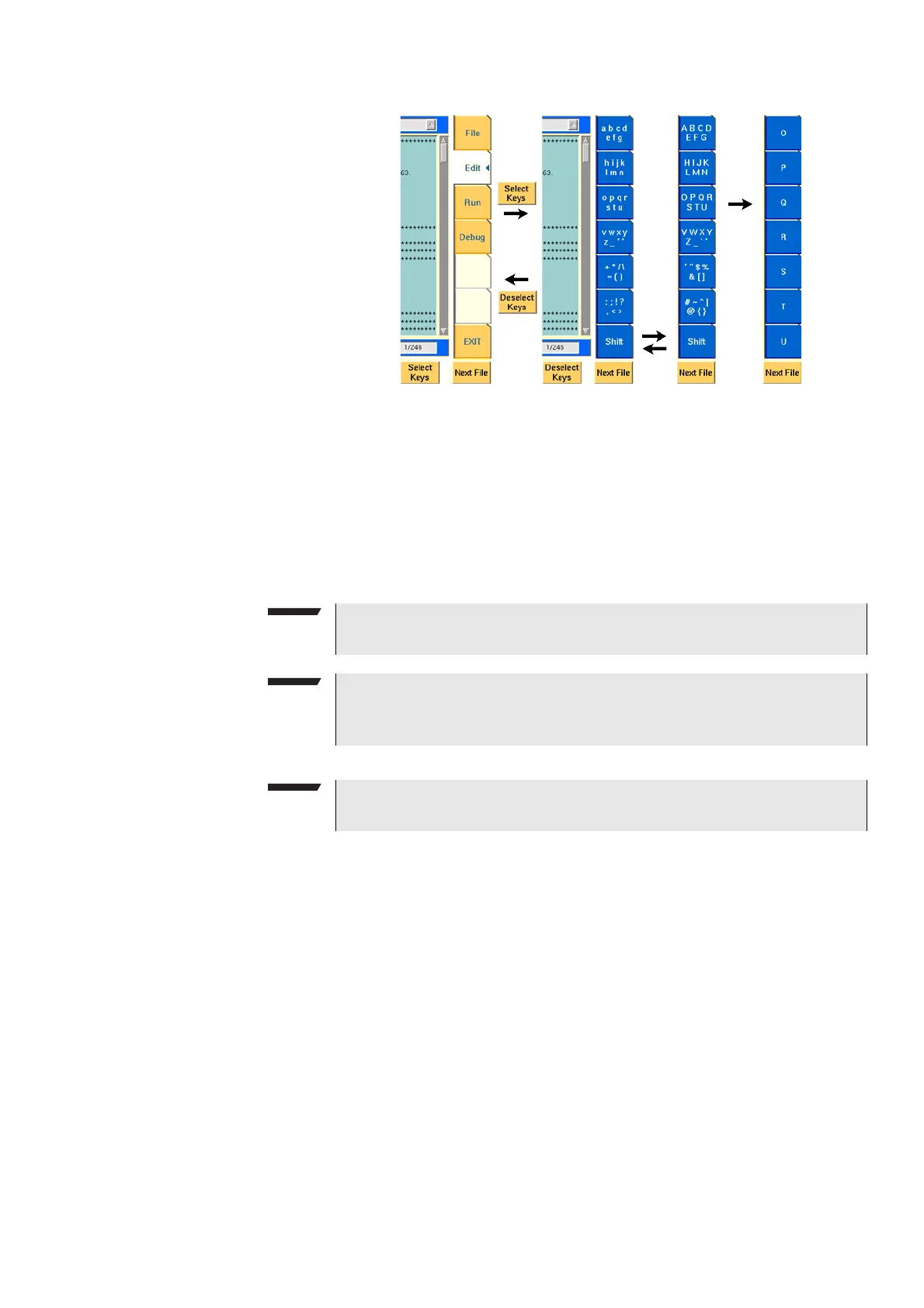
As soon as you push the Select Keys softkey, the marker tabs change to groups
of letters and symbols.
The lowest marker tab changes to [Shift] and allows you to toggle between lower
and uppercase letters.
As soon as you select a group of letters or symbols by pushing the corresponding
marker tab, the marker tabs will change again to single letters or symbols. Push
the marker tab of the desired letter or symbol. That one will appear on the entry
field or edit menu and the marker tabs will change back to groups of letters and
symbols automatically.
Run menu The Run menu is where programs are started. If there are no syntax or runtime
errors encountered, the program will smoothly run until it reaches its end and
will display its status messages and comments in this menu.
NOTE
Entry fields can also be edited using the B
ACK function key.
NOTE
Softkey
Deselect Keys takes you back to the usual marker tabs of the RAPID!
environment.
NOTE
Use the numeric keypad to enter numerals, the minus sign (-) or a period (.).



 To Next Page