Chapter 1 Overview
Using the front and rear panels
WCDMA Options Version 6.20
7
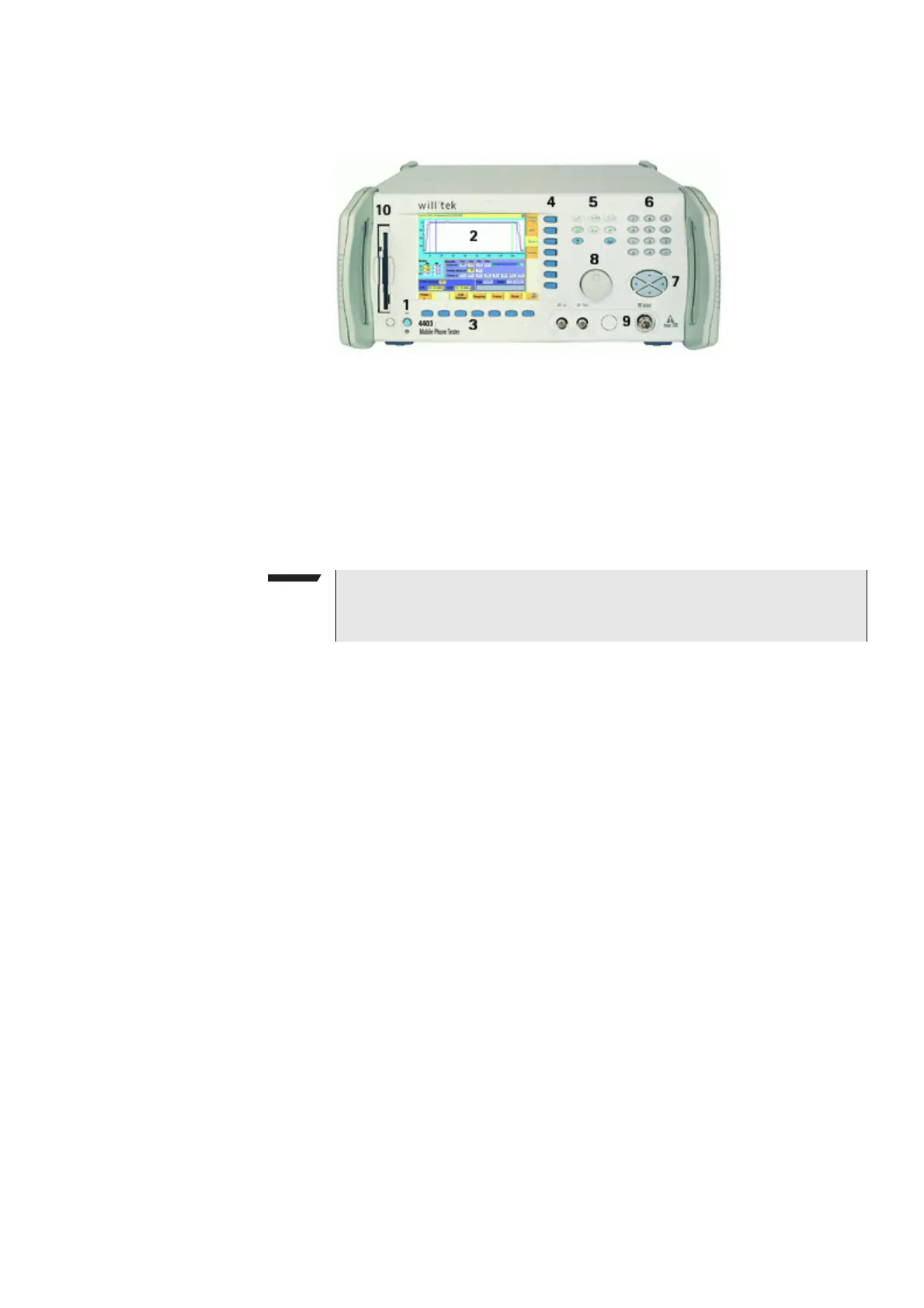
Front panel The front panel of the 4400 is divided into ten sections.
Section 1 – Standby button and MS Power Supply connector
When you turn on the power switch on the back of the 4400, the unit goes to
standby mode and the indicator just underneath the standby button is backlit in
red.
Push the standby button to switch the 4400 into operating mode. The standby
indicator will then turn green.
When you push the standby button again, the unit will go back into standby
mode.
The MS Power Supply connector is used in conjunction with the MS Power Supply
and Current Measurement Options. It provides supply voltage and current for the
mobile under test.
The cable for this connector is delivered with the MS Power Supply Option.
Section 2 – Display
The display is the graphical user interface of the 4400. It will show you menus
with entry fields and display fields. The display also labels the software-driven
softkeys (see section 3) and marker tabs (see section 4).
Section 3 – Softkeys
Softkeys call specific functions that vary with the menu displayed. For instance,
when you switch on the 4400, the softkeys will allow you to select the kind of
system you want to work with (e.g. GSM or CDMA).
Section 4 – Marker tabs
Like the softkeys, the marker tabs are software-labelled keys used for selecting a
test (e.g. Phase/Frequency test), for navigating through this online help, or for
loading different tools (e.g. Analyzer).
Section 5 – Function keys
Function keys are used for general operation. They have a fixed function. The
E
NTER key, for instance, confirms changes on entry fields.
NOTE
The power switch is located on the rear panel of the 4400. A dark standby
button indicates that the power switch is off.



 To Next Page