Chapter 4 Tools
Configuration
WCDMA Options Version 6.20
113
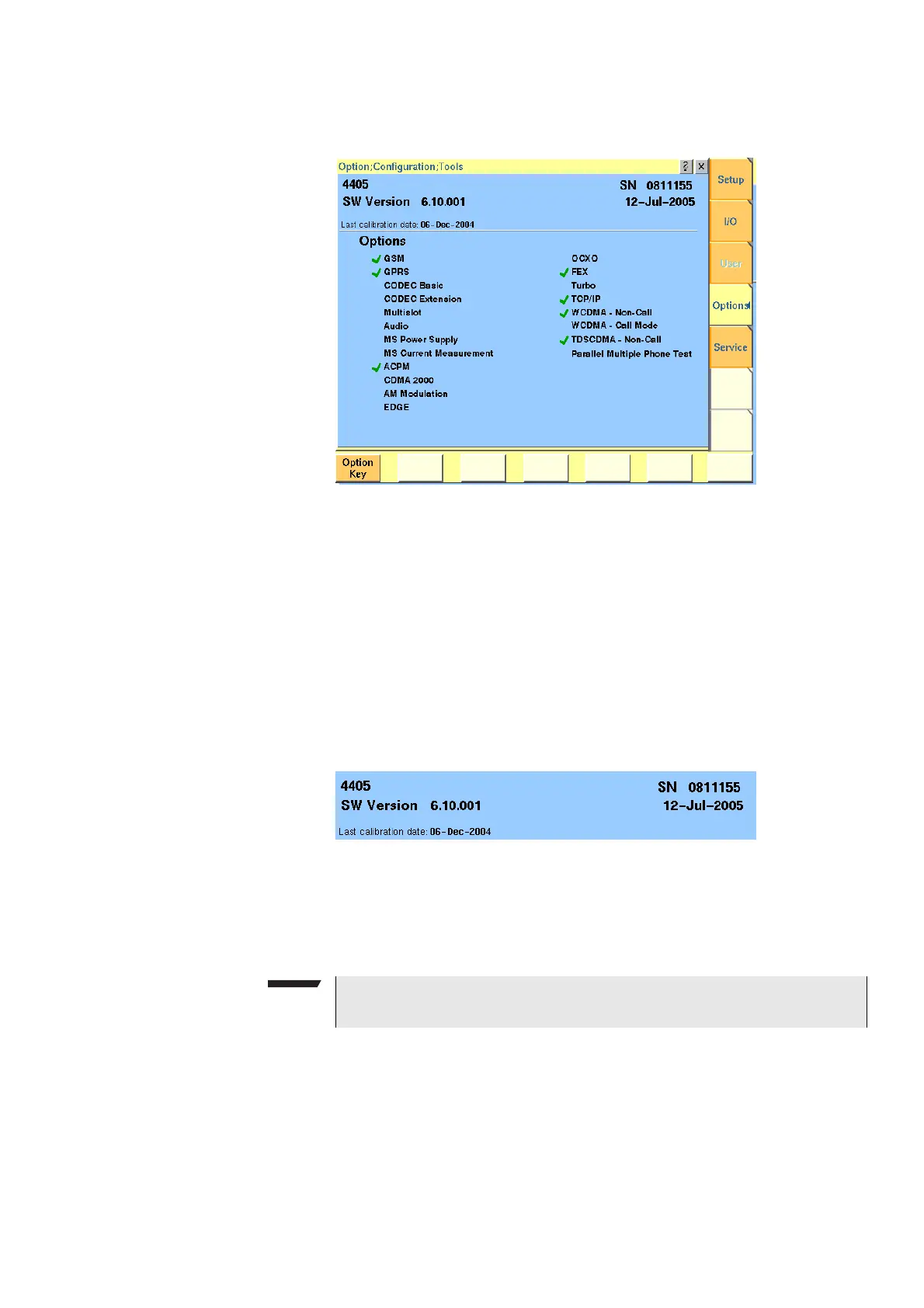
Options Push the [Options] marker tab to gain access to this menu.
This menu consists of two areas:
– The upper area of the menu is called the basic info area. Here you will find
the basic information about your test set, like the software release currently
installed.
–
Options is the larger area of the menu that informs you about all options
available and the ones installed. See “Accessories and options” on page 29
for more details on available options.
The
Option Key softkey is used to install additional options (see below).
Basic info area This area of the menu gives the following basic information:
4400 — In the upper left corner of this area, the 4400 model is indicated (4400,
4403, 4405 or 4407).
SN 081115 5 — In the upper right corner of this area, the serial number of this
test set is displayed.
SW Version 6.10.001 — Here, the software version currently in use on this test
set is displayed.
12-Jul-2005 — This is the release date of the installed software version.
NOTE
The availability of an option may be dependent on the serial number.



 To Next Page