Chapter 3 WCDMA Non-Call Mode
Common elements of the RF Analyzer menus
WCDMA Options Version 6.20
103
RF Analyzer parameter
fields
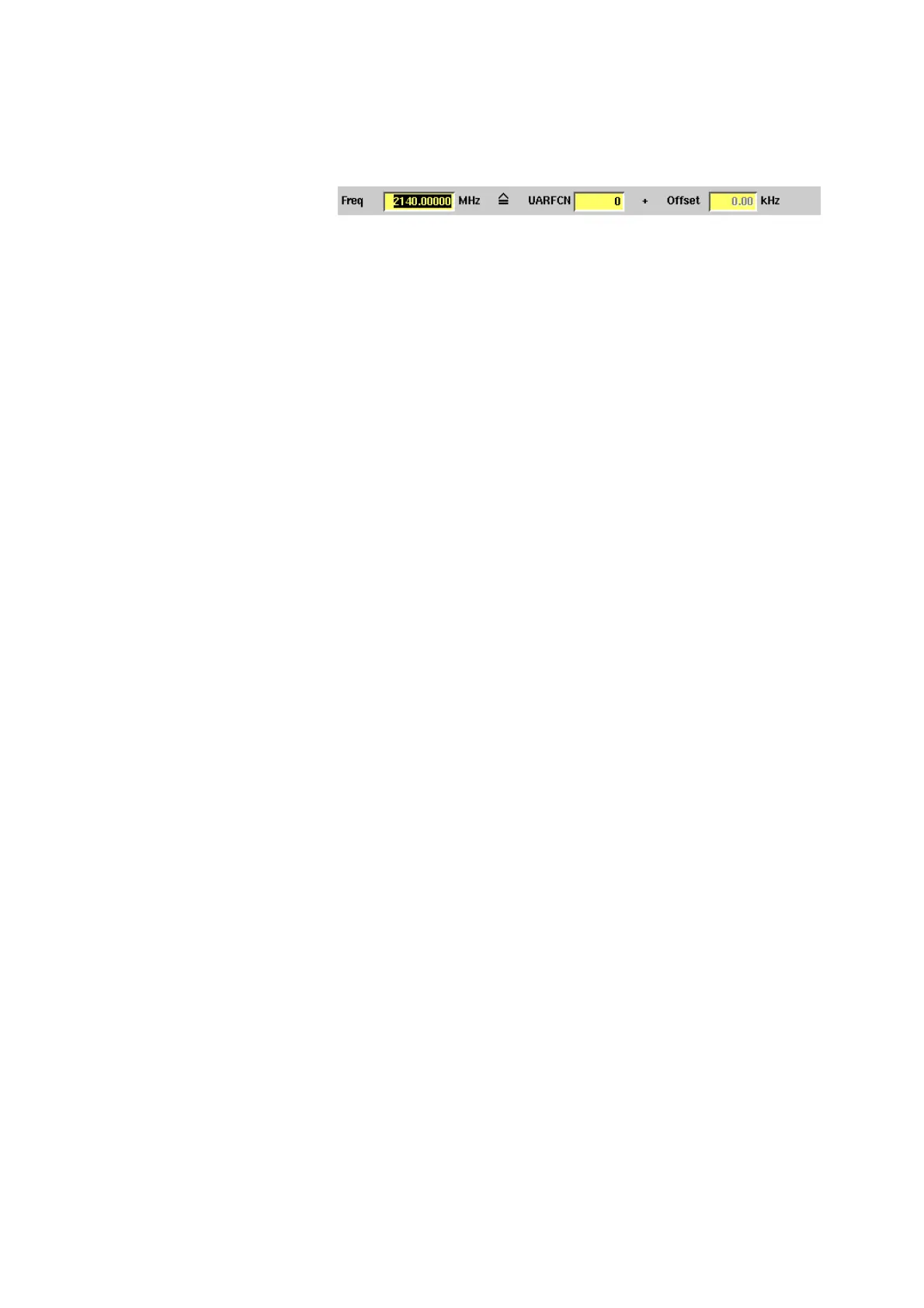
The radio frequency and channel parameters for measurements are is set in the
following fields common to all measurement menus:
Freq — Entry field to set the UE’s output frequency. This field is linked to the
UARFCN field. If you enter a frequency value here, the corresponding UTRA Abso-
lute Radio Frequency Channel Number will be calculated and displayed in the
following field.
UARFCN — Entry field for the UTRA Absolute Radio Frequency Channel Number.
The UARFCN designates the carrier frequency. For information on the UARFCN
range supported please refer to section “UARFCN” on page 82. If you enter a new
value in this field, the Frequency field will be recalculated and the Band display
field will be updated.
Offset — Entry field for the offset from the channel frequency specified.
Entry range: –200 to 200 kHz in increments of 10 Hz. When an offset of more
than ±200 kHz is entered, the next channel is reached and the channel number
displayed in the UARFCN field changes accordingly.
Band — Display field for the frequency band. This field is related to the frequency
field and the UARFCN (UTRA Absolute Radio Frequency Channel Number) field.
After entering the frequency or the UARFCN the associated operating band (I and
IV) will be displayed here.
In Power and Modulation Quality menus the following parameter fields are
displayed additionally:
Sym. Rate — Display field for the symbol rate, the number of symbols trans-
mitted per second. The value displayed here is determined by the reference
measurement channel used to provide a defined measurement environment. This
channel is predefined.
Ch. Code — Display field for the channelisation code. The value displayed here is
also determined by the reference measurement channel used.
Meas. TS — Display field for the measurement time slot.
Scrambling Code — Display field for the scrambling code used for scrambling
the WCDMA signal. The value displayed here is also determined by the reference
measurement channel used.
Slot Format — Display field for the slot format used. The value displayed here is
also determined by the reference measurement channel, the minimum value is 0,
the maximum value 5. For most test settings the slot format 0 is used.
For menu-specific parameter fields please refer to the sections describing the
different measurement menus.



 To Next Page