Chapter 3 WCDMA Non-Call Mode
Zero-Span-Analyzer
WCDMA Options Version 6.20
101
Zero-Span-Analyzer
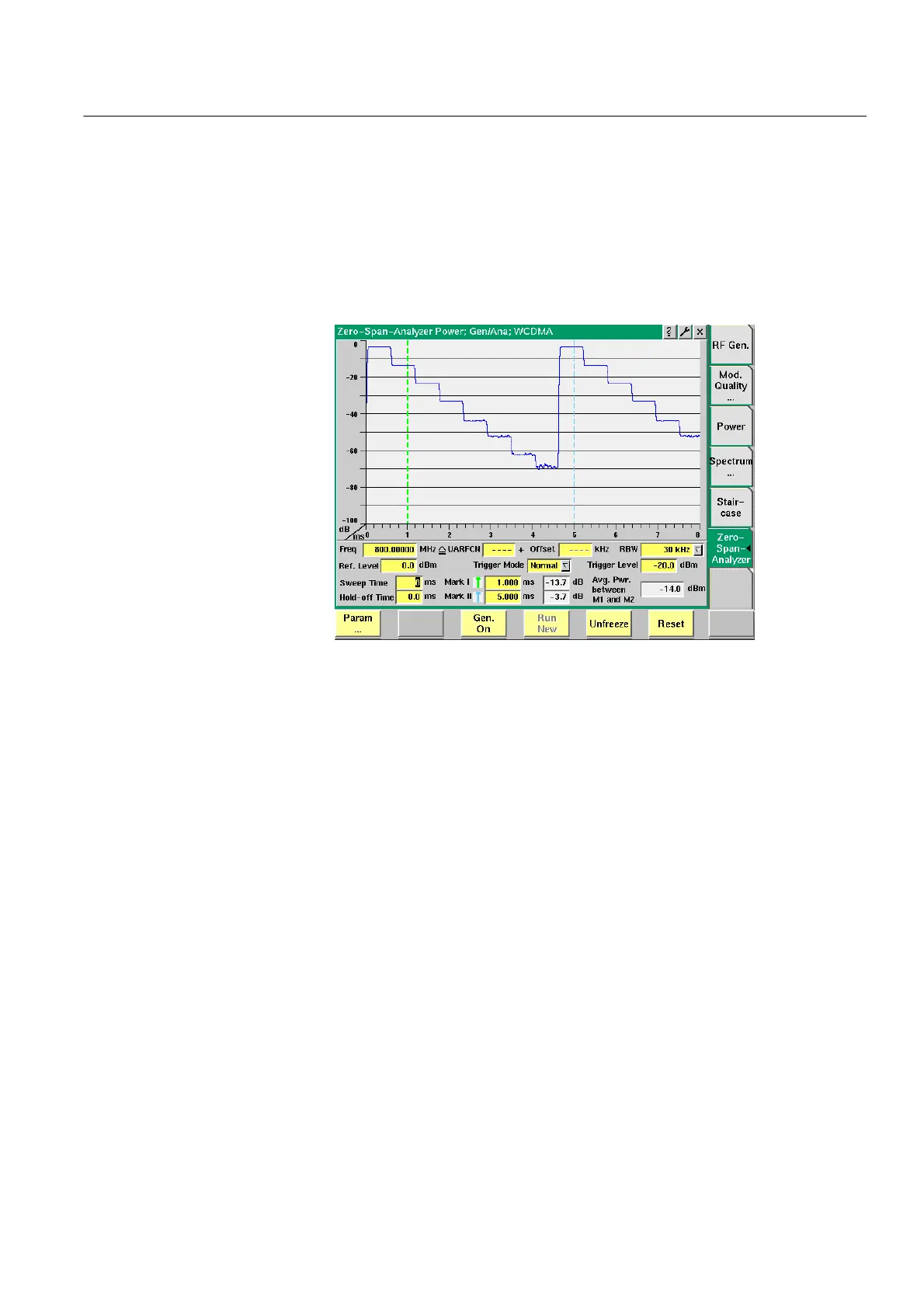
The Zero-Span-Analyzer Menu offers a general power staircase measurement
which is more flexible than the staircase measurement required by specific
mobile manufacturers. It displays power vs. time, which corresponds to the
regular spectrum analyzer function in zero-span mode.
To gain access to this menu, select the [Zero-Span-Analyzer] marker tab while
working in Generator/Analyzer mode.
Parameters RBW — Selection field for the resolution bandwidth for the zero-span measure-
ment. You can select between 30 kHz, 100 kHz and 4.6848 MHz. The default is
4.6848 MHz which corresponds to wideband signal bandwidth.
Ref. Level — Entry field for the reference level. The valid value range is –23 to
36 dBm. The default is 0 dBm.
Trigger Mode — Selection field for the mode in which the measurement is to be
triggered. You can select between Normal and Single. The default is Normal. With
this option continuous measurements are performed. If you select Single you can
start a new measurement pressing the softkey
Run New.
Trigger Level — Entry field for the trigger level of the zero-span analyzer. The
valid value range is –23 to 60 dBm. The default is 0 dBm.
Hold-off Time — Entry field for the hold-off time for the measurement. The
valid value range is –17 to 50 ms. The default is 0 ms.
Sweep Time — Entry field for the sweep time for the measurement. The valid
value range is 1 to 17 ms. The default is 17 ms.



 To Next Page