Chapter 6 RAPID!
Using RAPID!
136 WCDMA Options Version 6.20
With the help of the File menu, you may select the file you want to edit or create
a new file with the help of the related softkeys and marker tabs.
How to exit
The [Exit] marker tab quits the RAPID! environment and takes you back to the
Welcome menu.
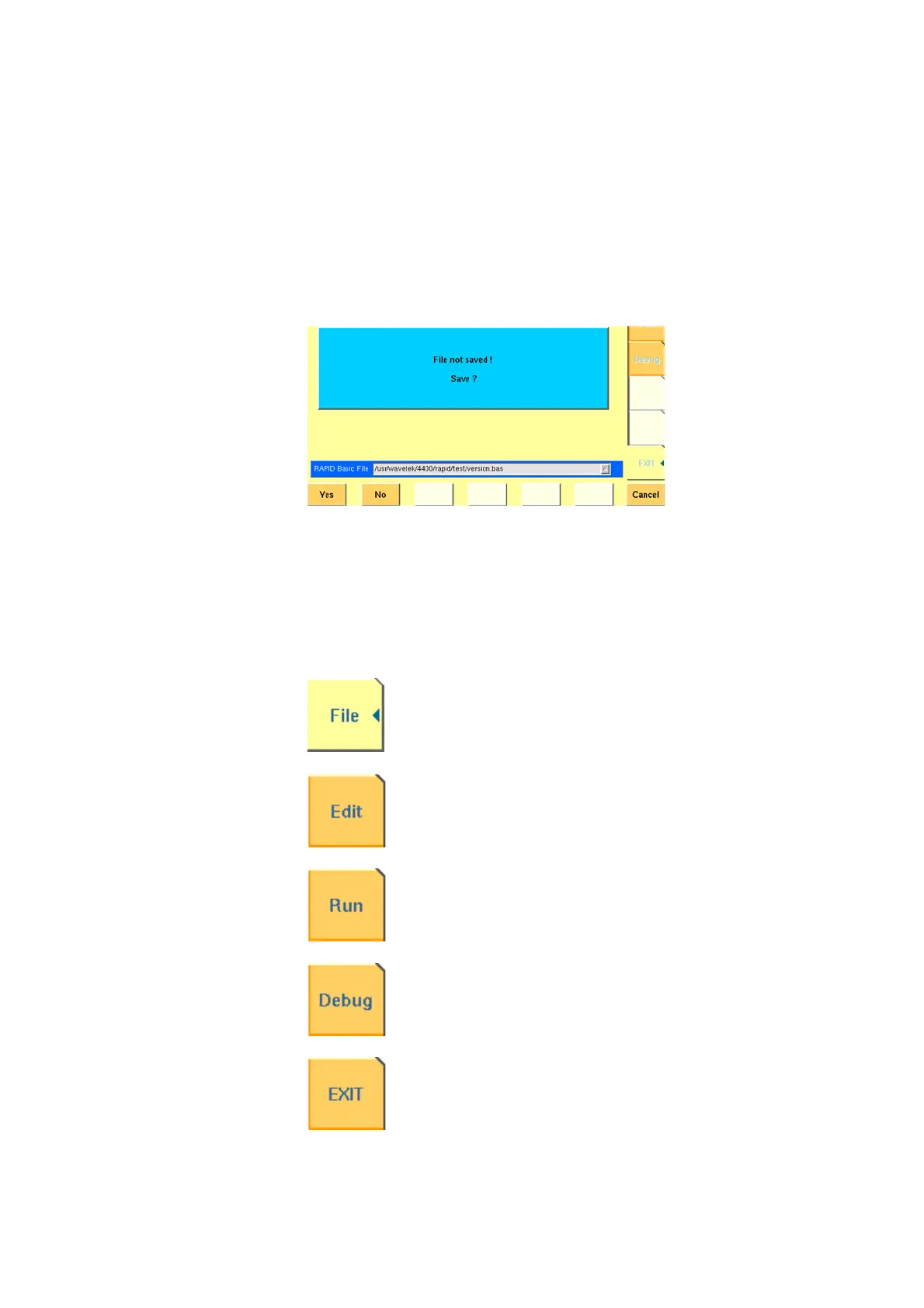
In case you did any program editing without saving the changes, the 4400 will
prompt you to either save or ignore the previous editing:
You may then save the changes by pushing the
Yes softkey, while a push on
softkey
No will discard any changes and leave the file as it was. Cancel takes
you back to the RAPID! environment.
Marker tabs of the RAPID!
environment
The marker tabs offer direct access to the menus of the RAPID! environment:
File menu – Loading, saving, copying, renaming and erasing
files in general.
Edit menu – Selecting a file to edit, entering code, saving a
single program file, searching for and replacing text.
Run menu – Selecting a file to run and starting a program.
Debug menu – Running a program, single-stepping a program,
watching and altering variables.
Quitting the RAPID! environment.



 To Next Page