Chapter 1 Overview
Using the front and rear panels
14 WCDMA Options Version 6.20
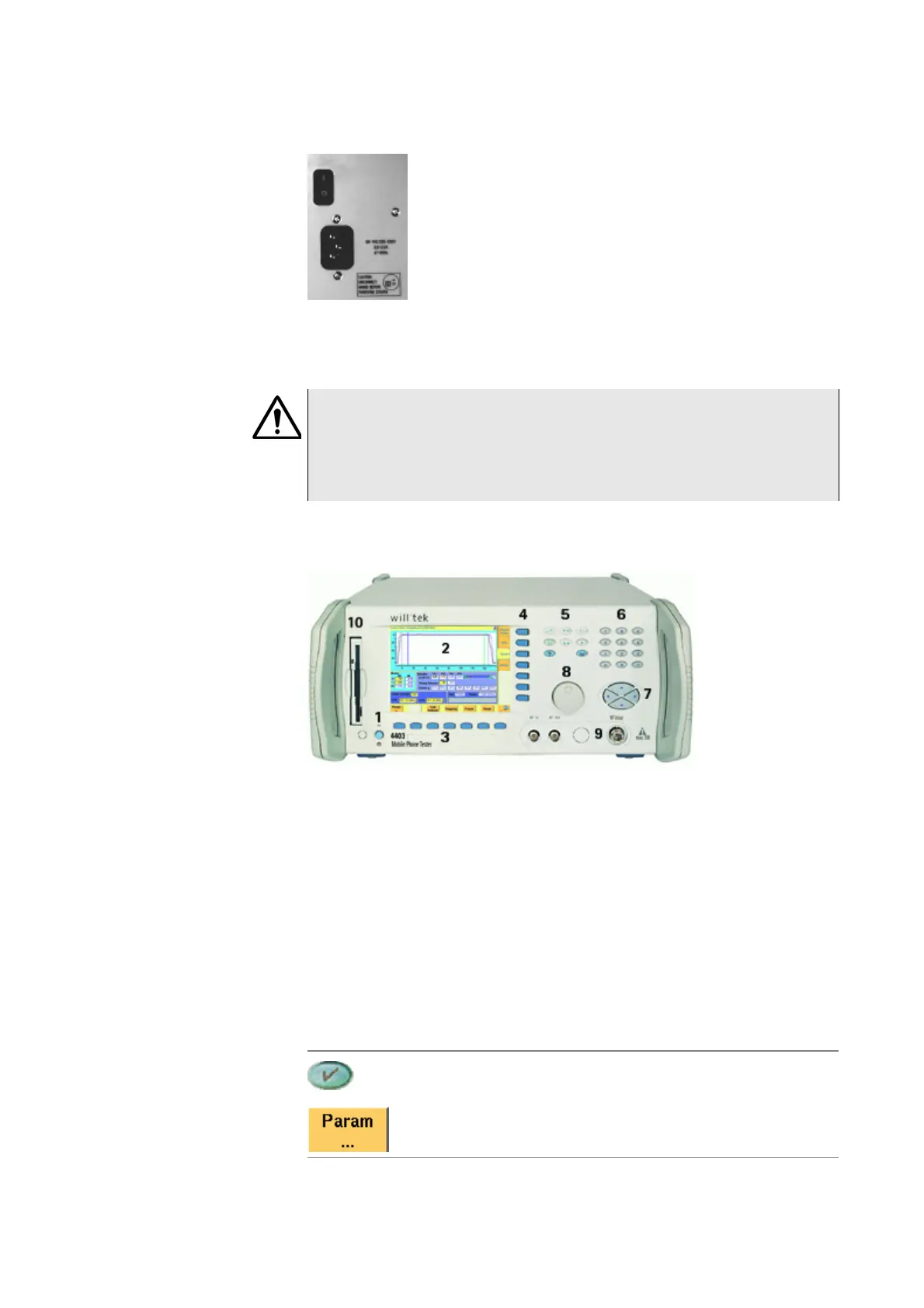
Connector on the power supply
Power in — Standard IEC 320 power connector (3 pins). Please make sure that
the power cable is properly grounded.
The keys on the front
panel
There are six different groups of keys. In the photo of the front panel above, they
are marked with numbers 3 through 8.
– The softkeys (3)
– The marker tabs (4)
– The function keys (5)
– The numeric keys (6)
– The cursor keys (7)
– The selection key (8)
Notation of keys in this manual and online help
HAZARD
Before connecting the 4400 to the power line, please check that the power
available on your supply line is within the operating range of the 4400’s
power supply as indicated on the back of the unit and in the getting started
manual.
Hard keys, such as the ENTER key, appear in capital letters.
Either a graphical image of the softkey is used, or its label is in
bold print, e.g.
Param....



 To Next Page