Chapter 2 WCDMA Call Mode
System parameters
80 WCDMA Options Version 6.20
Occupied Bandwidth In addition to the ACLR measurement parameters this menu also contains the
99% Indicator field for OBW measurements. In order for OBW measurements to
work this indicator has to be activated. Consequently the value ON is displayed
in this field. It cannnot be modified. For a detailed description of OBW measure-
ments refer to “OBW (Occupied Bandwidth)” on page 95 in Chapter 3 “WCDMA
Non-Call Mode”. You will also find a short description of this measurement on
page 61.
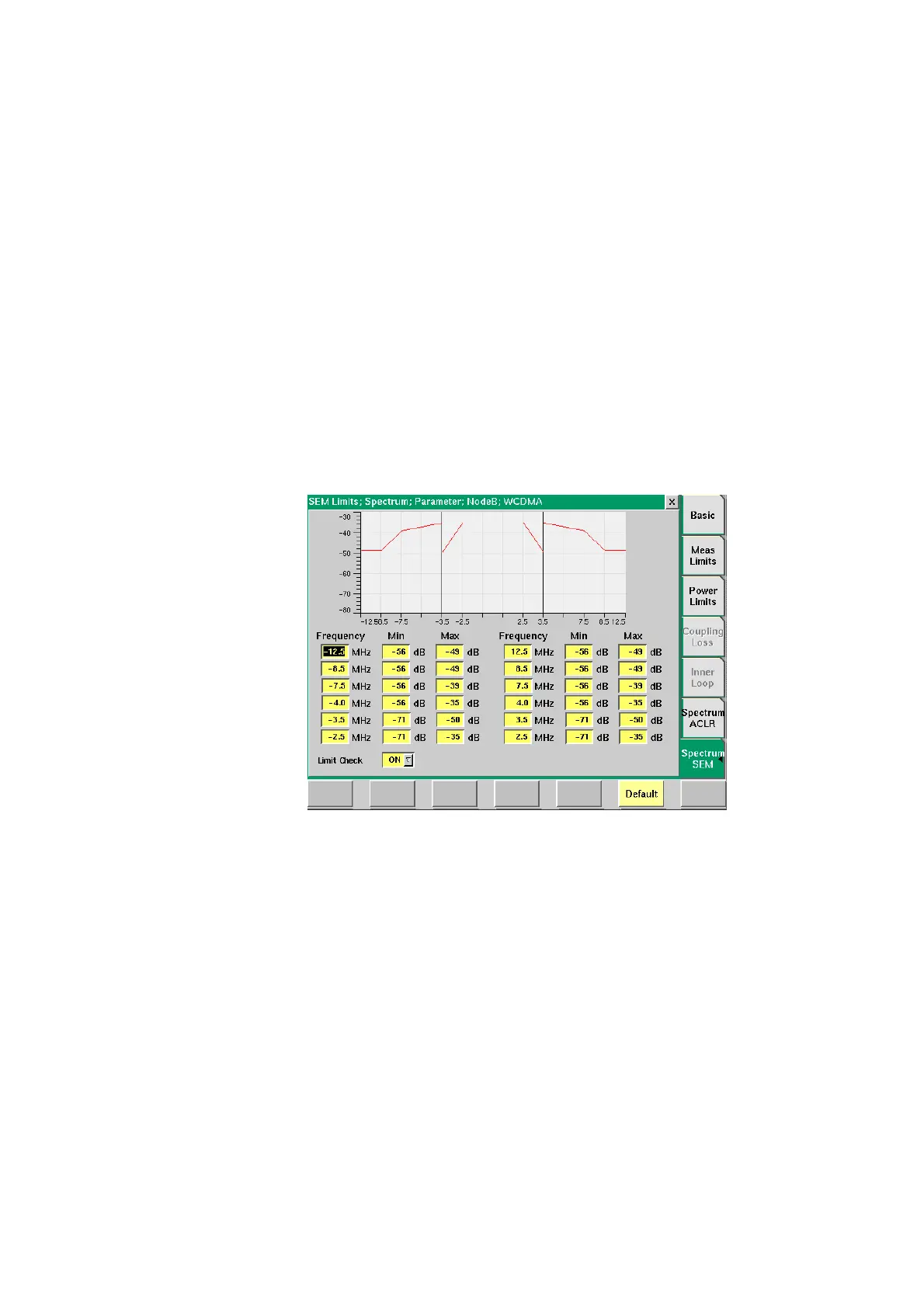
Spectrum SEM In this parameter menu you can set the limit values for Spectrum Emission Mask
measurements. The limit values set here are displayed as limit lines onscreen as
well as in the Spectrum Emission Mask measurement screen. The results graph
displayed on the measurement screen must be within the limits denoted by the
limit lines. For a detailed description of the Specrum Emission Mask measure-
ment refer to “SEM (Spectrum Emission Mask)” on page 98 in
Chapter 3 “WCDMA Non-Call Mode”. You will also find a short description of this
measurement on page 61.
In the Min/Max fields you can enter the power limit values for the individual
frequencies specified in the frequency fields. The frequency values are displayed
on the horizontal axis, the power values on the vertical axis. The screen shot
above shows the default values according to WCDMA specifications. For details
concerning the requirements according to WCMDA specifications refer to “SEM
(Spectrum Emission Mask)” on page 98 in Chapter 3 “WCDMA Non-Call Mode”.
The step size is 0.1 for the Frequency fields and 1 for the Min/Max fields.



 To Next Page