Chapter 3 WCDMA Non-Call Mode
RF Analyzer for spectrum
WCDMA Options Version 6.20
97
The ACLR limits according to WCDMA specifications are as follows:
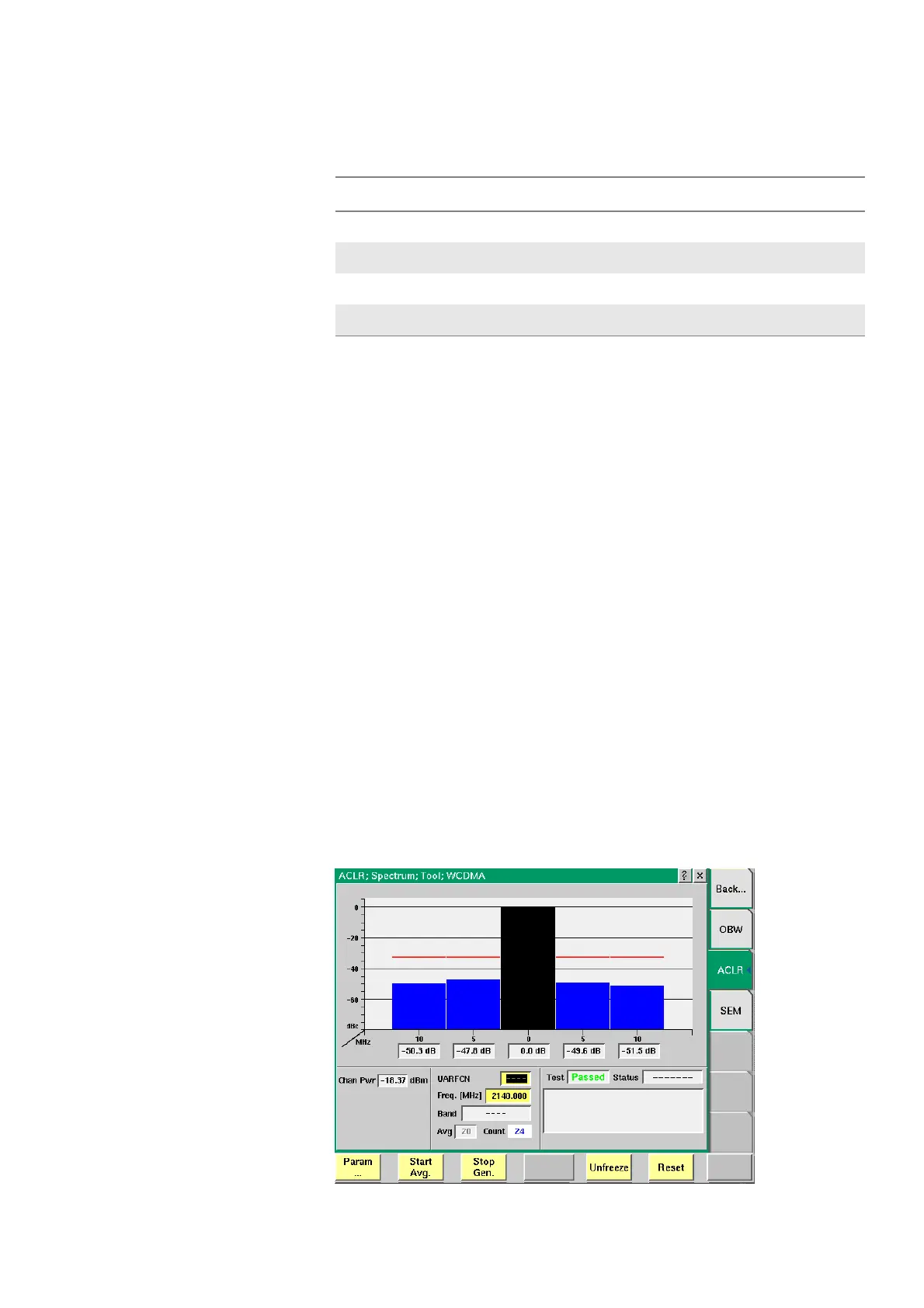
ACLR limits can be set or modified in the Spectrum ACLR Parameters menu. For
further details on setting and modifying system parameters please refer to
section “Spectrum ACLR” on page 79. After specifying the limit it will be shown
as a red limit line onscreen.
Parameters Avg — Push the Softkey Start Avg. and use the arrow keys to go to the Avg field
to define the number of last measurements results over which to average. The
default value is 1, you can increase the value using the upward arrow key.
Count — Counter field displaying the number of measurements being
performed.
For a description of the frequency and channel parameter entry fields see “RF
Analyzer parameter fields” on page 103.
Reading the results Chan Pwr — Display field for the channel power measured in dBm.
In the ACLR limit display fields below the measurement graph the measured
ACLR results are displayed continuously as the measurements proceed. In order
to achieve a “Passed“ test verdict the values displayed must be below the limits
specified in Table 12 on page 97. In the graphical display the columns for the
adjacent channels (in blue) must not surpass the red limit line.
Table 12 UE ACLR limits
Power class UE channel ACLR limit
3
5MHz or –5MHz
33 dB
3
10 MHz or –10 MHz
43 dB
4
5MHz or –5MHz
33 dB
4
10 MHz or –10 MHz
43 dB



 To Next Page