Chapter 4 Tools
Utilities
122 WCDMA Options Version 6.20
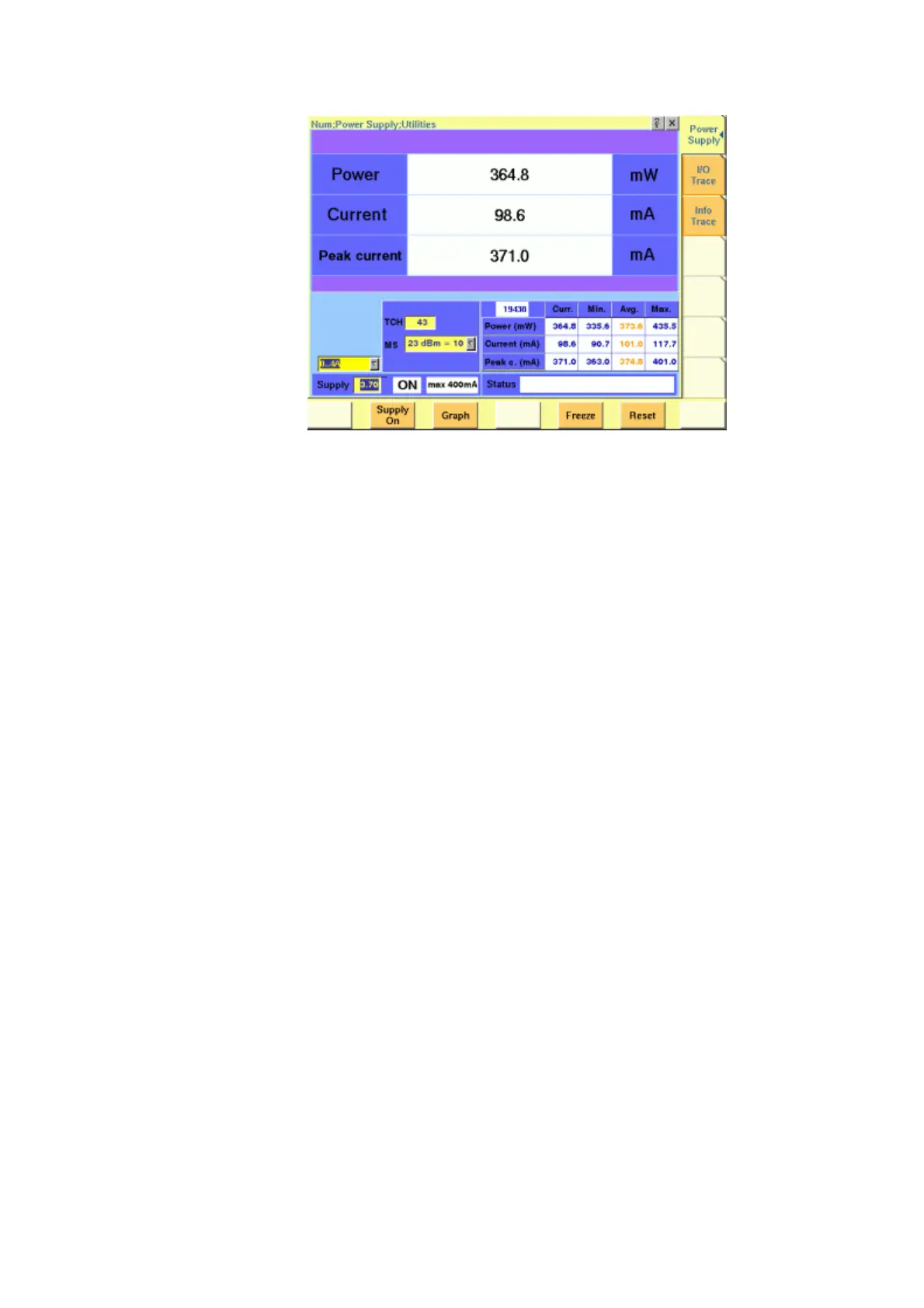
MS Power Supply Option This menu allows you to select and switch on/off the required supply voltage for
the mobile phone, for use with the MS Power Supply option of the 4400. The MS
Power Supply options is meant to replace a battery e.g. in environments where
the original battery is not yet connected to the mobile (such as in manufacturing
lines) or where faults must be traced back to either the phone or the battery
(such as in service). Moreover, the MS Power Supply can be used to test the effect
of over- or under-voltage on RF transmitter, RF receiver and audio parts.
Connection: The MS Power Supply connector can be found at the left-hand side
of the 4400 front panel, below the floppy disk drive. The MS Power Suppy option
comes with a cable of one meter length. One end of the cable can be plugged
into the 4400, while the other end is open-ended. The open ends can be used to
connect the power supply to a fixture holding the mobile phone. Willtek delivers
the cable with open ends because these fixtures are manufacturer-specific and
hence open ends are most universal.



 To Next Page