Chapter 1 Overview
Menus and levels
WCDMA Options Version 6.20
21
Levels
The user interface of the 4400 is organized in a hierarchical order. This means
that there are several levels.
The Welcome menu is at the top level. As you go lower in menu levels, you will
reach more specialized or detailed functions.
– When there are several menus of the same level, you can select between
them using the marker tabs on the right-hand side of the display.
– To navigate to a menu of the next lower level, push any one of the softkeys.
– When you would like to return to the next level above, push the E
SCAPE
function key.
Example: You would like to go to the GSM Burst Zoom menu.
You can use either the Calls & Meas. or the Gen/Ana menus. For tests in call
mode, i.e. involving a call setup, simply push the
Calls & Meas. softkey from the
Welcome menu. This will take you to the test menu where you can select
between the various tests (this is the so-called test level).
Now you push the third marker tab (from the top) and the 4400 will display the
Burst test menu.
The
Zoom softkey of the Burst test menu leads you to the Zoom menu.
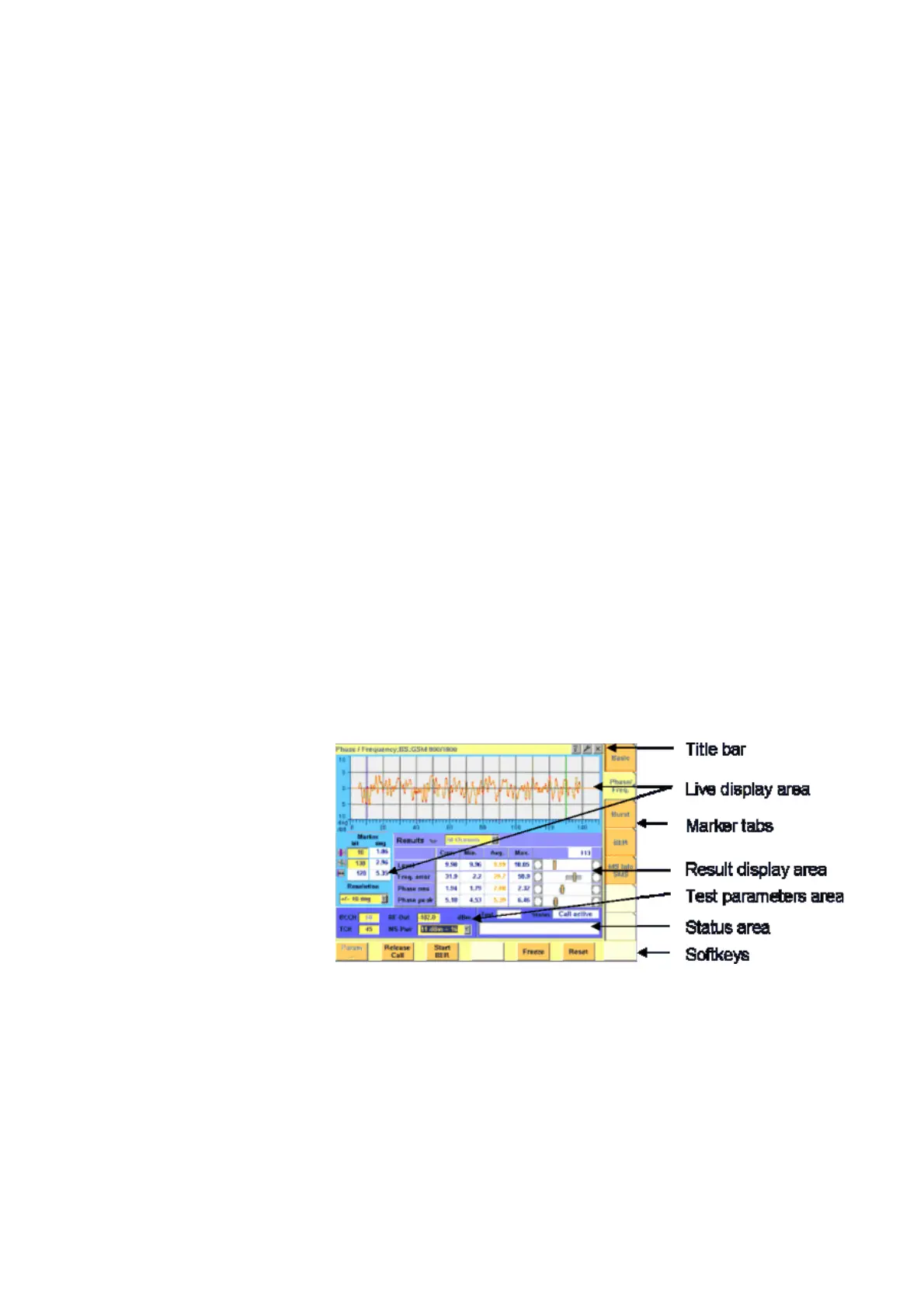
The areas of a test menu Each test menu is divided into different color-coded areas, each providing
different functions. These functions are described in detail in the test sections of
the related system.
The figure below gives you a first overview. The example we have chosen is the
Phase/Frequency test menu of the GSM system, but the principle is the same for
all other test menus.
–The title bar shows the name of the menu you are currently working in. In
the example above, this is the menu testing the phase/frequency character-
istics of a mobile in a GSM 900/1800 system.
–The live display area shows the measurement results in real time, whether
numerical or graphical. To make the live display area easy to identify on the
display, it is placed on a light blue background.
– The area with the purple background is the result display area. It shows the
statistical analysis of the measurement results and the bar display.



 To Next Page