Chapter 2 WCDMA Call Mode
Common elements of the call mode menus
42 WCDMA Options Version 6.20
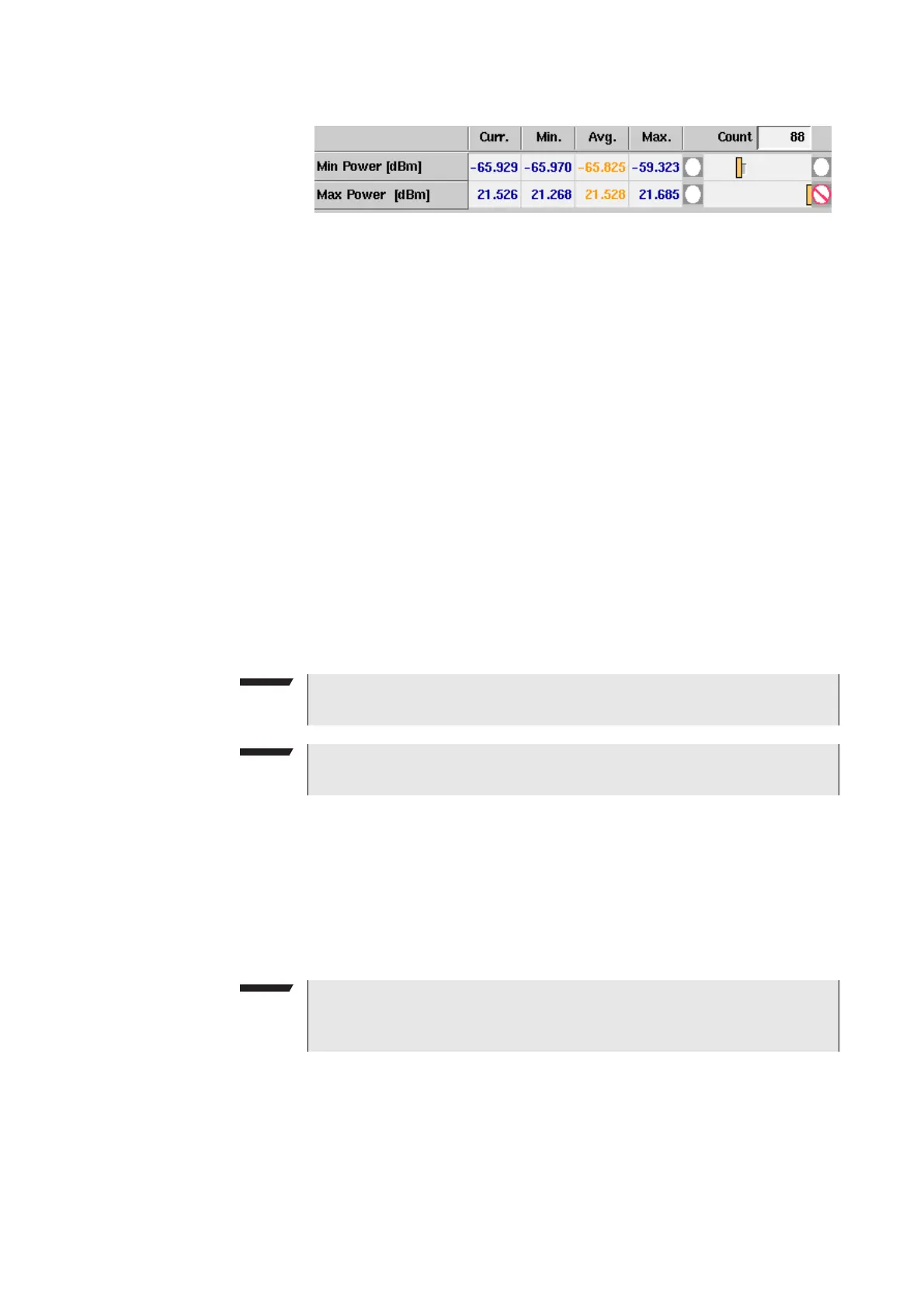
Statistical test evaluation
Some measurement screens offer results tables containing different results
values. The example above is taken from the Power menu. The Modulation
Quality menu and the BER/BLER menu also contain a results table showing the
same results structure.
The following information can be found in the results table:
Averaging The average value on the results screens is determined by the last N measure-
ments. The number N can be selected with the Avg. input field which is available
on some (not all) of the measurement menus. To define the number of last
measurements results over which to average push the softkey
Start Avg. and use
the arrow keys to go to the Avg. field. The default value is 1, you can increase the
value using the upward arrow key.
Count
On some of the test menus, the 4400 provides you with statis-
tical evaluations of the measured values. Those statistical val-
ues are obtained by running a test a specific number of times.
In the figure above, this number is given by the single value
above the bar displays.
Curr.
The current measurement value. The last measurement
obtained without any statistical evaluation.
Min.
The absolute minimum of all measurements obtained.
Avg.
The average value calculated using a block of measurement
values. See section Averaging below for more information.
Max.
The absolute maximum of all measurements obtained.
NOTE
The bar display is described in section “Display markers” on page 41.
NOTE
To (re-)initialize a statistic evaluation, simply push the
Reset softkey.
NOTE
Results tables for statistical test evaluation are available on the Min/Max
Power menu, the Modulation Quality menu as well as on the BER/BLER menu.



 To Next Page