Chapter 5 The 4484 WCDMA Tracer Option
Installation and configuration
130 WCDMA Options Version 6.20
9 Select an IP address which is valid for your TCP/IP network. This applies to
the WCDM Board Net Mask (e.g. 255.255.255.0) and your gateway (e.g.
172.149.1.100). The Default Gateway is optional. Select the remote mode
you are using to communicate with your 4400 via the Remote mode switch
by clicking on
GPIB or TCP/IP. In our example a GPIB connection is used.
Click on
Get Config.
10 Insert the IP address determined in step 7, i.e. your PC’s IP address, into the
Host address field and click on
Load Config. The 4400 will now reboot.
Afterwards you can use RNSTRace to view the higher layer protocol
messages.
Direct connection between
4400 and PC
In order to install the Tracer Option on your PC and reconfigure WMAIN using a
direct connection between 4400 and PC proceed as follows:
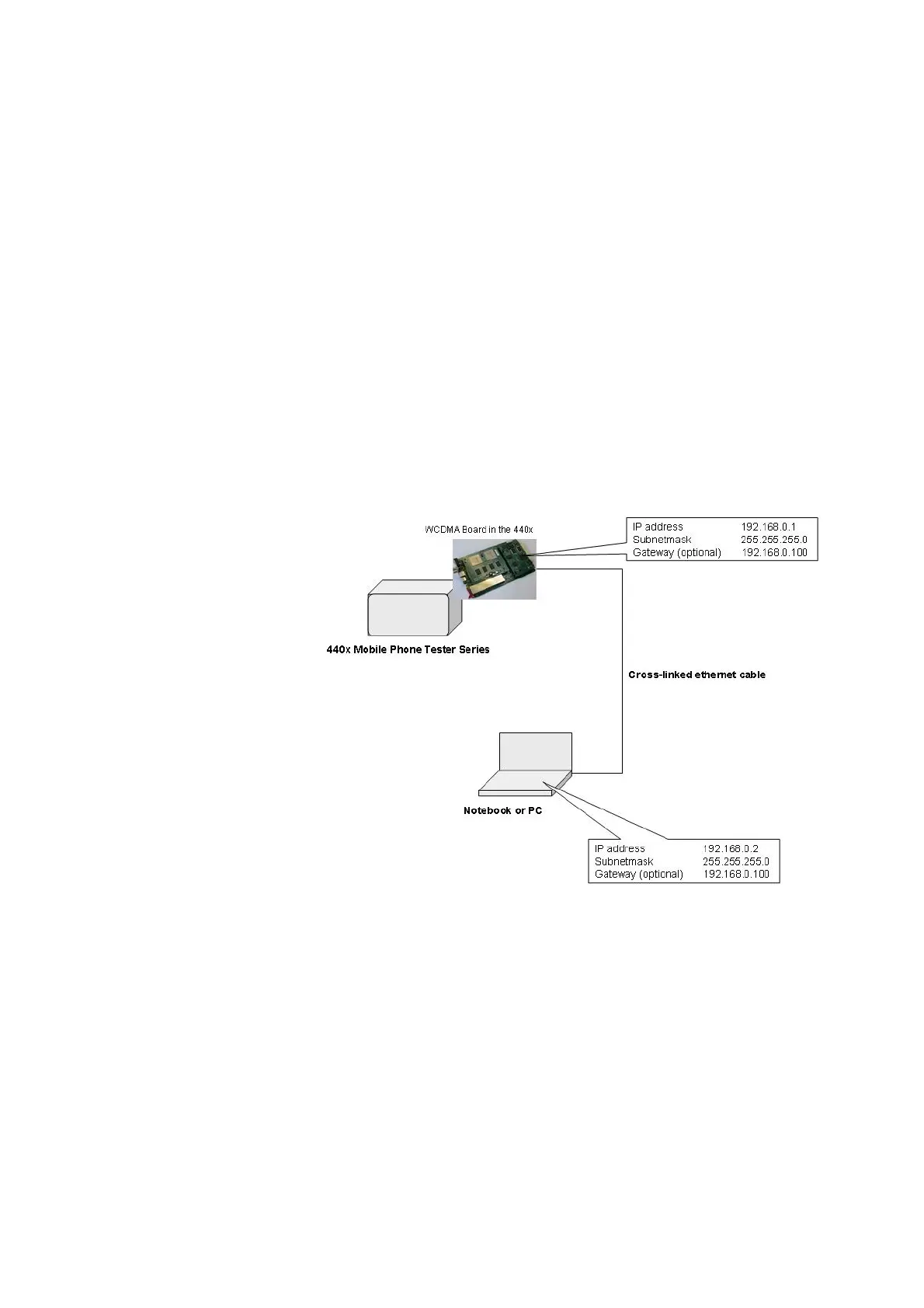
1 Establish a connection between your PC and the WCDMA LAN interface with
a crosslink cable (see following picture).
2 Configure the IP address and the subnet mask of your PC via TCP/IP connec-
tion. The Default Gateway is optional.
3 Select
Start > Programs > Willtek > Willtek 440x Tracer > Get Config.
4 Insert the address for the WCDMA Main Board (e.g. 192.168.0.1) the subnet
mask and the gateway (e.g. 192.168.0.100). Furthermore, enter the IP
address of your PC, the host address.



 To Next Page