Chapter 5 The 4484 WCDMA Tracer Option
Installation and configuration
WCDMA Options Version 6.20
129
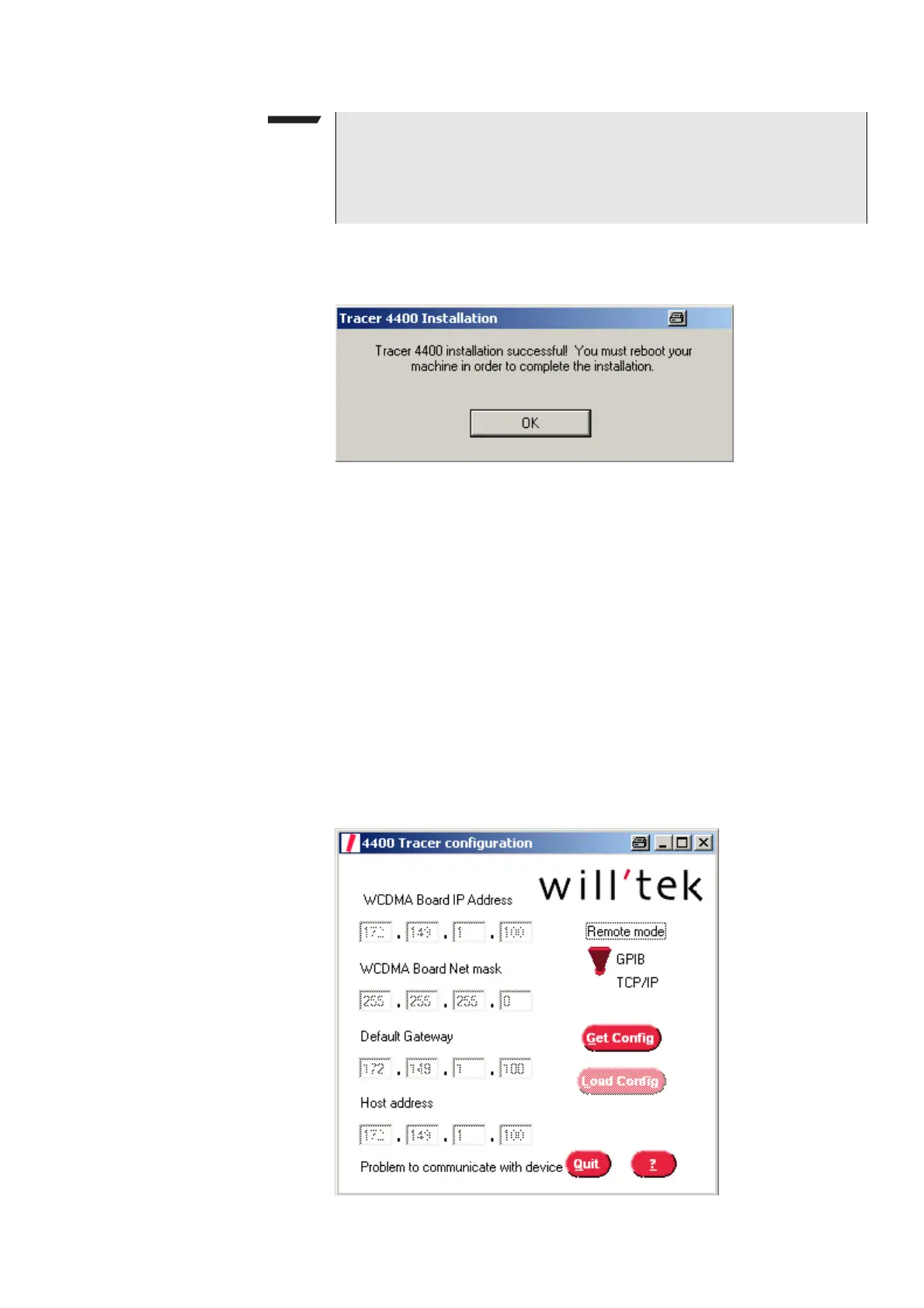
4 Click on the Finish button. After installation has been completed success-
fully the following message will be displayed.
5 Reboot your PC. The installation routine will generate a tracer folder struc-
ture on your C:\ drive. In the tracer folder the debug file created by the
tracer will be saved automatically.
6 If you are using a GPIB interface for communication between the 4400 and
your PC, you need to install the VISA Run-time Engine Version 3.2 (or
higher). The drivers can be downloaded from the internet at www.ni.com/
visa/. Follow the instructions given to install the drivers and proceed with
step 6.
7 Select
Start > Programs > Willtek > RNSTrace. A window containing the
host IP address appears. This is the IP address of the PC or notebook you use.
Keep it in mind and close the RNSTrace. You will need this IP address for
entering it in the 4400 Tracer configuration window.
8 Select
Start > Programs > Willtek > Willtek 440x Tracer to configure the
network setting of the WCDMA Main Board. The 4400 Tracer configuration
window will be displayed.
NOTE
In order to be able to use the Tracer tool on your PC the LabWindows CVI Run-
Time engine must be installed as indicated in the previous picture. For further
information on the LabWindows CVI Run-Time engine refer to
http://volt.ni.com/niwc/cvi/.



 To Next Page