Chapter 4 Tools
Configuration
WCDMA Options Version 6.20
109
TCP/IP port settings The 4478 TCP/IP Option provides a range of additional applications to work with
the 4400 over a local area network (LAN):
– Software updates (see section “Service and software update” on page 116)
– Remote control of the 4400 using “SCPI” commands
– Access to files on the 4400 using an NFS connection
– Access to files on the network from the 4400 using an NFS connection (see
sections “File menu” and “Commands for input/output handling” in the
RAPID! chapter)
The following conditions must be met in order to use these features and to set
up the TCP/IP parameters of the 4400:
– The 4478 TCP/IP Option must be installed. This option is available through
Willtek and can be installed in the field.
– The Ethernet PC Card must be installed. This is a PCMCIA card available
through Willtek. The card must be inserted upside down into the left
PCMCIA card slot. Please refer to the manual of the Ethernet PC Card for
more information.
If both are installed, the 4400 runs TCP/IP software and also an NFS (network file
server) client/server application to allow access both from and to the 4400 over
a local area network (LAN).
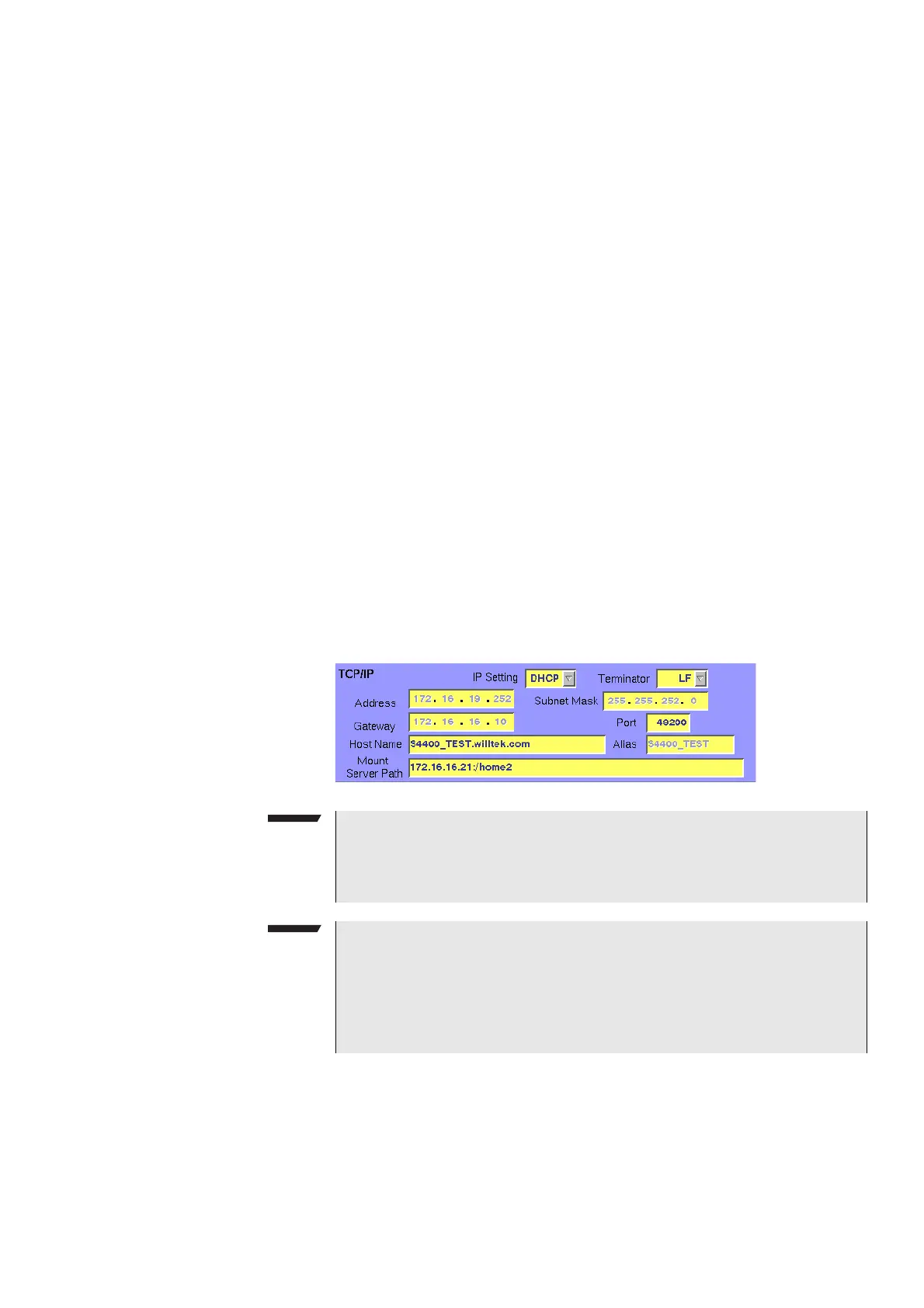
The following TCP/IP and NFS parameters can be configured in this area if the
TCP/IP option is available and a network card has been installed:
NOTE
The LAN interface card (Willtek's Ethernet PC Card) must be plugged into the
PCMCIA slot BEFORE turning on the 4400 because the driver software is
loaded only during the boot-up phase.
NOTE
If you want to access directories and files that reside on a computer on the
network, that computer must run an NFS server software. Computers running
a UNIX operating system often have NFS server software already installed.
NFS server software for Windows- and for MacOS-based computers is avail-
able as a third-party product.



 To Next Page