Chapter 2 WCDMA Call Mode
Testing User Equipment on WCDMA channels
WCDMA Options Version 6.20
47
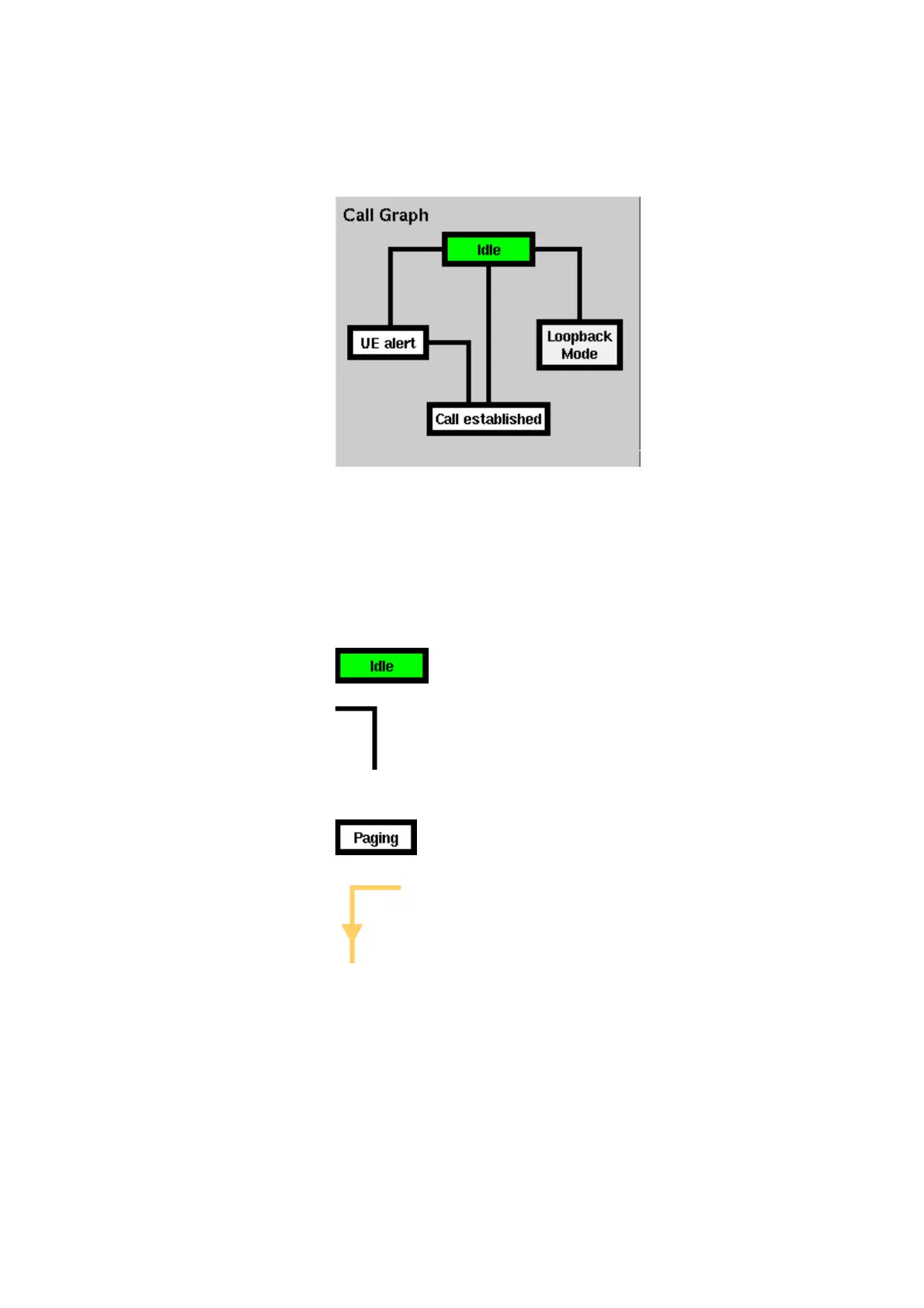
Call graph Basically, the call graph is the call status display in graphical form. It allows you
to instantly identify the status of a call and the currently executable measure-
ments.
As long as no call or paging has been initiated, the call graph will look like the
sample above.
In this case, the 4400 is in idle mode and waiting to either receive a call from the
mobile or for you to push the
NB Call Speech or the NB Call Loopback
softkey.
How to read the call graph
The rectangular box with the green background indicates
the current state of the call.
The black lines without arrows indicate the possible paths
from one state to another.
Example: There are two paths from Idle to Call established.
Either the direct one by an UE-originated call or through
the UE alert state during a NB-originated call setup.
All rectangular boxes with white background indicate states
that can be reached using the paths.
The orange line with the arrow indicates the path that has
been used to achieve the current state.



 To Next Page